Asking Other Companions
Most questions you ask people are really questions about their memory:
- “Do you have photos of us from the lake trip?”
- “Do you know anyone at Acme?”
- “Free for lunch Friday?”
Today those go over the slowest possible protocol: interrupt the person, wait, hope they remember, get an answer nobody can source. Asks let your Companion put the question to their Companion — and get a truthful, sourced answer that the other person stayed in control of.
Asks are off by default. An administrator enables them with the ask feature
flag (ENABLE_ASK) on Companion Memory. Sending asks to peers on other boxes
additionally requires peer discovery to be configured.
What makes this different
Your memory never leaves your appliance. When someone asks you something:
- The question arrives at your box.
- Your consent rules decide whether it may be answered at all.
- The search runs locally, as you.
- Only a filtered answer — never your raw records — goes back.
The other person’s Companion does the same for you. Neither box gets a copy of the other’s memory, and the cloud never sees either.
Finding someone
Companions find each other through the CI-Portal directory, which works like a phone book: you look up a handle, and you get back where that person’s Companion listens.
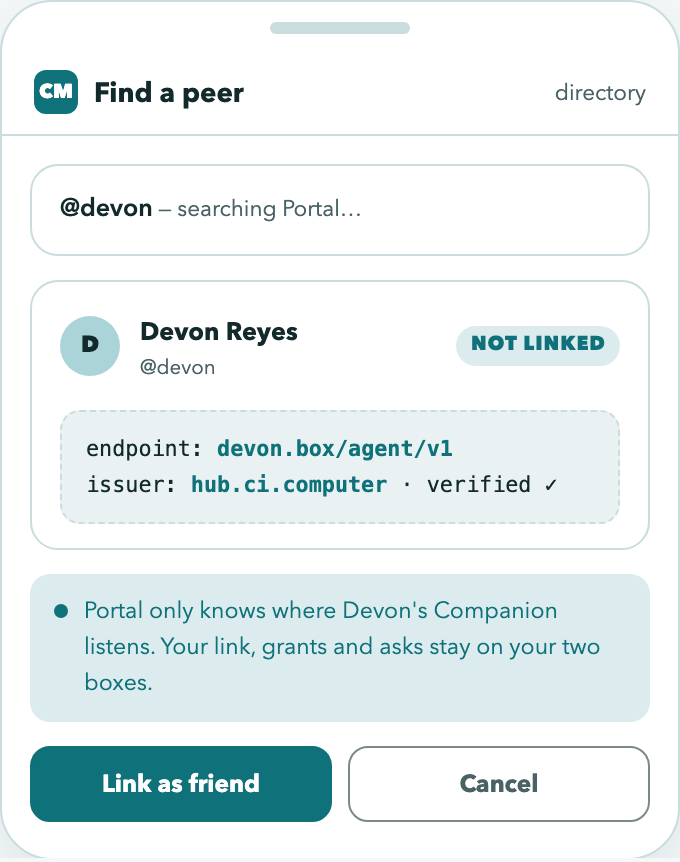
The directory deliberately knows very little:
| Portal stores | Portal never stores |
|---|---|
Handle (@devon) | Who you are connected to |
| Where their Companion listens | Your consent rules |
| The identity their box will present | Any question or answer |
Your relationships live on your box alone. Looking someone up does not tell Portal you know them.
You can only look people up by their exact handle — the directory can’t be browsed to discover who has a Companion. You appear in search results only if you explicitly opt in.
Linking a peer
Linking is a local act on your box. Each peer gets a tier, which sets the default posture for what they may ask, and per-peer rules refine it.
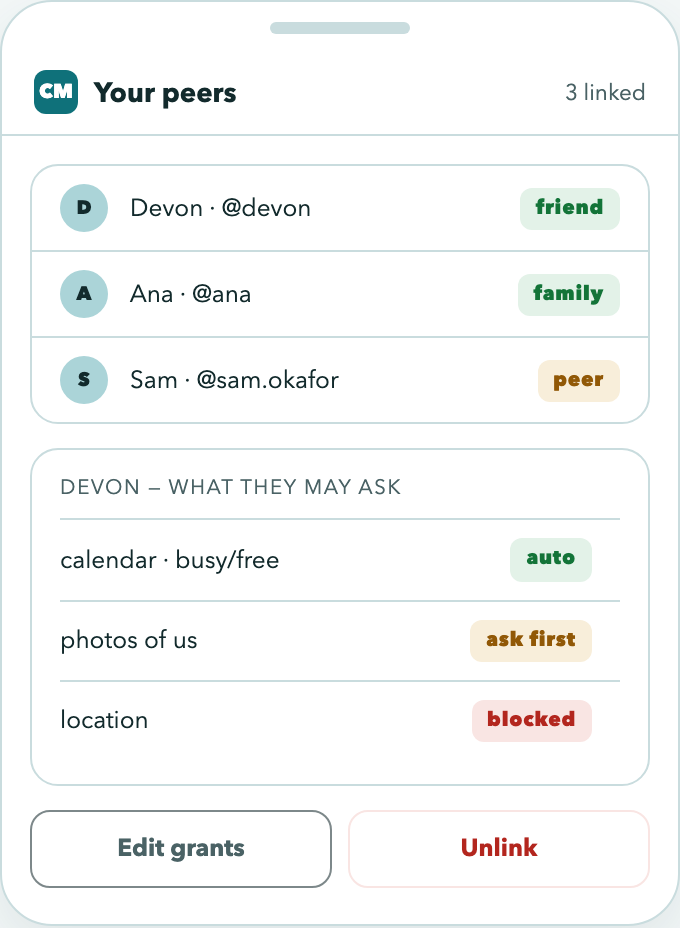
Unlinking takes effect on the very next question they ask. To them, being unlinked looks exactly like never having been linked — they can’t tell the difference.
The three kinds of question
Each kind is a separate, narrow shape. That’s deliberate: it means a question about your calendar can’t quietly become a search of your photos.
| You ask | They answer with |
|---|---|
| ”Do you know X?” | Yes or no |
| ”Have you seen X?” | Whether they have something, and how much |
| ”Free for lunch Friday?” | Free/busy times only |
”Free for lunch Friday?”
This one is special, and it’s the reason assistants can schedule for you.
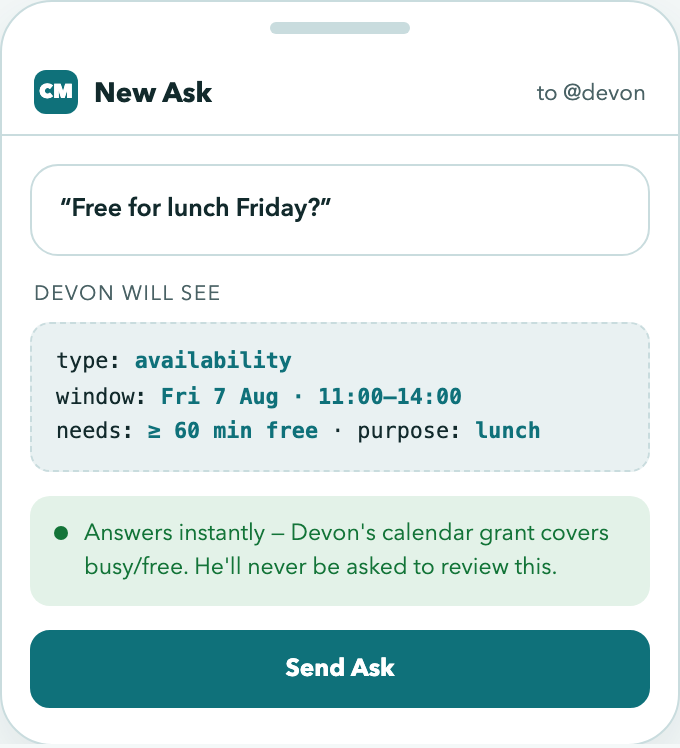
You send a time window and how long you need — not a search of their calendar. What comes back is only when they’re free or busy:
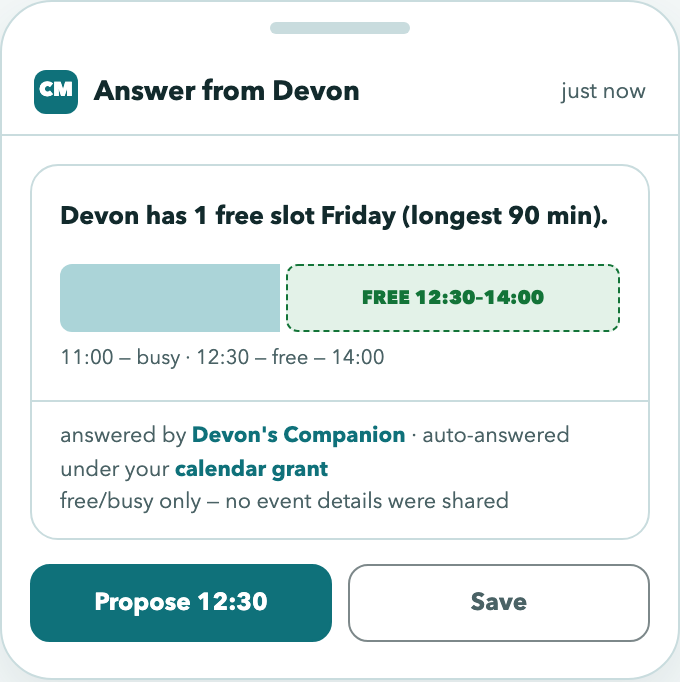
The answer contains no event titles, locations, attendees, or even a count of meetings — overlapping blocks are merged together before sending, so “busy 11:00–12:30” could be one meeting or four. There’s nothing sensitive to redact because nothing sensitive was ever assembled.
Because it’s provably free/busy only, this question can be answered automatically under a standing rule, without interrupting anyone. That’s what lets two assistants find a lunch slot on their own.
Answering: you stay in control
When a question arrives, you either set a standing rule for it or you review it.
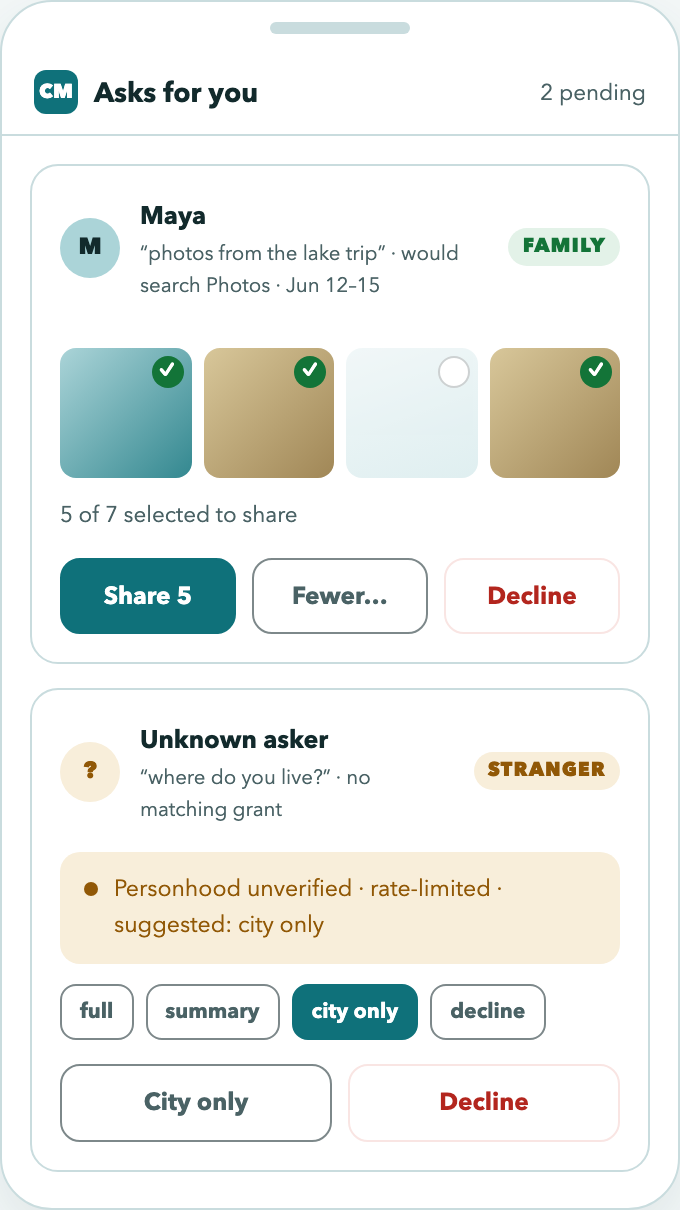
- Review is the default. Nothing is answered until you say so.
- Standing rules auto-answer questions you’ve already decided about (“Devon can always ask my busy/free”).
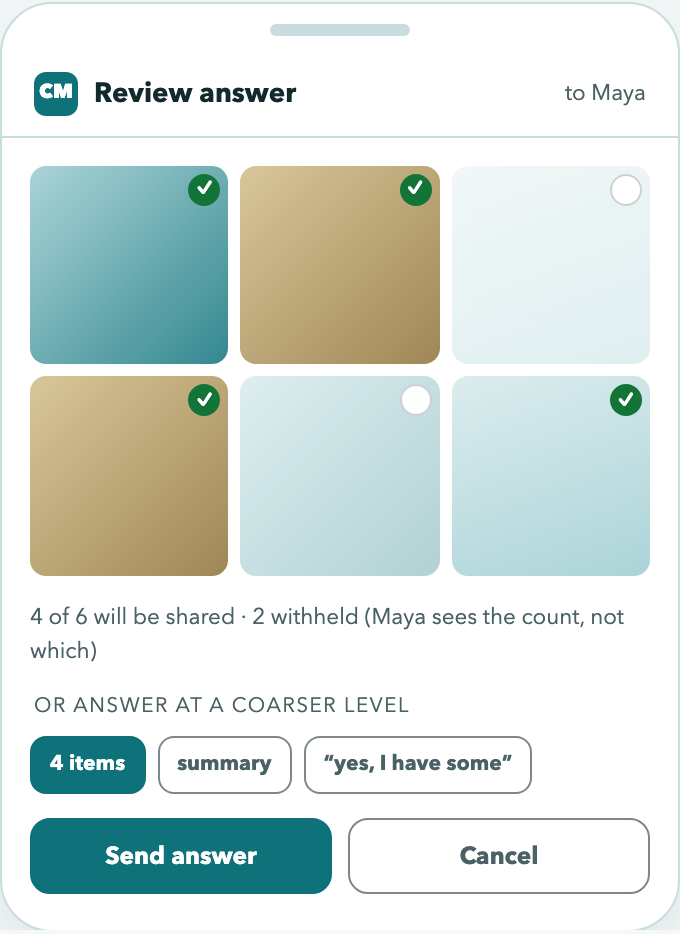
- You see the answer before it sends — never approve blind.
- Declining is free. No reason required, and the other side can’t tell a decline from “nothing found”.
Sharing less, instead of declining
You can always answer at a coarser level rather than saying no: share 3 of 7 photos, answer “the city” instead of your address, or reply yes/no instead of the details.
Seeing what you’ve shared
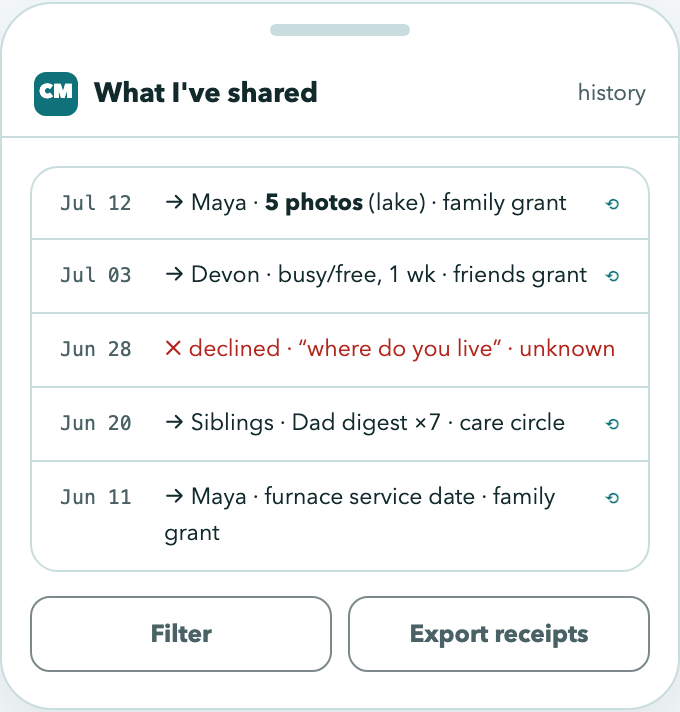
Every answer — and every decline — is recorded. What I’ve shared is the full history: who asked, what you disclosed, under which rule.
Accessibility
These screens meet WCAG 2.1 Level AA contrast requirements (4.5:1 for normal text, 3:1 for large text and controls) in both light and dark themes. Status colors that carry meaning — auto, ask first, blocked — are verified against their backgrounds, and every status is also labeled in words, never color alone.
Related
- Companion Memory — the Explorer, search, and saved searches
- Companion Agent — assistants that can act on your behalf