Billing & Subscriptions
Organizations in your CI Account have a Billing tab in Organization settings. From it an organization owner or admin can put the organization on the Pro plan, add priced extras on top of it — custom domains, extra public subdomains, extra paired devices, user support — change how many of each the organization holds, and open the Stripe billing portal for invoices, the payment method and cancellation.
Billing is scoped to an organization, not to an individual account. Payment is handled by Stripe on Stripe-hosted pages; your card details never pass through the CI Account.
Availability. The Billing tab only appears on deployments where the
operator has turned on the orgSettings.billing feature flag and
connected the deployment to Stripe. On
hub.ci.computer that flag is switched off
today, so most readers will not see a Billing tab yet, and there is no way to
buy a plan there. Nothing is refused over a plan on that deployment either —
billing.enforcement is off as well. This page describes what ships in the
software so you can recognise it when your deployment turns it on.
Plans
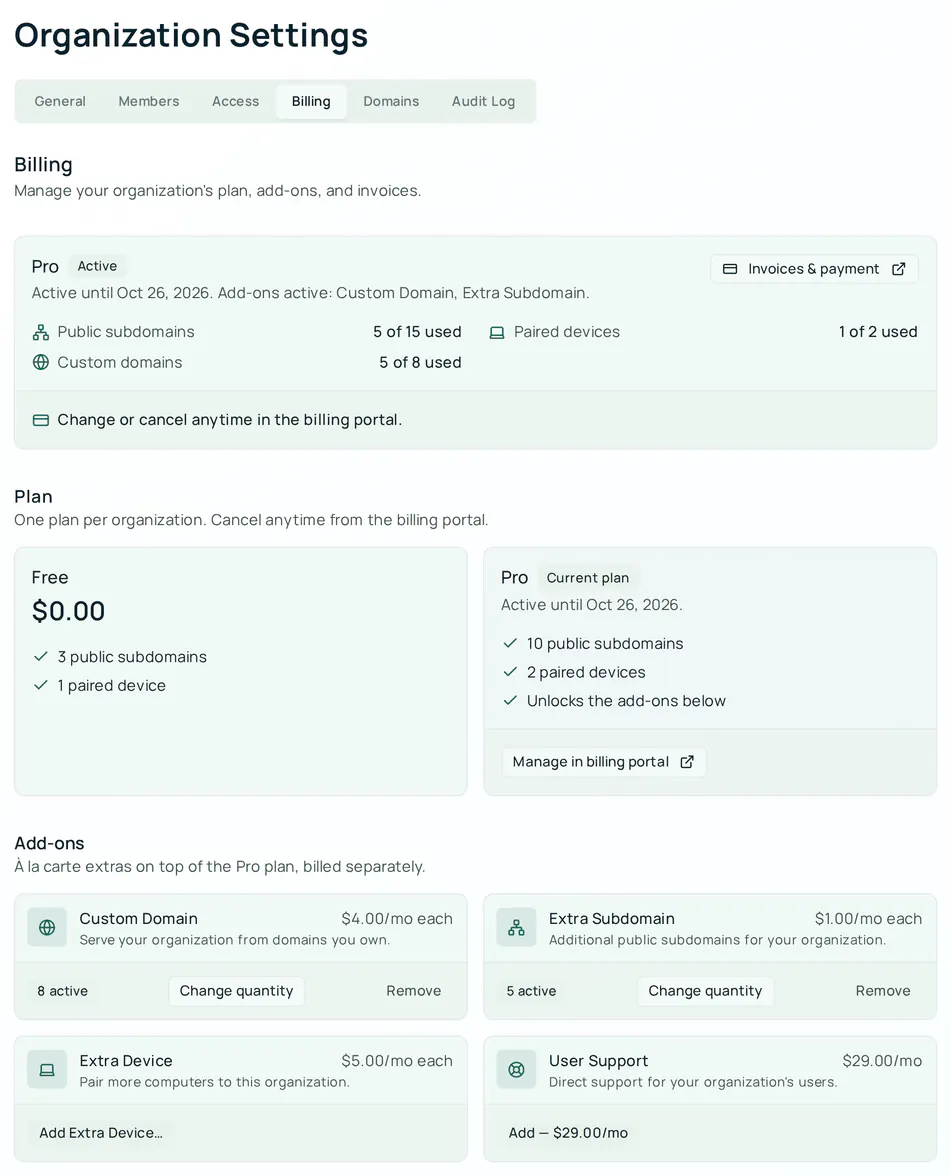
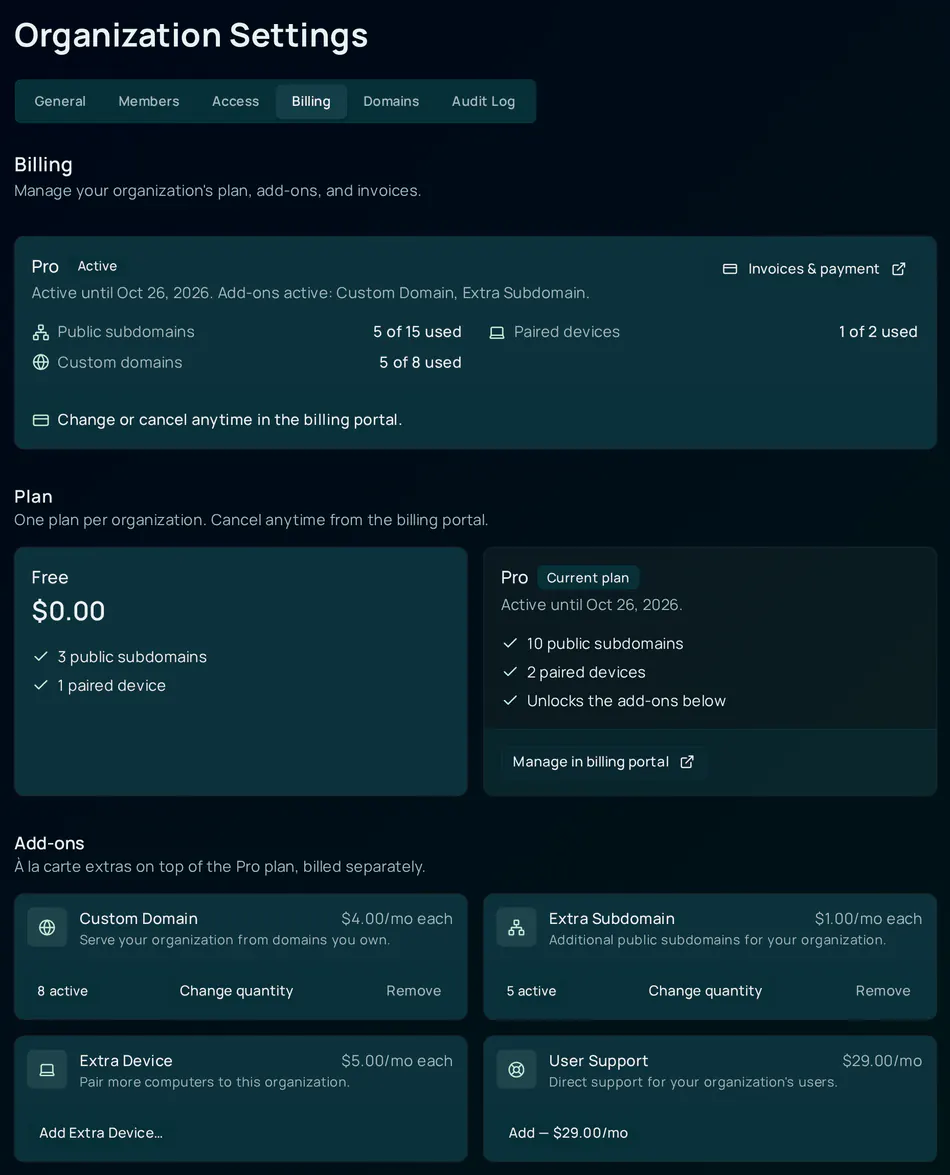
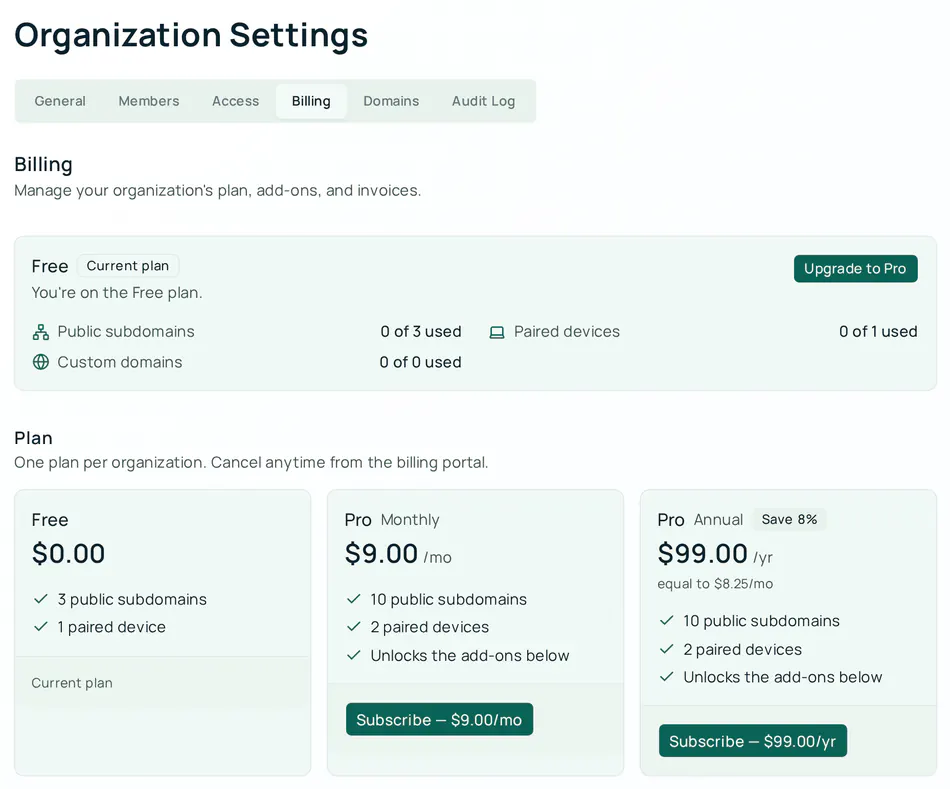
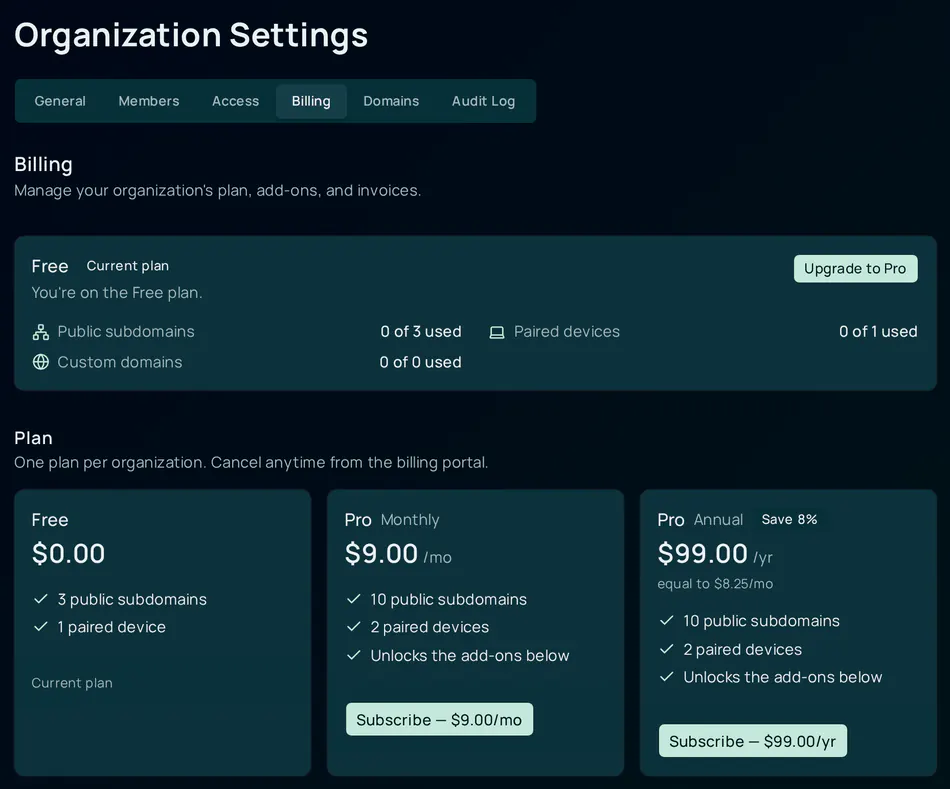
There is one plan per organization: Free or Pro. Pro is sold monthly or annually; both grant the same things.
| Free | Pro | |
|---|---|---|
| Price | $0.00 | $9.00 / month or $99.00 / year (the tab shows the annual price as “Save 8%”, equal to $8.25 / month) |
| Public subdomains | 3 | 10 |
| Paired devices | 1 | 2 |
| Add-ons | Not available | Unlocked — see Add-ons |
| Custom domains | 0 | 0 included; bought as an add-on |
Prices are in USD and are the same for every organization. There are no trials, coupons or custom pricing.
Companion Memory is free, on both plans. It is not something Pro unlocks: it installs from the store like any other free app, and the Hub offers it during setup whatever plan you are on. Earlier versions of this page listed it as a Pro feature; that was wrong and has been corrected.
Add-ons
Add-ons are à la carte extras on top of Pro. An organization on Free sees them locked with Requires the Pro plan.
| Add-on | Price | Priced per | Maximum per organization | What it gives you |
|---|---|---|---|---|
| Custom Domain | $4.00 / month | domain | 25 | One custom domain per unit. acme.com and www.acme.com are two units. |
| Extra Subdomain | $1.00 / month | subdomain | 100 | One more public subdomain per unit, on top of the 10 that Pro includes |
| Extra Device | $5.00 / month | device | 100 | One more paired Hub per unit, on top of the 2 that Pro includes |
| User Support | $29.00 / month | organization | 1 | Direct support for your organization’s users |
Every add-on is billed as an item on the Pro subscription — there is one subscription per organization, and its items are the plan plus whatever add-ons you hold. That has three consequences:
- Adding or changing an add-on charges the card already on file, and removing one credits it; you are never sent back through Checkout.
- A change part-way through a billing period is prorated: Stripe bills or credits the difference for the rest of the period, and the new amount applies from the next invoice.
- The add-ons share the plan’s renewal date and end with the plan if you cancel it.
Subscribe to Pro
You need to be an owner or admin of the organization.
Open Billing
Sign in to your CI Account, open Organization settings and select the Billing tab. If you do not see the tab, check the Availability note at the top of this page and read Who can see and change billing.
Choose monthly or annual
In the Plan section, click Subscribe — $9.00/mo on the Pro Monthly card or Subscribe — $99.00/yr on the Pro Annual card.
Pay on Stripe Checkout
Your browser is sent to a Stripe-hosted Checkout page. Enter your card there; it is never shown to or stored by the CI Account. Cancelling on that page brings you back to the Billing tab with a “Checkout cancelled — you haven’t been charged” notice.
Wait for “Purchase confirmed”
After payment Stripe returns you to the Billing tab, which shows Checkout complete. followed by “We’re confirming your purchase with Stripe — this page will update automatically.” The plan is granted when Stripe’s webhook reaches the CI Account, which normally happens within seconds — often before your browser finishes coming back. The banner then changes to Purchase confirmed and the summary card reads Pro — Active.
The tab polls every three seconds for about a minute. If the webhook has still not arrived by then it shows Still confirming — if you completed payment it can take another minute; refresh the page, or open the billing portal to see what Stripe has recorded. Nothing further is needed from you.
How the confirmation actually happens — the tab never trusts the return URL, only the record written by Stripe’s webhook:
flowchart LR
    A["Billing tab<br/>Subscribe"] --> B["POST /billing/checkout"]
    B --> C["Stripe Checkout<br/>hosted page"]
    C -->|"return to ?checkout=complete"| D["Billing tab<br/>Confirming"]
    C -->|"customer.subscription.created"| E["POST /api/webhooks/stripe"]
    E --> F["verify signature<br/>claim event id once"]
    F --> G["org_plan row<br/>pro, active, period end"]
    D -->|"polls GET /billing<br/>for about a minute"| G
    G --> H["Purchase confirmed<br/>Pro Active"]
Add, change or remove an add-on
All three happen on the add-on’s card in the Add-ons section and require the Pro plan.
Add. For the per-unit add-ons (Custom Domain, Extra Subdomain, Extra Device) the card’s Add … button opens a quantity dialog: pick how many with the stepper, up to the card’s ceiling (Up to 25 per organization for custom domains, 100 for the others), and confirm. User Support has no quantity — its button reads Add — $29.00/mo and adds it directly. The card shows Activating… until Stripe’s webhook records the new item, then a badge such as 5 active.
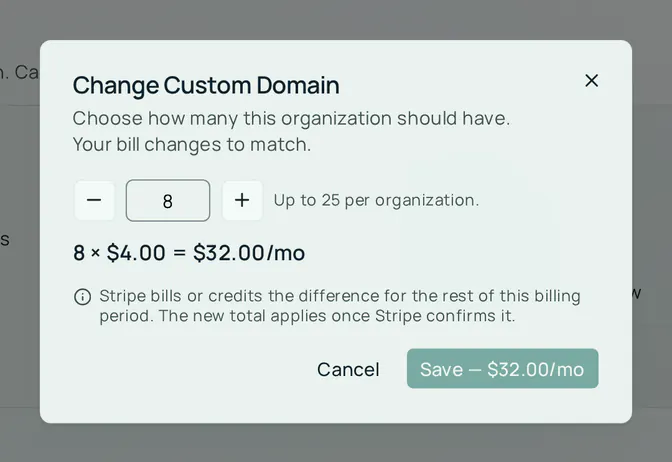
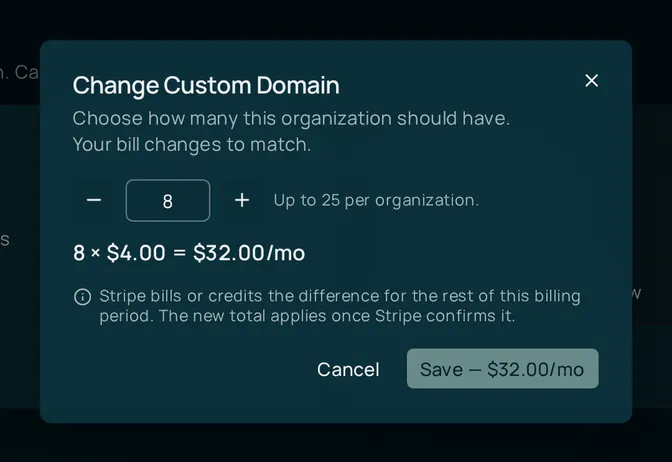
Change quantity. Click Change quantity on a per-unit add-on you already hold. The dialog opens on the number you currently have, shows the new monthly total, and notes that Stripe bills or credits the difference for the rest of this billing period; the new total applies once Stripe confirms it. On a deployment that enforces entitlements, reducing the Custom Domain quantity below the number of domains you have connected is refused — disconnect a domain first.
Remove. Click Remove on an add-on you hold. The confirmation says what happens: the charge stops and the capability is taken away immediately — for a per-unit add-on, all of the units at once (the dialog reads, for example, “Remove all 5 × Custom Domain?”). The unused part of the period you already paid for is credited against the next invoice. The Pro plan and every other add-on keep running.
Removing the Custom Domain add-on while domains are connected leaves those domains without an entitlement. On a deployment that enforces entitlements they stop being served (they show as Paused in the Domains tab) until you add the add-on back. Disconnect domains you no longer want before removing the add-on.
Invoices, payment method and cancelling
Invoices, receipts, the payment method and plan cancellation all live in the Stripe billing portal, opened from the Invoices & payment button on the summary card or Manage in billing portal on the Pro card. The button appears for any organization that has ever paid, so you can still reach past invoices after cancelling.
In the portal you can:
- download invoices and receipts;
- update the card on file;
- cancel the Pro plan.
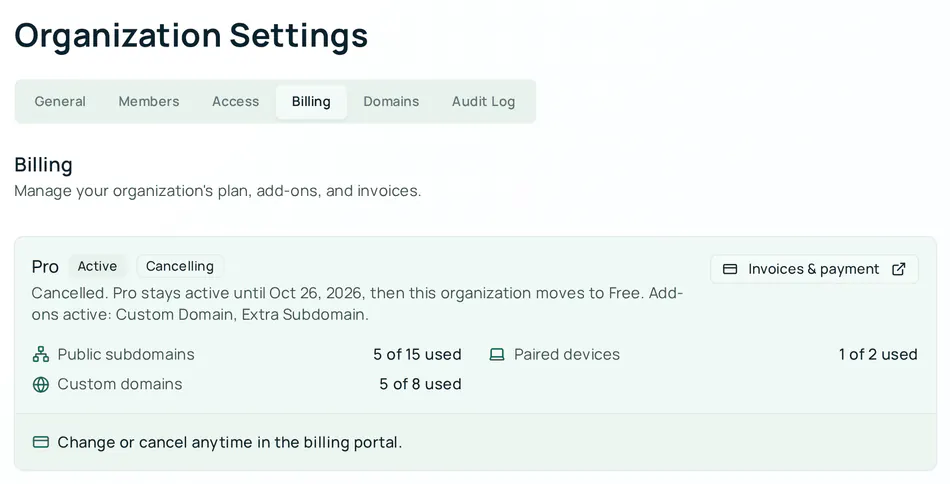
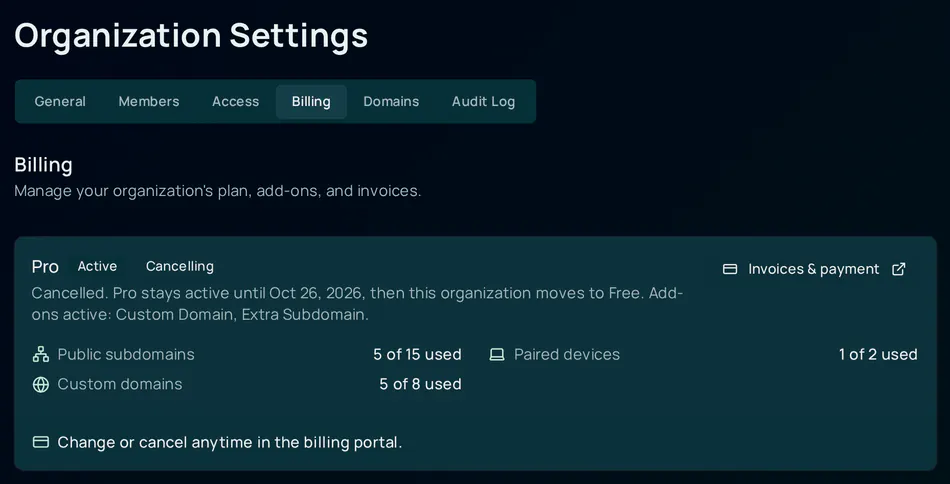
Cancellation takes effect at the end of the current billing period. Until then nothing changes: the Billing tab shows a Cancelling badge beside Active, and the summary reads “Cancelled. Pro stays active until date, then this organization moves to Free.” At period end the plan and every add-on end together and the organization returns to Free with its Free limits.
The portal does not let you change quantities or drop a single add-on — those are the Change quantity and Remove controls on the Billing tab, described above. While the plan is in its Cancelling window it is still active and owned, so the Billing tab does not offer Upgrade to Pro (a new checkout would be refused with 409 ALREADY_PURCHASED); reversing a pending cancellation is done in the billing portal. Once the period ends and the organization is back on Free, Upgrade to Pro returns to the Billing tab and re-subscribing is a fresh purchase.
What a plan actually enforces
A plan is a set of limits that the CI Account checks at the moment you use them, not a badge. What the current plan includes is shown in the summary card’s usage rows (public subdomains, paired devices, custom domains).
| Capability | Where it is checked | Free | Pro | Add-on |
|---|---|---|---|---|
| Paired devices | When a Hub is paired — the pairing is refused with “This organization’s plan includes N devices. Remove a device or upgrade to pair another.” | 1 | 2 | Extra Device, +1 each |
| Public subdomains | When an app is published to a public hostname; the Hub’s own dashboard hostname does not count | 3 | 10 | Extra Subdomain, +1 each |
| Custom domains | When a domain is connected (creation) and on every Hub heartbeat (delivery) — a domain the organization is no longer entitled to stops being served | 0 | 0 | Custom Domain, +1 each, up to 25 |
Companion Memory is not in this table because it is not limited by plan — it is free on Free and Pro alike.
Two things are worth knowing:
- Enforcement is a separate switch. Resolving the plan and refusing over it are controlled by different feature flags. An operator can leave
billing.enforcementoff, in which case the CI Account works out what it would refuse, logs it, and lets the action through. On hub.ci.computer enforcement is off today. - The CI Account fails closed. A plan only counts when its Stripe record is present, trusted, active and inside its paid period. The one exception is a failed renewal, which keeps Pro for a grace period — see Failed payments. If the deployment has no Stripe key at all, every organization is treated as Free — even one with a Pro row in the database.
Failed payments
When a renewal payment fails, Stripe keeps the subscription past_due and retries the card. The CI Account keeps Pro, and every add-on on it, working for seven days from the first failure, then treats the organization as Free if the payment is still unpaid. A card declined on renewal day therefore costs nothing if you fix it within the week.
During those seven days the Billing tab shows an amber banner: Your last payment failed. with “Update your payment method by date to keep Pro.” After the deadline the banner turns red and reads Pro is paused because a payment failed. Either banner has an Update payment method button that opens the Stripe billing portal. Stripe retries the open invoice once the card is fixed, and a successful payment clears the banner.
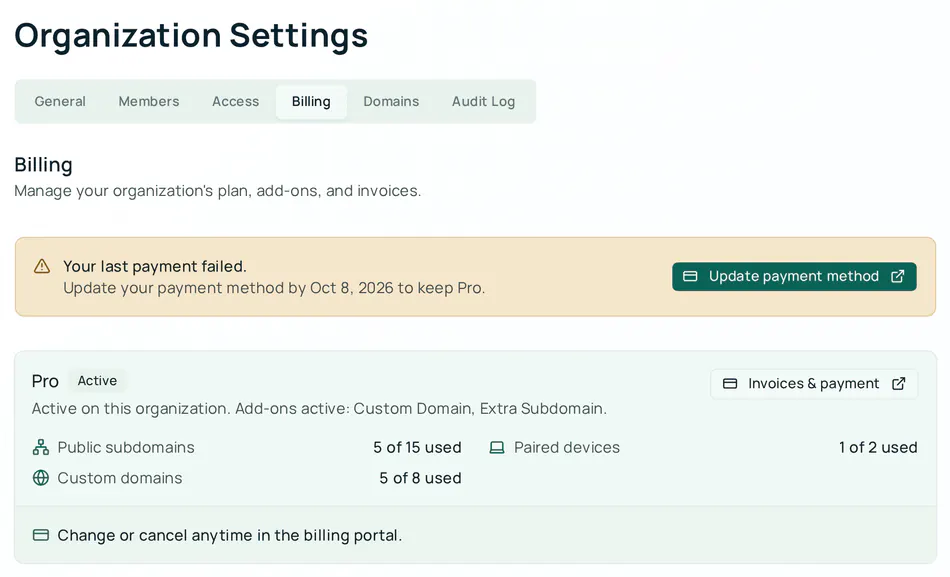
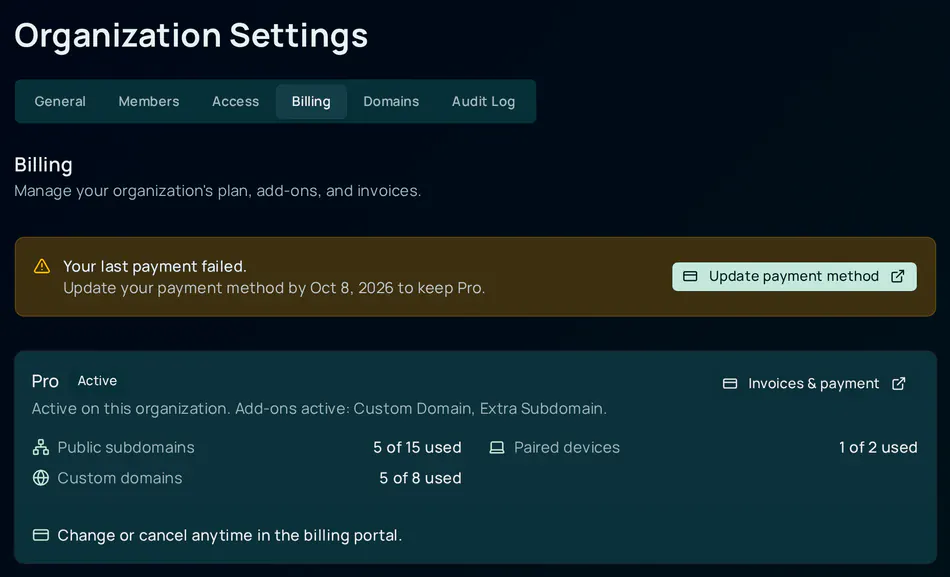
While a renewal payment is unpaid, nobody can buy anything new: the tab offers Update payment method instead of Upgrade to Pro, and add-on purchases and quantity changes are refused with 409 PAYMENT_OUTSTANDING. Retries do not extend the deadline. A subscription that Stripe has ended (unpaid, canceled) gets no grace period.
Over the plan’s limits
An organization can hold more than its plan includes — because devices were paired or apps published before limits applied, or because a plan lapsed. Where billing.enforcement is on, the Billing tab then shows This organization is over its plan’s limits, listing each capability with what is in use against what the plan includes, for example “Paired devices: 2 in use, 1 included (1 over)”. Everything you already have keeps working, and custom domains stay paused until your plan includes them. To add more, buy an add-on or upgrade to Pro, or remove some. Home shows a matching notice above the device list when paired devices exceed the limit. With enforcement off, as on hub.ci.computer today, no notice appears and nothing is refused.
Who can see and change billing
| Role | Billing tab |
|---|---|
| Owner | Sees the tab; can subscribe, add, change and remove add-ons, and open the billing portal |
| Admin | Same as owner |
| Member | Does not see the tab at all |
The tab is also hidden — for everyone — when the deployment’s orgSettings.billing flag is off or the server reports that Stripe is not connected. Hiding it is deliberate: the CI Account never offers a purchase it cannot honour.
For developers
These endpoints back the Billing tab. All but the webhook are scoped to an organization you belong to; requests for organizations you are not a member of return 404, and every organization-scoped route returns 404 when the deployment’s orgSettings.billing flag is off. The webhook is the exception: it carries no session and no membership check, is authenticated by its Stripe signature alone, and is not behind that flag.
| Method | Path | Who can call it | What it does |
|---|---|---|---|
GET | /api/organizations/:orgId/billing | owner or admin | Returns stripeEnabled, the purchasable catalog (featureKey, name, unitAmount in cents, currency, billingInterval, maxQuantity) and the organization’s ownership (planKey, ownedFeatureKeys, ownedQuantities, currentPeriodEnd, cancelAtPeriodEnd, cancellingFeatureKeys, hasBillingAccount) |
POST | /api/organizations/:orgId/billing/checkout | owner or admin | Body { featureKey: "pro_monthly" | "pro_annual" }. Opens a hosted Stripe Checkout session for the Pro plan and returns 201 { url, … }. Any other featureKey — an add-on, or a feature that is not for sale — fails request validation with a plain 400 before the handler runs; an organization already on Pro gets 409 ALREADY_PURCHASED, and one with an unpaid renewal gets 409 PAYMENT_OUTSTANDING |
POST | /api/organizations/:orgId/billing/portal | owner or admin | Returns 201 { url } for a Stripe billing portal session; the portal returns to /org-settings?tab=billing&portal=return |
POST | /api/organizations/:orgId/billing/addons/:featureKey | owner or admin | Body { quantity }. Adds custom_domain, subdomain_pack, extra_device or user_support as an item on the plan’s subscription. 402 PLAN_REQUIRED without Pro; 409 ALREADY_PURCHASED if already held (use PATCH) |
PATCH | /api/organizations/:orgId/billing/addons/:featureKey | owner or admin | Body { quantity }. Changes a held add-on’s quantity, prorated. 409 CAPABILITY_IN_USE when lowering custom_domain below the number of connected domains and enforcement is on |
DELETE | /api/organizations/:orgId/billing/addons/:featureKey | owner or admin | Removes the add-on’s subscription item immediately with a proration credit. Plans cannot be deleted this way — cancel them in the portal |
GET | /api/organizations/:orgId/entitlements | any member | Advisory report of the plan: limit, used and enforced for custom domains, extra subdomains and devices |
POST | /api/webhooks/stripe | Stripe only | Signed webhook receiver. The only thing that ever grants or revokes a plan or add-on. |
Three rules follow from the last row:
- Every purchase route answers with
grantsEntitlement: false(orapplied: false). The entitlement lands when Stripe’scustomer.subscription.*event is verified and applied, so a client must pollGET …/billinguntilownership.ownedFeatureKeysincludes what was bought — which is exactly what the tab does. - Nothing read from the Stripe API becomes an entitlement; only the webhook writes plan rows, and each event is applied at most once and only if it is newer than the last one applied for that subscription.
503 BILLING_NOT_CONFIGUREDis terminal, not transient. From the purchase routes it means the deployment has no Stripe key.POST …/billing/portalanswers with the same code when Stripe refuses the portal session — the customer-portal configuration was never saved for that mode, or the API key lacks the portal permission — even though a key is present.
The subdomain_pack key is a stable identifier that predates the rename to “Extra Subdomain”; read name and unitAmount from the catalog rather than hard-coding either.
Configuration (operators)
Names only — never commit or paste the values. Full setup, including creating the products and prices, the webhook endpoint, the portal configuration and test-mode versus live-mode, is kept with the CI Account source, which is not public.
| Name | Kind | Purpose |
|---|---|---|
STRIPE_SECRET_KEY | secret | Connects the deployment to Stripe. Absent ⇒ Billing is hidden, purchases return 503, and every organization resolves to Free |
STRIPE_WEBHOOK_SECRET | secret | Signing secret for /api/webhooks/stripe. Absent ⇒ no event is accepted and nothing is ever granted |
STRIPE_PRICE_PRO_MONTHLY, STRIPE_PRICE_PRO_ANNUAL | secret | Stripe price ids for the Pro plan. Not sensitive in themselves, but delivered as Worker secrets like the two above |
STRIPE_PRICE_CUSTOM_DOMAIN, STRIPE_PRICE_SUBDOMAIN_PACK, STRIPE_PRICE_EXTRA_DEVICE, STRIPE_PRICE_USER_SUPPORT | secret | Stripe price ids for the add-ons. A subscription item whose price id matches none of these grants nothing |
REACT_APP_BASE_URL | variable | Public origin Stripe returns to after Checkout and the portal |
orgSettings.billing | feature flag | Shows the Billing tab and enables the billing routes |
billing.enforcement | feature flag | Whether plan limits refuse actions or only log what they would refuse |
The catalog prices on this page are what the tab displays; the amount charged
is whatever the Stripe price behind each STRIPE_PRICE_* id says. Keep them
in step — nothing in the CI Account detects a mismatch.
Troubleshooting
| Issue | Cause / fix |
|---|---|
| No Billing tab in organization settings | Either you are a member (owners and admins only), or the deployment has billing switched off or Stripe not connected. On hub.ci.computer the flag is off today, so this is expected. |
| Add-on cards read Requires the Pro plan | Add-ons are sold only on top of Pro. Click Upgrade to Pro first. |
| Still confirming after Checkout | Stripe’s webhook has not reached the CI Account within about a minute. If you paid, refresh the page or open Invoices & payment to see what Stripe recorded; the plan appears when the event arrives. If it never does, ask your operator to check the deployment’s webhook endpoint. |
| Card refused when adding an add-on | Add-ons charge the card already on file for the Pro subscription. Update the card in the billing portal and try again. |
409 CAPABILITY_IN_USE when lowering Custom Domain quantity | You have more domains connected than the new quantity. Disconnect domains in the Domains tab first. |
| Removed an add-on and its domains show Paused | Removal takes the capability away immediately, and on a deployment that enforces entitlements the domains stop being served. Add the add-on back to resume delivery, or disconnect the domains. Where billing.enforcement is off — as on hub.ci.computer today — this state never appears. |
| Cancelled in the portal but the plan still says Active | Correct — Pro stays active until the end of the period you paid for. The Cancelling badge confirms the cancellation took. |
| Paired a second device and it was refused | The plan’s device limit was reached (1 on Free, 2 on Pro). Remove a device, upgrade to Pro, or add Extra Device units. |
503 BILLING_NOT_CONFIGURED from the API | Terminal, not transient — an operator has to fix the deployment. From a purchase route it means there is no Stripe key; from the billing portal route it can also mean Stripe refused the portal session (portal configuration not saved, or a restricted key without the portal permission). |
404 from a billing endpoint | You are not a member of that organization, or the deployment’s orgSettings.billing flag is off. |
See also: Organizations, Custom Domains.