Environment variables
Environment variables configure the Hub stack. The desktop app and cihub generate most of them, and most are not meant to be edited by hand. For changes you make from the dashboard, see custom settings. For the environment-variable workflow, see custom environment variables.
The variables below are internal to the Hub stack. Editing them incorrectly
can break your installation. Stop the stack before editing, and start it again
with cihub up prod --detached.
Where the values come from
Hub reads each setting from the first of these places that has a value:
- The Hub container’s environment. Docker Compose builds it from the stack’s env file and from values the compose file sets itself.
state/settings.json. The Settings page writes this file. See Folder structure.- The built-in default.
Hub writes the values it settled on to state/.env.resolved each time it starts. One variable reverses the order: for ALLOW_ERROR_MONITORING, the Settings switch wins over the variable, so a variable can never turn crash reporting back on for someone who turned it off.
flowchart TD
    W["Desktop app or cihub<br/>writes the stack env file"] --> C["Docker Compose<br/>env file + compose environment"]
    C -->|"container environment"| R["Hub resolves each setting"]
    S["state/settings.json<br/>written by the Settings page"] --> R
    R -->|"environment, then settings.json,<br/>then default"| E["state/.env.resolved"]
    R -->|"allowlist + APP_* variables"| A["Each installed app"]
The stack’s env file is .env.dev on macOS and Linux and .env on Windows, in the data root, with an identical copy under the other name. See Folder structure.
The desktop app rewrites the env file each time it launches. It keeps the
values it manages — ROOT_FOLDER_HOST, the generated secrets, DOMAIN once
your CI Account has set it, COMPOSE_PROFILES, the Sentry addresses,
TAILSCALE_AUTHKEY, and TAILSCALE_SERVE_USER_DISABLED — and derives the
rest from the app itself. A line you add by hand is not one of those values,
so the app drops it on its next launch. Put a preference on the Settings page
when one exists.
Core
| Variable | Description | Default |
|---|---|---|
CI_HUB_VERSION | Hub version. The desktop app writes it from the pinned Hub image on every launch — do not set it. | (from the image) |
CI_HUB_ENVIRONMENT | Runtime environment: production, staging, or development. It also selects the default CI Cloud address. | production |
INTERNAL_IP | The address Hub tells apps to listen on (APP_HOSTNAME) and builds local links from. The desktop app writes 0.0.0.0. | 127.0.0.1 |
ARCHITECTURE | Host CPU architecture: amd64 or arm64. Hub reads it from the host probe and falls back to the container’s own. | (detected) |
ROOT_FOLDER_HOST | Absolute path of the data root on the host. Docker uses it for bind mounts. Windows drive-letter paths are accepted. | (required) |
JWT_SECRET | Secret Hub uses to sign tokens. The desktop app generates it once and keeps it. | (required) |
NODE_ENV | Node.js environment: production, development, or staging. | production |
LOG_LEVEL | Log verbosity: debug, info, warn, or error. | info |
TZ | Time zone passed to apps that respect it. An invalid value is replaced by the host’s zone. | (host time zone, else UTC) |
DEVICE_ID | Stable identifier for this machine, read from the host (for example /etc/machine-id). Hub uses it when it pairs with your CI Account. Do not copy it to another machine: Hub refuses to pair under a copied ID. | (from the host) |
CI_HUB_DATA_DIR | Data root for the cihub CLI when it is not run from a Hub checkout. | (platform default) |
Docker and stack
| Variable | Description | Default |
|---|---|---|
DOCKER_SOCKET_PATH | Host path to the Docker socket that Hub mounts to manage app containers. The desktop app works it out on every launch and rewrites this line in the env file, so a value you add there does not last. To use a different engine, set CI_HUB_DOCKER_HOST or DOCKER_HOST in the environment of the process that starts Hub. | (detected) |
DOCKER_GID | Group ID of the host docker group, so the Hub container can read the mounted socket. Detected automatically at startup. | (auto-detected) |
CI_HUB_CONTAINER_UID, CI_HUB_CONTAINER_GID | User and group the Hub container runs as. The desktop app writes your own user and group IDs, or 0 on Windows and where Docker Desktop’s socket is root-only. | (derived) |
CI_HUB_IMAGE | The Hub image the stack runs. The updater pins it to a release. | ghcr.io/companionintelligence/ci-hub:latest |
COMPOSE_PROFILES | Compose profiles to start. Hub adds private-vpn and cloudflare itself when they apply. | (derived) |
COMPOSE_FILE_HOST | Host path of the compose file the stack runs from. | (the data root’s docker-compose.prod.yml) |
DOCKER_PLATFORM | Platform the Hub image is pulled for: linux/amd64 or linux/arm64. | (host architecture) |
Hub resolves the socket automatically: it honours CI_HUB_DOCKER_HOST or
DOCKER_HOST, then the engine that already holds the Hub containers, then the
engines it finds on the machine. If that picks the wrong one, set
CI_HUB_DOCKER_HOST when you start Hub — see Install
Docker.
Networking
| Variable | Description | Default |
|---|---|---|
DOMAIN | Public domain zone for exposed apps. Your CI Account sets it when you pair, and the desktop app keeps that value. | companionintelligence.com |
LOCAL_DOMAIN | Base of the internal hostnames that carry Cloudflare tunnel traffic to Traefik for apps you expose. It isn’t the address you open a local app at. When unset, Hub falls back to DOMAIN, then to localhost. See Finding Your App’s URL. | (falls back to DOMAIN, then localhost) |
HTTP_PORT | Host port Traefik listens on for HTTP traffic. | 80, or 8880 in the Linux desktop app |
HTTPS_PORT | Host port Traefik listens on for HTTPS traffic. | 443, or 8443 in the Linux desktop app |
TRAEFIK_DASHBOARD_PORT | Host port mapped to Traefik’s port 8080. The shipped configuration does not serve Traefik’s dashboard without authentication. | 8080 |
API_PORT | Host port the Hub API and dashboard are published on. | 5002 |
ACME_EMAIL | Email address for Let’s Encrypt certificate notifications. | admin@localhost |
CI_CLOUD_URL | Address of your CI Account backend. Hub uses it for device registration, the app store, and sync. | https://hub.ci.computer |
HUB_TRUST_PROXY | Overrides which proxy hops Hub trusts for a visitor’s real address: a hop count such as 1, or a list of addresses and subnets. Leave it unset unless you run your own proxy in front of Hub. A value that is too broad lets a spoofed X-Forwarded-For header look internal. | (Hub works it out) |
CI_HUB_EXTRA_CORS_ORIGINS | Extra browser origins allowed to call the Hub API with credentials, as a comma-separated list of exact origins. | (none) |
LOCAL | Development only. Makes Hub pick docker-compose.local.yml when no compose file is mounted into the container. | false |
Linux lets only root open ports below 1024, so the Linux desktop app publishes Traefik on 8880 and 8443. cihub up on rootful Docker uses 80 and 443 when they are free and otherwise moves to 8880 and 8443; under rootless Docker it always uses those two. Apps you expose with Public Web reach Traefik inside Docker, so they don’t depend on these host ports.
Database (PostgreSQL)
| Variable | Description | Default |
|---|---|---|
POSTGRES_HOST | Database hostname inside the Docker network. | ci-hub-db |
POSTGRES_DBNAME | Database name. | companiondb |
POSTGRES_USERNAME | Database user. | companion |
POSTGRES_PASSWORD | Database password. The desktop app generates one. | (required) |
POSTGRES_PORT | Host port for the database, published on 127.0.0.1 only. Hub always reaches it at ci-hub-db:6543 inside Docker. | 6543 |
Message queue (RabbitMQ)
| Variable | Description | Default |
|---|---|---|
RABBITMQ_HOST | RabbitMQ hostname inside the Docker network. The name ci-os-hub-queue still resolves as an alias. | ci-hub-queue |
RABBITMQ_USERNAME | RabbitMQ user. | companion |
RABBITMQ_PASSWORD | RabbitMQ password. A production Hub refuses to start without one and warns if it is the old default, admin. The desktop app generates one. | (required) |
RABBITMQ_PORT | Host port for RabbitMQ, published on 127.0.0.1 only. Hub always reaches the broker at ci-hub-queue:5672 inside Docker. | 5001 |
QUEUE_TIMEOUT_IN_MINUTES | Minutes after which Hub treats a queued action as stale. Installs and updates wait at least 45 minutes for image pulls regardless of this value. | 5 |
Inference
| Variable | Description | Default |
|---|---|---|
OLLAMA_URL | URL Hub uses to reach a running Ollama instance. | http://host.docker.internal:11434 |
VLLM_URL | URL for an NVIDIA vLLM server. Settings → AI overrides it. | http://host.docker.internal:8000 |
VLLM_API_KEY | API key Hub sends to the vLLM server. Settings → AI overrides it. | (none) |
OMLX_URL | URL for an Apple Silicon oMLX server. Settings → AI overrides it. Unset, Hub probes http://host.docker.internal:8000 on Apple Silicon only; a URL you set is probed on any platform. | (none) |
OMLX_API_KEY | API key Hub sends to the oMLX server, if you started it with one. | (none) |
LEMONADE_URL | URL for the Lemonade server on AMD GPU hosts. | http://host.docker.internal:13305 |
LEMONADE_API_KEY | API key Hub sends to Lemonade, if you started Lemonade with one. Hub sends it only to the configured Lemonade address. The compose file doesn’t set it, so put it in the env file of a Hub you start with cihub up; the desktop app rewrites its env file on every launch. | (none) |
VLLM_URL defaults to port 8000, and Hub probes oMLX on the same port, but only on Apple Silicon unless you set OMLX_URL. The two engines are not offered on the same machine. MTPLX_URL, DSPARK_URL, SPECULATIVE_INFERENCE_URL, LLAMACPP_URL, and LMSTUDIO_URL are no longer read. A decode endpoint and an encode endpoint in Settings override the selected engine.
The compose file sets OLLAMA_URL directly, so a value in the env file does not override it. When that address does not answer, Hub also tries http://172.17.0.1:11434 and http://localhost:11434.
Tailscale (private VPN)
The hub-tailscale sidecar runs only when either TAILSCALE_AUTHKEY is set or the sidecar already holds a Tailscale login. A Hub you start with cihub also keeps it off when PRIVATE_VPN_USER_DISABLED is true.
| Variable | Description | Default |
|---|---|---|
TAILSCALE_AUTHKEY | Pre-authentication key from tailscale.com for unattended login. Optional; interactive setups can sign in from Hub instead. The desktop app keeps it when it rewrites the env file. | (optional) |
HUB_TAILSCALE_EXTRA_ARGS | Overrides the arguments passed to tailscale up. The default accepts routes and advertises 172.18.0.0/16 and 172.19.0.0/16. | (optional) |
PRIVATE_VPN_USER_DISABLED | Set to true to keep cihub up from starting the hub-tailscale sidecar. Only cihub reads it: the desktop app ignores it and removes it from the env file. Hub still publishes through Tailscale on the host. | false |
TAILSCALE_SERVE_USER_DISABLED | Set to true to stop Hub from writing Tailscale Serve configuration. Hub then publishes neither its dashboard nor any Private VPN app, removes nothing it published before, and Private VPN stops appearing as an access option. The desktop app keeps it across launches. | false |
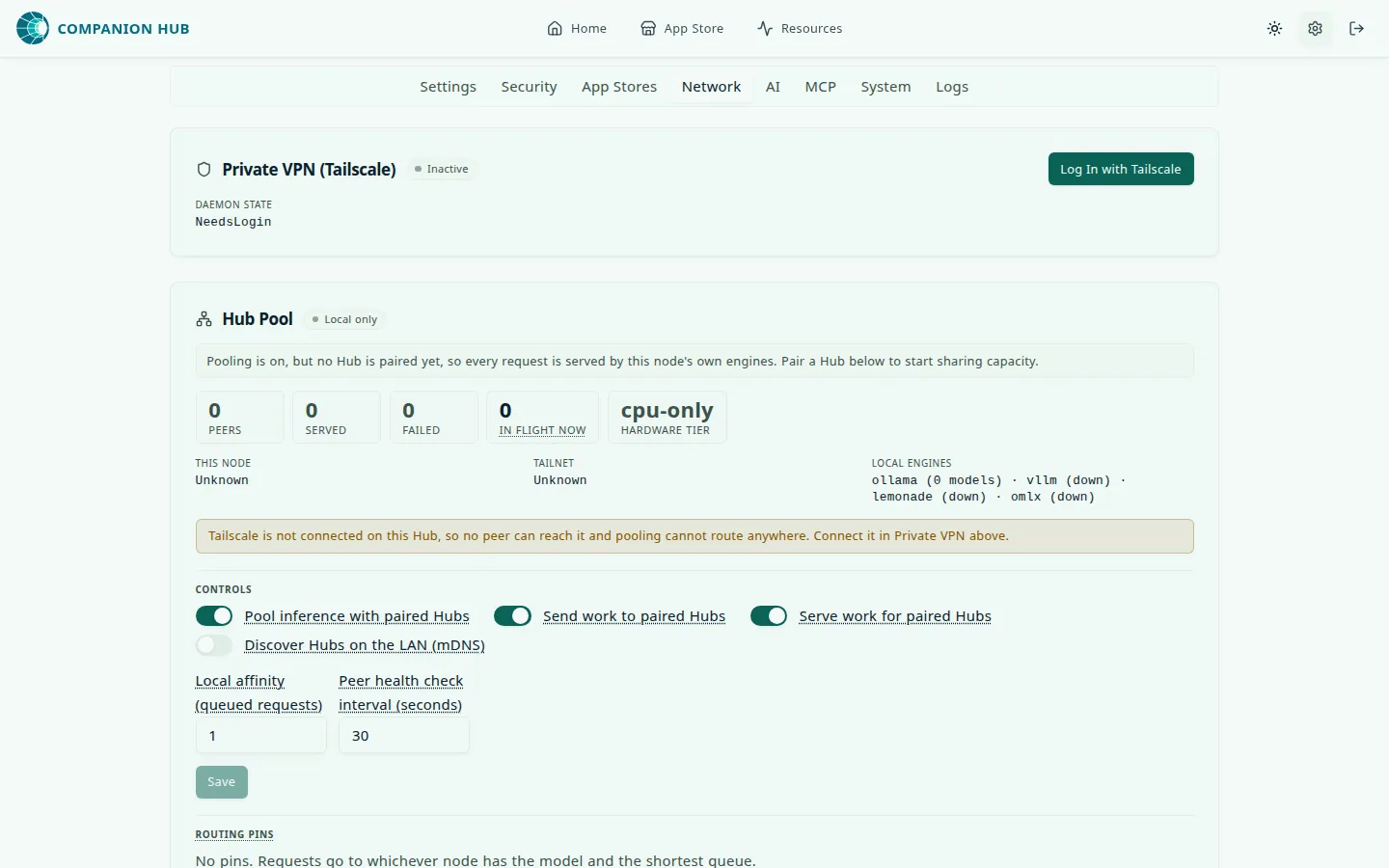
TAILSCALE_OAUTH_CLIENT_ID | Tailscale OAuth client ID with the devices:core:read scope. Lets this Hub list your tailnet so it can discover other Hubs to pair with in Hub Pool. Discovery only — a Hub without it can still be paired with and still serves pooled requests. | (optional) |
TAILSCALE_OAUTH_CLIENT_SECRET | Secret for the OAuth client above. Both variables must be set for discovery to work. | (optional) |
HUB_POOL_USER_DISABLED | Set to true to opt this Hub out of Hub Pool: apps stay on local engines and paired Hubs route around it. Existing pairings are kept. Follows the same convention as PRIVATE_VPN_USER_DISABLED. | false |
HUB_POOL_OUTBOUND_DISABLED, HUB_POOL_INBOUND_DISABLED | Set either to true to turn off one direction of pooling: sending this Hub’s work to paired Hubs (outbound), or serving work for them (inbound). The Settings toggle cannot override them. | false |
Hub Pool tuning
These variables tune how Hub Pool places requests and how long it waits for an answer. The defaults suit most pairs of Hubs, so leave them alone until Recent routing gives you a reason to change one. Put them in the stack’s env file (see Where the values come from) and restart the stack. The desktop app drops lines it doesn’t manage the next time it launches, so they last only on a Hub you start with cihub up. The three kill switches, HUB_POOL_USER_DISABLED, HUB_POOL_OUTBOUND_DISABLED, and HUB_POOL_INBOUND_DISABLED, are in Tailscale (private VPN) above.
| Variable | Description | Default |
|---|---|---|
HUB_POOL_MAX_PROMPT_TOKENS | The largest chat or completion prompt this Hub should serve for the pool while another Hub can take it. Hub estimates a prompt’s size as the request body in bytes divided by four. A longer prompt goes to another Hub when one can serve it, and still runs here when none can. A whole number from 1024 to 1048576; any other value is ignored. It overrides the ceiling you set with cihub pool ceiling. | (no ceiling) |
HUB_POOL_THROUGHPUT_PLACEMENT | Set to off, 0, or false to stop measured response speed from reordering which Hub is tried first. Hub keeps measuring, so turning it back on needs no warm-up. | on |
HUB_POOL_CONTENTION_PLACEMENT | Set to off, 0, or false to stop this Hub’s own engine from giving way to paired Hubs when it is busy with work a new request can’t join. | on |
HUB_POOL_SLOWER_PLACEMENT_RATIO | How many times slower the Hub that would be tried first must be predicted to be before a faster Hub goes ahead of it. A number of 1 or more; anything else reads as the default. A very large value, such as 1000, turns the rule off. | 3 |
HUB_POOL_SLOWER_PLACEMENT_FLOOR_MS | How many milliseconds sooner the faster Hub must be predicted to answer, as well as meeting the ratio, before it goes ahead. A number of 0 or more; anything else reads as the default. | 20000 |
HUB_POOL_FIRST_BYTE_TIMEOUT_MS | How long Hub waits for an engine to begin a streamed answer before it gives up on that engine and tries the next candidate, in milliseconds. A long prompt gets longer: the wait is never less than the prompt’s estimated token count divided by HUB_POOL_MIN_PREFILL_TOKENS_PER_SEC. Values below 15000 are raised to 15000. Hub waits the same way on its own engines. | 300000 (5 minutes) |
HUB_POOL_MIN_PREFILL_TOKENS_PER_SEC | The slowest prompt-reading speed, in tokens per second, that Hub budgets a request for. A lower value waits longer for a slow engine before moving the work, and a higher value gives up sooner. A number of 1 or more. | 50 |
HUB_POOL_COMPLETION_TIMEOUT_MS | How long Hub waits for a whole answer that is not streamed before it gives up on that engine, in milliseconds. It is never less than the first-byte wait above. | 300000 (5 minutes) |
HUB_POOL_PREFIX_AFFINITY_TTL_MS | How long a conversation stays with the engine that last took it, in milliseconds, so its next request reaches the engine that still has the start of the prompt cached. A number of 1000 or more. | 600000 (10 minutes) |
HUB_POOL_ROUTING_LOG_SIZE | How many routing decisions Hub keeps in memory for Recent routing and cihub pool log. A whole number from 200 to 10000, read when the Hub starts: a smaller number reads as 200 and a larger one as 10000. The log is lost when the Hub restarts. | 200 |
Model Context Protocol (MCP)
| Variable | Description | Default |
|---|---|---|
MCP_ENABLED | Set to false to stop loading the MCP endpoint at /api/mcp. cihub mcp setup and cihub mcp shutdown set it in the env file of the current folder, so they apply to a source checkout. | true |
MCP_RATE_LIMIT | Requests each client address may make to the MCP endpoint in one window. | 300 |
MCP_RATE_TTL_MS | Length of that window, in milliseconds. | 60000 |
MCP_DNS_REBINDING_PROTECTION | Set to true to accept MCP requests only for known host names. | false |
MCP_ALLOWED_HOSTS | Extra host names to accept when DNS rebinding protection is on, as a comma-separated list. Hub already accepts localhost, its container names, DOMAIN, and LOCAL_DOMAIN. | (none) |
MCP_API_KEY is no longer a credential. Hub ignores it and drops it from its resolved environment. Create keys in Settings → Security or with cihub api-key create. See Companion agent.
Feature flags
| Variable | Description | Default |
|---|---|---|
DEMO_MODE | Enables demo mode with a limited, read-only feature set. | false |
GUEST_DASHBOARD | Allows unauthenticated access to a limited dashboard. | false |
DISABLE_PASSWORD_RESET | Disables password reset flows. | true |
ALLOW_AUTO_THEMES | Enables seasonal theme changes based on time of year. | true |
THEME_BASE, THEME_COLOR | Default dashboard theme. The Settings page changes them. | gray, blue |
PERSIST_TRAEFIK_CONFIG | Present in Settings and the environment, but Hub’s startup code does not read it: Hub rewrites its Traefik files on every start. See Folder structure. | false |
ADVANCED_SETTINGS | Shows the Advanced settings section on the Settings tab, which holds fields such as Local domain and Maximum backups to keep. The separate Advanced Mode switch under Experience controls the extra options in install dialogs. | false |
EXPERIMENTAL_INSECURE_COOKIE | Uses insecure cookies. Only for HTTP-only dev setups. | false |
MAX_BACKUPS | Number of backups to keep per app, from 0 to 100. 0 means no limit when you take a backup, but Hub’s weekly cleanup still trims each app to its newest five. An app’s own backup limit overrides it when you take a backup. See Backup and restore. | 0 |
Error monitoring (Sentry)
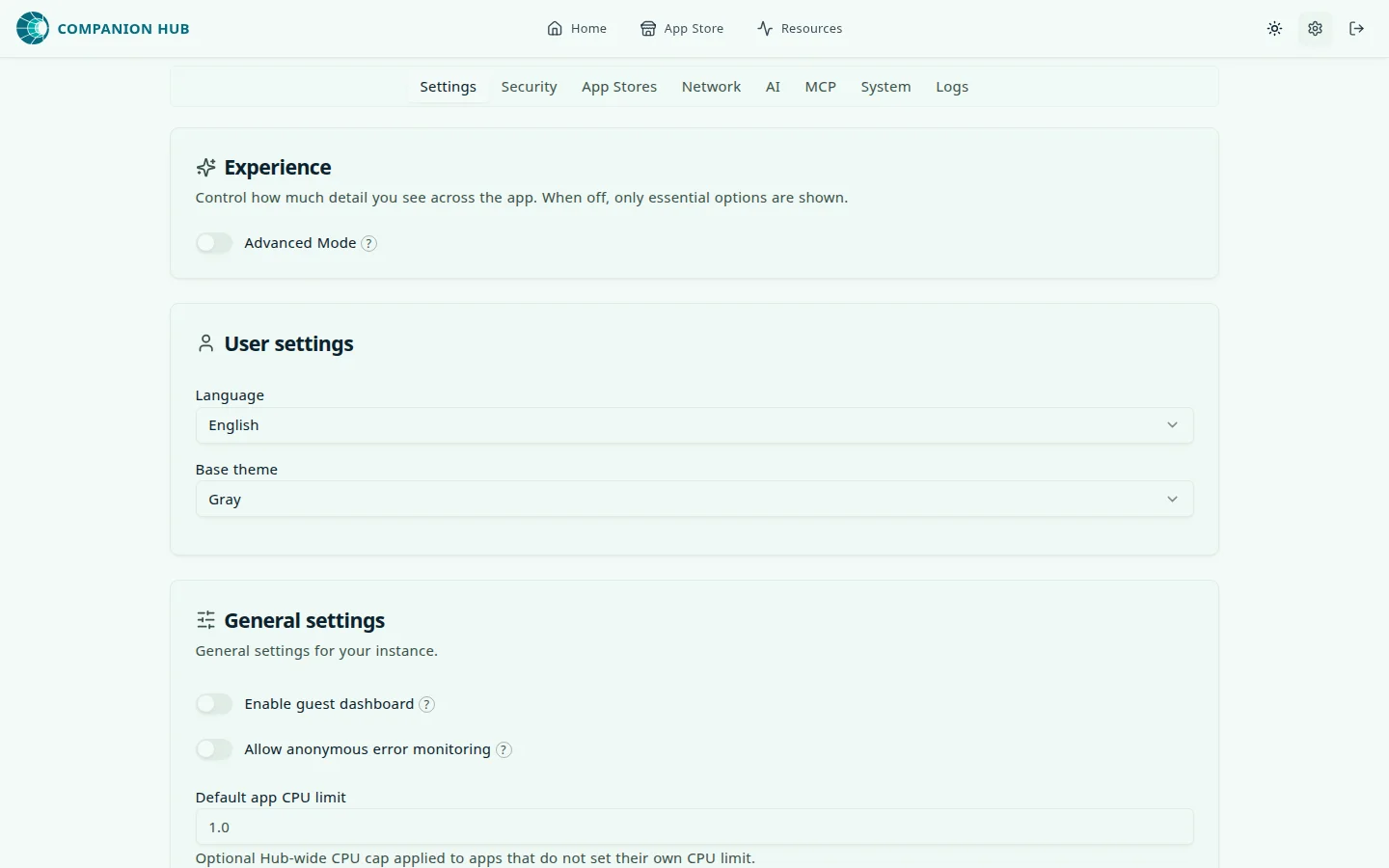
Crash reports go to Sentry only when a reporting address is present. The Hub image and the desktop app ship with one. Three switches turn reporting off even then: CI_LOCAL_ONLY, CI_TELEMETRY, and the Allow anonymous error monitoring switch in the General settings card on the Settings tab. See Crash reporting for what Hub sends.
| Variable | Description | Default |
|---|---|---|
CI_LOCAL_ONLY | Set to true for zero outbound reporting. It beats every other switch. | (unset) |
CI_TELEMETRY | Set to off (or false, 0, no, disabled) to stop error reporting, even if the image has a reporting address. | (unset) |
ALLOW_ERROR_MONITORING | Seeds the consent value for a Hub whose settings.json has no allowErrorMonitoring yet. The Settings switch overrides it in both directions. | true |
SENTRY_DSN | Backend Sentry address. Leave it unset to send nothing from the backend. | (built in) |
SENTRY_ENV | Sentry environment tag (for example production). | CI_HUB_ENVIRONMENT |
SENTRY_RELEASE | Backend release identifier. | CI_HUB_VERSION |
SENTRY_TRACES_SAMPLE_RATE | Share of backend transactions to sample, from 0 to 1. | 0.1 |
SENTRY_ENABLE_METRICS, SENTRY_ENABLE_LOGS | Set to false to stop sending Sentry metrics or logs. | true |
SENTRY_DESKTOP_DSN | Desktop app Sentry address. | (built in) |
VITE_SENTRY_DSN and VITE_SENTRY_RELEASE set the dashboard’s own Sentry address and release. They are compiled into the dashboard when the Hub image is built, so changing them at runtime has no effect.
Legacy variables
These variables are still accepted for backward compatibility but should not be used in new installations.
| Variable | Replaced by | Notes |
|---|---|---|
DNS_IP | (nothing) | Still read, with a default of 9.9.9.9, but no part of Hub uses the value. |
NGINX_PORT | HTTP_PORT | Hub uses Traefik, not nginx. Variable still read by the config schema. |
NGINX_PORT_SSL | HTTPS_PORT | Hub uses Traefik, not nginx. Variable still read by the config schema. |
HEADSCALE_PREAUTH_KEY | TAILSCALE_AUTHKEY | Old VPN naming from an earlier release. |
RUNTIPI_*, TIPI_* | CI_HUB_* | Path and directory variables from the Runtipi-era layout, for example RUNTIPI_APP_DATA_PATH and TIPI_DATA_DIR. Hub maps them to CI_HUB_APP_DATA_PATH, CI_HUB_DATA_DIR, and their siblings. |
MCP_ALLOW_DESTRUCTIVE | Per-key capability | Hub drops it from its resolved environment. Set a key’s capability instead. |
App variables
Hub writes an app.env file for each installed app, and every service in the app reads it. Hub does not copy its own environment into it. An app inherits only an allowlist of Hub values: DOMAIN, LOCAL_DOMAIN, ROOT_FOLDER_HOST, CI_HUB_APP_DATA_PATH, INTERNAL_IP, ARCHITECTURE, TZ, LOG_LEVEL, NODE_ENV, CI_HUB_VERSION, DEMO_MODE, and CI_CLOUD_URL. Hub’s secrets, such as JWT_SECRET and the database and queue passwords, never reach an app.
Hub then sets these app-scoped variables each time it writes the file: on install and whenever the app starts, restarts, updates, or resets.
| Variable | Description |
|---|---|
APP_URN | The app’s URN, <app-name>:<store>. |
APP_ID | <app-name>-<store>, the app’s unique identifier. |
APP_NAME, APP_STORE_ID | The two halves of the URN. |
APP_PORT | The port the app listens on. Set only when the app declares one. |
APP_DATA_DIR | Absolute host path where the app’s persistent data lives. |
APP_IMAGE_TAG | The app’s version from its manifest. |
APP_HOSTNAME | The address the app binds, such as 0.0.0.0. |
APP_INTERNAL_AUTHORITY | <host>:<port> for the app’s local address. |
APP_EXPOSED | true if the app has a public address, otherwise false. |
APP_SCHEME, APP_PROTOCOL | http or https. |
APP_PUBLIC_HOSTNAME, APP_PUBLIC_URL | The public host name and URL. Set only when the app is exposed. |
APP_DOMAIN | The app’s public host name if exposed, otherwise host:port. |
APP_EXPOSED_DOMAIN | The public host name. Set only when the app is exposed. |
APP_LOCAL_DOMAIN | The name the app answers to on your local network, <subdomain>.<LOCAL_DOMAIN>. Set when local host-name routing is on. |
APP_HOST | The public host name if exposed, otherwise the local host, without a port. |
APP_URL | The full URL a browser uses to open the app. |
APP_BASE_URL, APP_BASE_HOST, APP_BASE_WSS_ORIGIN | The base URL, its host, and its WebSocket origin, for exposable apps. |
An app that declares hub_integration in its manifest also receives the variables described in Companion agent and AI and inference.