Docker issues
Fix common Docker problems that affect Companion Hub.
| Symptom | Likely cause | Fix |
|---|---|---|
docker info errors, or cihub status says Docker is not running or not reachable. | The Docker daemon isn’t running, or your user can’t reach its socket | Docker not running, Permission denied |
permission denied while trying to connect to the Docker daemon socket | Your user isn’t in the docker group | Permission denied |
The Hub container exits immediately with ci-hub entrypoint: refusing to start | The data folder isn’t readable by the container’s user | Hub container exits at startup |
Docker engine conflict from cihub up | Two Docker engines, such as Docker Desktop and Docker Engine, are both running | Docker engine conflict |
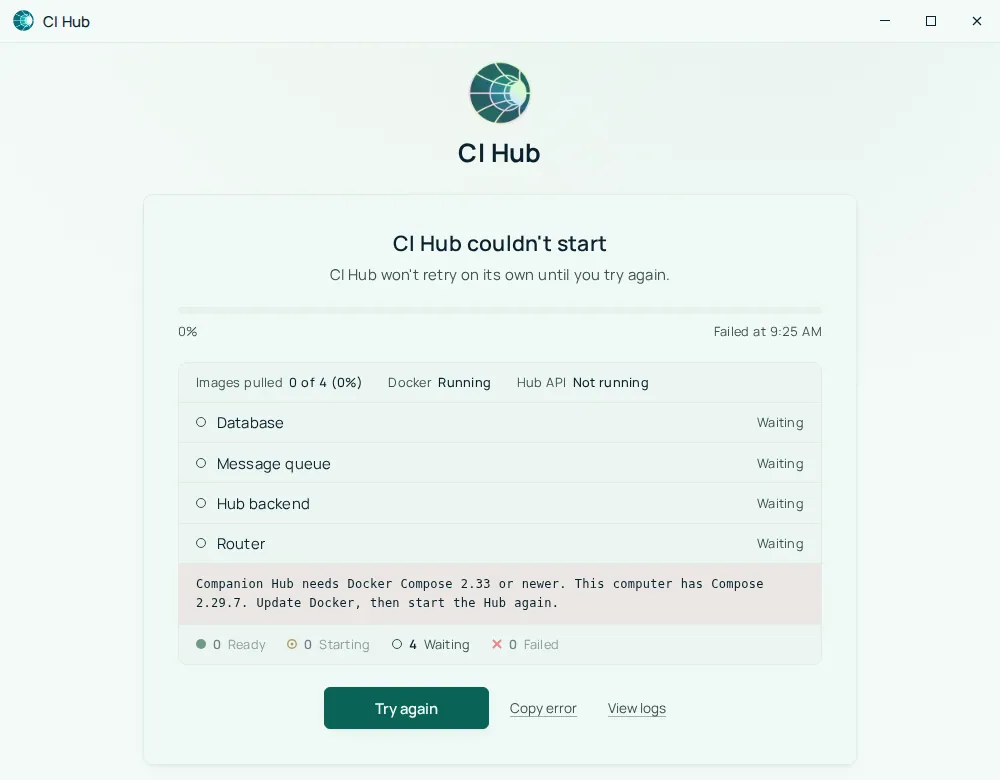
Companion Hub needs Docker Compose 2.33 or newer, or a red Docker update needed box from cihub up | Docker Compose is older than the stack file needs | Docker is too old |
| Hub can’t reach CI Account or pull images while the rest of the computer is online | On Docker Engine older than 28, the Hub’s internet traffic can leave through the wrong Docker network | Docker is too old |
| The Hub is behind a web proxy and containers it starts can’t get out | The proxy isn’t reaching Hub’s containers | Hub behind a proxy |
| Images, layers, and volumes have filled the disk | Nothing has been pruned | Disk space full |
| A container won’t stop | Needs a forced kill and remove | Container won’t stop |
cihub status shows the stack down, or compose reports port is already allocated | Port conflicts on 5002, 80, 443, or 8080 | Hub stack won’t start |
| Permission errors on a bind mount | App data directories owned by root, not the mapped UID/GID | Bind mount permission errors |
| Models fail to load | Ollama isn’t reachable from the Hub container | Ollama not reachable from containers |
| Tunnel misbehaves after unpairing | Corrupted tunnel state | Remove tunnel token manually |
| Nothing above helps | — | Reset everything (last resort) |
Docker not running
# Linux
sudo systemctl start docker
sudo systemctl enable docker

# Docker Desktop (any platform) — launch it and wait for the whale icon to settle
Verify:
docker info
cihub doctor
cihub status, cihub doctor, and the setup wizard all check Docker with docker info, so a Docker problem of any kind — a stopped daemon, a socket you can’t read — shows up as Docker being unavailable.
Permission denied
If docker info reports permission denied while trying to connect to the Docker daemon socket, your user can’t reach the socket:
sudo usermod -aG docker $USER
# Log out and back in for group membership to apply
The Hub container needs the same access. On Linux, cihub up finds the docker group’s ID and writes it to the env file as DOCKER_GID, so you don’t normally set it by hand. If the socket lives somewhere else, start Hub with CI_HUB_DOCKER_HOST set to its address, as Hub can’t find the Docker socket describes. The desktop app recomputes DOCKER_SOCKET_PATH and DOCKER_GID on every launch, so a value you write to the env file doesn’t last. On Docker Desktop, where the socket is owned by root inside containers, Hub runs its container as root instead.
Hub container exits at startup
If docker logs ci-hub shows this, Hub refuses to start rather than crash-loop:
ci-hub entrypoint: refusing to start.
  <path> is owned by <uid>:<gid> with mode <mode>, and this container will
  run as <uid>:<gid>, which cannot read it.
The data folder, or the env file inside it, is owned by a user the container doesn’t run as. Pick one fix:
- For an install that belongs to root, set
CI_HUB_CONTAINER_UID=0andCI_HUB_CONTAINER_GID=0in the Hub env file, then restart the Hub. This works for a Hub you start withcihub up. The desktop app works out these IDs itself on every launch. - Otherwise, give the container’s user access:
sudo chown -R <uid>:<gid> <ROOT_FOLDER_HOST>, using the IDs the message prints.
Two related startup errors have the same cause. cihub up can stop with Failed to run scripts/init-traefik.ts: Error: EACCES: permission denied (or the same for scripts/init-hub-data-dirs.ts) when the data folder is owned by root or another user — fix it with sudo chown -R "$(id -u):$(id -g)" <ROOT_FOLDER_HOST>. Compose can report bind source path does not exist when ROOT_FOLDER_HOST points at a folder that isn’t there or isn’t an absolute path — run cihub setup, then cihub up.
Docker engine conflict
On a machine with more than one Docker engine, cihub up stops instead of starting a second Hub stack:
Hub stack is on <engine> but <engine> is selected. Hub will not start a second stack.
Set CI_HUB_DOCKER_HOST to the stack's engine, or remove the other stack.
Set CI_HUB_DOCKER_HOST to the engine that already runs the stack, or stop the containers on the other engine. Then run cihub up again.
Disk space full
Docker images, layers, and volumes accumulate over time. The dashboard can show a banner when your disk is more than 90% full, and its Disk space tile shows what’s used.
docker system df              # see what's using space
docker image prune            # remove dangling images
docker system prune           # remove stopped containers, unused networks, dangling images
docker system prune -a        # remove ALL unused images (aggressive)
docker system prune -a forces re-download of images on next app start. Never
run docker volume prune or docker system prune --volumes while the Hub is
stopped: the Hub database lives in the ci_hub_pgdata volume, and Docker
treats a stopped stack’s volumes as unused.
Other places to reclaim space without touching Hub itself:
- Remove Ollama models you no longer use:
ollama list, thenollama rm <model> - Delete old per-app backups from the app’s Backups card or from
<ROOT_FOLDER_HOST>/backups/, or lower Maximum backups to keep in the dashboard settings - On Docker Desktop, raise the virtual disk limit in Docker Desktop’s resource settings; the limit, not your disk, may be what is full
Container logs are already capped: each Hub container keeps at most five 10 MB log files.
To remove Hub itself and everything it manages, see Uninstalling. That is a full wipe, not a cleanup.
See Docker fundamentals for what Hub keeps in Docker.
Container won’t stop
docker kill <container-id>
docker rm -f <container-id>

# Or via Hub CLI, using the container name from `cihub app list`:
cihub app stop <container-name>
cihub app delete <container-name>
cihub app delete runs docker rm -f. It removes the container but doesn’t uninstall the app from Hub, so uninstall the app from the dashboard when you want it gone for good.
Hub stack won’t start
Hub publishes these ports on your machine:
| Port | Service | Env variable to change it |
|---|---|---|
| 5002 | Hub dashboard and API | API_PORT |
| 80 and 443 (8880 and 8443 in the Linux desktop app) | Traefik | HTTP_PORT, HTTPS_PORT |
| 8080 | Traefik dashboard port | TRAEFIK_DASHBOARD_PORT |
| 6543 | PostgreSQL, on 127.0.0.1 only | POSTGRES_PORT |
| 5001 | RabbitMQ, on 127.0.0.1 only | RABBITMQ_PORT |
Check for port conflicts:
cihub status
sudo lsof -i :5002    # default Hub API port
sudo lsof -i :80      # Traefik HTTP (the Linux desktop app uses 8880 instead)
On Linux you can use ss -ltnp 'sport = :5002' instead of lsof; on Windows, netstat -ano.
The CLI already attempts automatic port healing on startup. It removes stale Hub containers, finds a free host port, writes the new value into the env file, and prints a Port preparation or Port self-heal box that says what it changed. Port preparation failed means it found no free port within 100 of the default. If you would rather choose the ports yourself on a Hub you start with cihub up, set the variables above in the Hub env file. The desktop app manages these ports itself and rewrites them at each launch.
Rule out the Docker-level causes before you touch ports:
flowchart TD
    a["Hub stack won't start"] --> b{"docker info works?"}
    b -->|"No"| c["Docker not running"]
    b -->|"Yes"| d{"Permission denied<br/>on the Docker socket?"}
    d -->|"Yes"| e["Permission denied:<br/>add your user to the docker group"]
    d -->|"No"| k{"Docker Compose older<br/>than 2.33?"}
    k -->|"Yes"| m["Update Docker"]
    k -->|"No"| x{"ci-hub container exits with<br/>'refusing to start'?"}
    x -->|"Yes"| y["Fix data folder ownership"]
    x -->|"No"| f{"Port 5002 or 80 in use?<br/>sudo lsof -i :5002"}
    f -->|"Yes"| g["Change ports in the env file"]
    f -->|"No"| h["Read the stack logs:<br/>cihub logs"]
    click c "#docker-not-running"
    click e "#permission-denied"
    click m "#docker-is-too-old"
    click y "#hub-container-exits-at-startup"
    click h "/docs/troubleshooting/log-viewer"
The desktop app records each port decision in logs/desktop.log, for example Port 80 (HTTP_PORT) is below 1024, which only root can open on Linux — using host port 8880. On Linux, cihub up on rootful Docker uses 80 and 443 when they are free, and otherwise moves to 8880 and 8443 and says why in the Port preparation box. Public Web through Cloudflare is unaffected.
Docker is too old
Hub needs Docker Compose 2.33 or newer and recommends Docker Engine 28 or newer. Check them:
docker compose version
docker version --format '{{.Server.Version}}'- Compose older than 2.33.
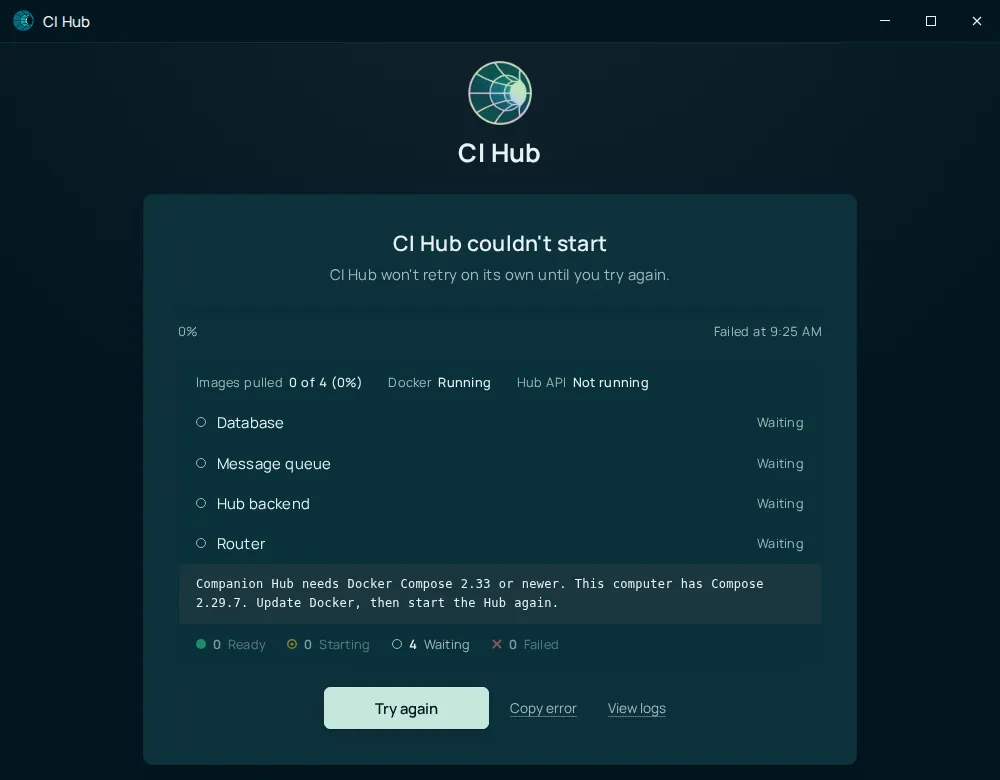
cihub upstops with a red Docker update needed box and exit code1, and the desktop app showsCompanion Hub needs Docker Compose 2.33 or newer. This computer has Compose <version>. Update Docker, then start the Hub again.under CI Hub couldn’t start. Try again can’t fix it: update Docker, then start the Hub again. - Engine older than 28. The start continues.
cihub upprints a yellow Docker Engine update recommended box, and the desktop app writes aWARNING: Docker Engine <version> ignores the network priority the Hub relies online tologs/desktop.log(View logs on the startup screen shows it). The Hub, Traefik, and the Tailscale helper may then send internet and host traffic over the wrong Docker network. If a VPN or a Tailscale route claims that network’s address range, the Hub can lose CI Account and registries while the rest of the computer works. Update Docker Engine to 28 or newer.
A distribution’s docker.io package is often too old. Install Docker uses Docker’s own repository.
Hub behind a proxy
If you reach the internet through a proxy, set it under proxies in ~/.docker/config.json. The desktop app, companion-hub --detached, and cihub setup in a source checkout copy that section to .docker/config.json in the Hub data folder, so containers the Hub starts, such as stack updates and app installs, get the same HTTP_PROXY, HTTPS_PROXY, and NO_PROXY. Restart Hub after you change it. A proxy at 127.0.0.1 or localhost can’t be reached from inside a container, and a Hub started only with cihub up gets no copy.
Bind mount permission errors
Hub runs containers as a mapped host UID/GID. If app data directories are owned by root:
# Check ownership under your data root
ls -la <ROOT_FOLDER_HOST>/apps/

# Fix ownership (use the UID/GID the Hub container runs as: CI_HUB_CONTAINER_UID / CI_HUB_CONTAINER_GID in the env file, or your own)
sudo chown -R "$(id -u):$(id -g)" <ROOT_FOLDER_HOST>
Ollama not reachable from containers
Symptoms: models fail to load, AI apps can’t connect. The Hub container reaches Ollama on your machine at http://host.docker.internal:11434.
- Run
cihub doctorand read theDocker bridgeline. It tests the connection from inside the Hub container, which is the only place a firewall problem is visible.refusedmeans Ollama answers on127.0.0.1but not on the Docker host gateway. Bind it to all interfaces:OLLAMA_HOST=0.0.0.0:11434(see AI and inference).blockedmeans a host firewall drops traffic from the Hub’s network. Doctor prints the fix, for examplesudo ufw allow from <hub-network> to <gateway> port 11434 proto tcp; run it on the host.
- Verify Ollama is running:
ollama list - Test from a container. On Linux,
host.docker.internalonly resolves when you add it:
docker run --rm --add-host=host.docker.internal:host-gateway curlimages/curl http://host.docker.internal:11434/api/tagsRemove tunnel token manually
If Cloudflare tunnel state is corrupted after unpairing, try the built-in reset first: Settings → Network → This Hub in your account → Reset this Hub only. It clears the registration and tunnel token, stops cloudflared, and keeps your operator account, apps, and data.
To do it by hand, note that the tunnel folder is next to your data folder, not inside it — on Linux with the default location, ~/.local/share/tunnel:
cihub down
rm -f "<ROOT_FOLDER_HOST>/../tunnel/token" "<ROOT_FOLDER_HOST>/../tunnel/registration.json"
cihub up --detached
Then re-pair with your CI Account. See Device pairing.
Reset everything (last resort)
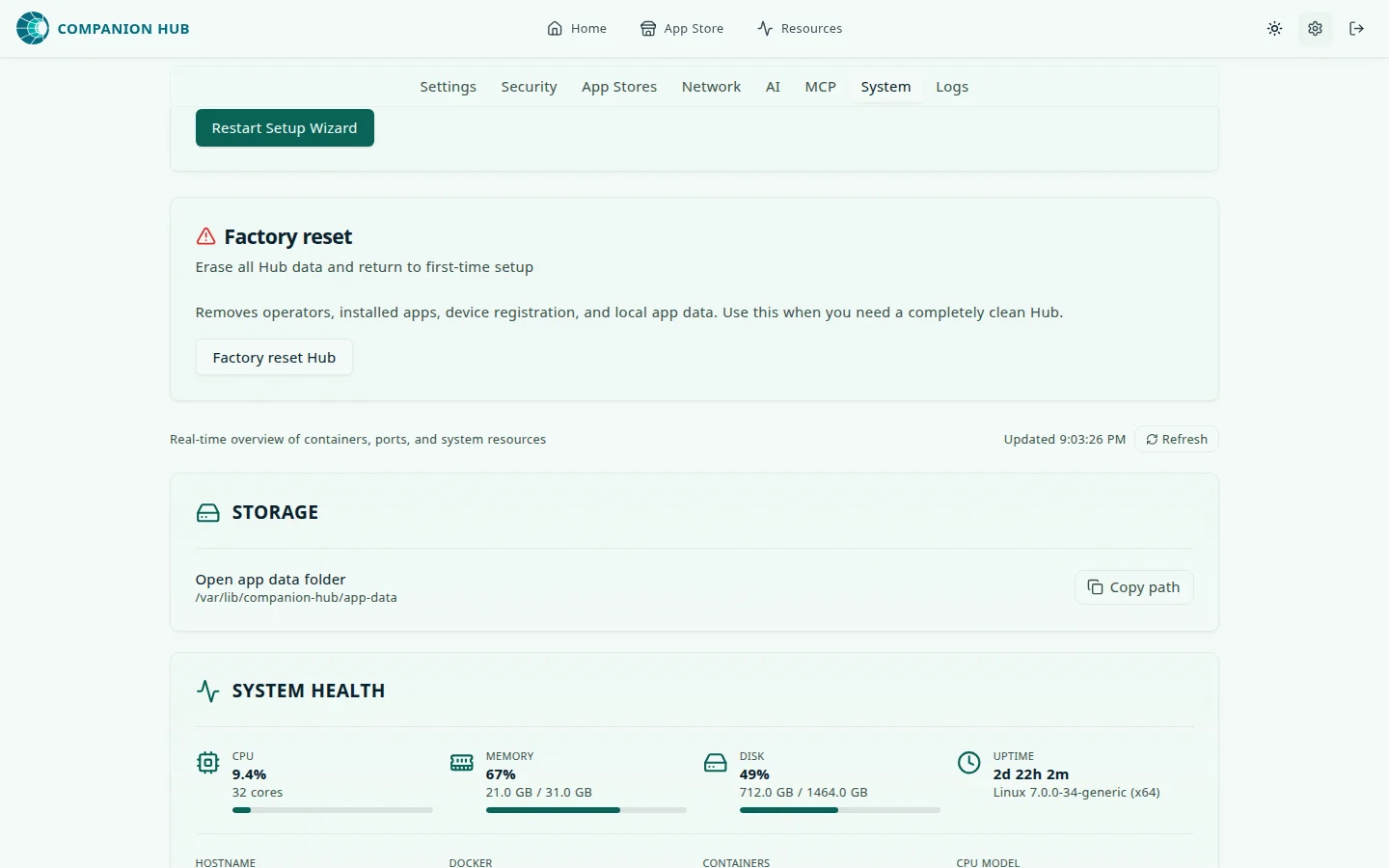
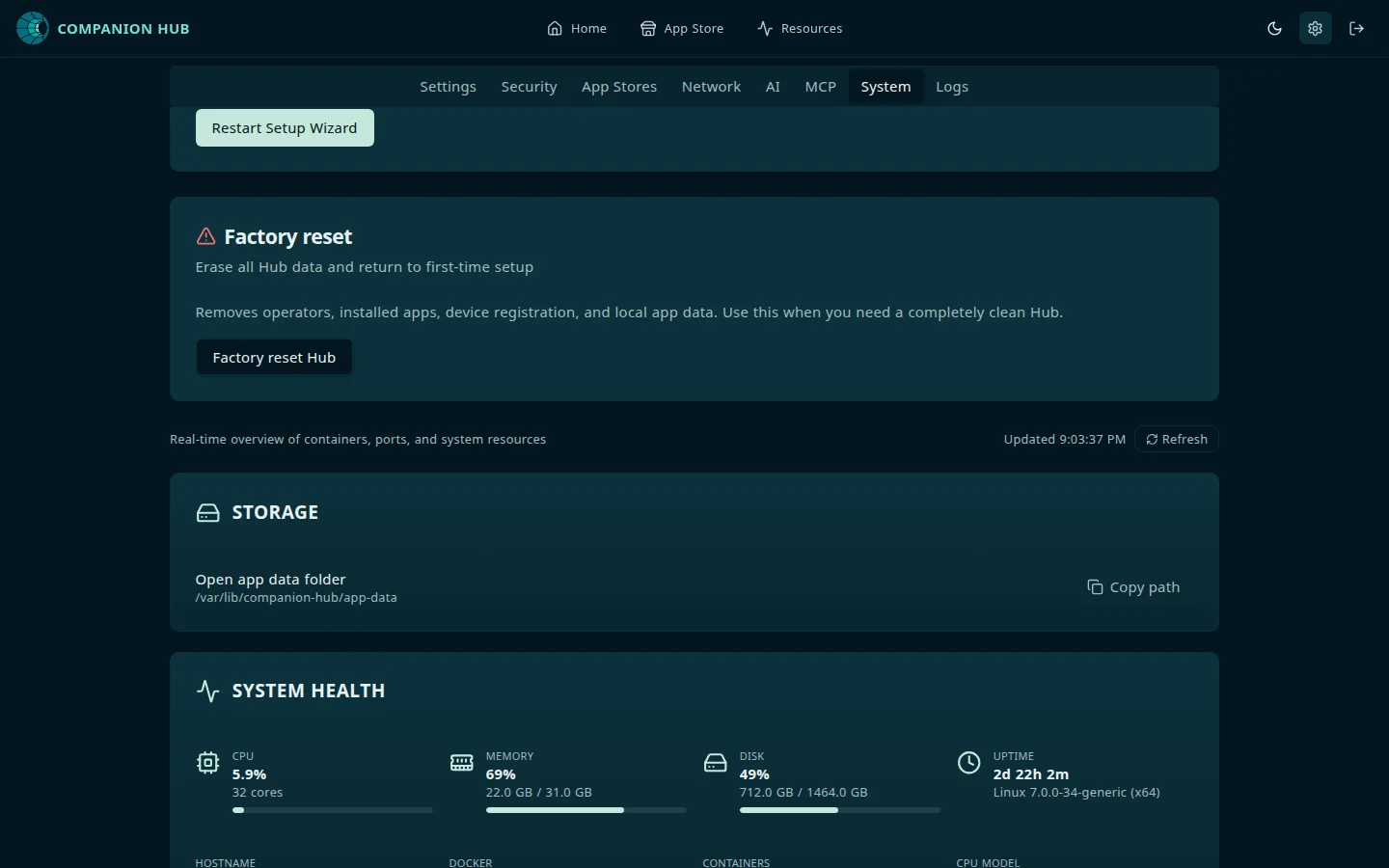
If the dashboard is reachable and the Hub is paired, use Settings → System → Factory reset Hub and type the Hub’s device name to confirm. A Hub that isn’t paired has no device name, and the button stays locked. In that case, or when the dashboard isn’t reachable, use the CLI:
cihub reset --yescihub reset works from any directory on an installed Hub. It removes every installed app with its containers, networks, and Docker volumes; the Hub containers and the database volume; the data folder; and the Hub’s tunnel token. It is a factory reset, and it cannot be undone, so back up first. Add --dry-run to see what it would remove without removing anything. It prints Reset complete once it has checked that everything is gone, and Reset incomplete with the commands to finish the job if it isn’t. It leaves the device registered in your CI Account, so pair the Hub again afterward.
After a reset, start the Hub again — launch the desktop app, or run cihub up — and open http://localhost:5002. A reset Hub is no longer paired, so it opens on the device registration screen. Pair it with your CI Account again, then sign in with that account — the first person to sign in becomes the operator. See First login and setup.
For app-specific failures, use the Log viewer or cihub app logs <container-name>.