📡 Spellbook
The list of local-AI and self-hosting tools that nobody hands you. Spellbook is a static, offline catalog of 797 tools across 16 shelves. Each tool has a description, the platforms it runs on, notes on when to use it, and a link to its source. You browse it, search it, and decide what to install.
The catalog is also published as a website, with nothing to install. Search it there, or install the app from Companion Hub to keep a copy on your own machine.
Install & availability
Available now. Install from the Companion Hub App Store. The catalog ships inside the app: no account, no setup, and nothing is fetched at runtime.
| Hub App Store | Search Spellbook (app id ci-spellbook) → Install |
| Port | 18805 in the store listing. The container listens on 5500. |
| Architecture | linux/amd64 and linux/arm64 (multi-arch) |
| Requires | Companion Hub v0.2.27 or later |
| Install options | One switch, Share crash reports (on by default). No account, environment variables, or API keys. |
Overview
Local AI has no app store: every tool is somebody’s repository, and nobody hands you the list. Spellbook is that list. Its shelves are organized by the job you are doing rather than by vendor, and they run past AI tooling into self-hosting, home servers, and hardware.
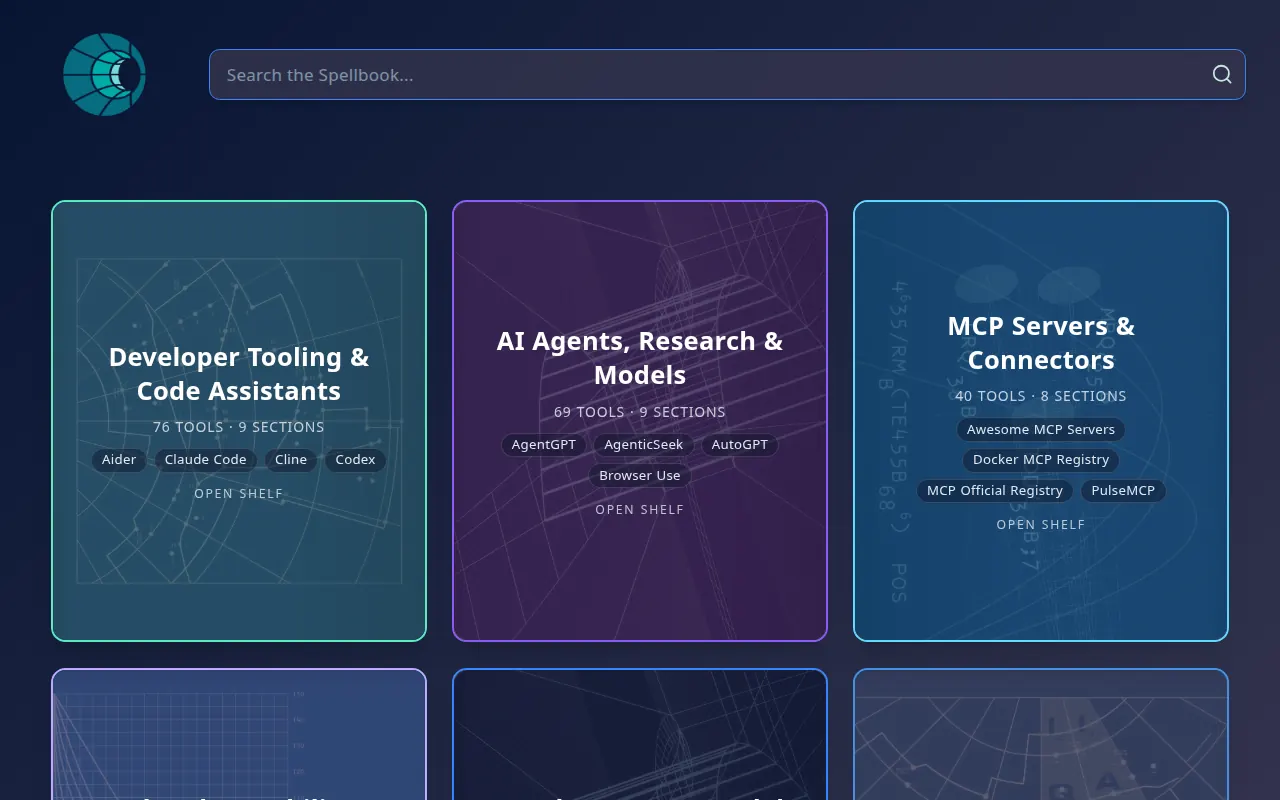
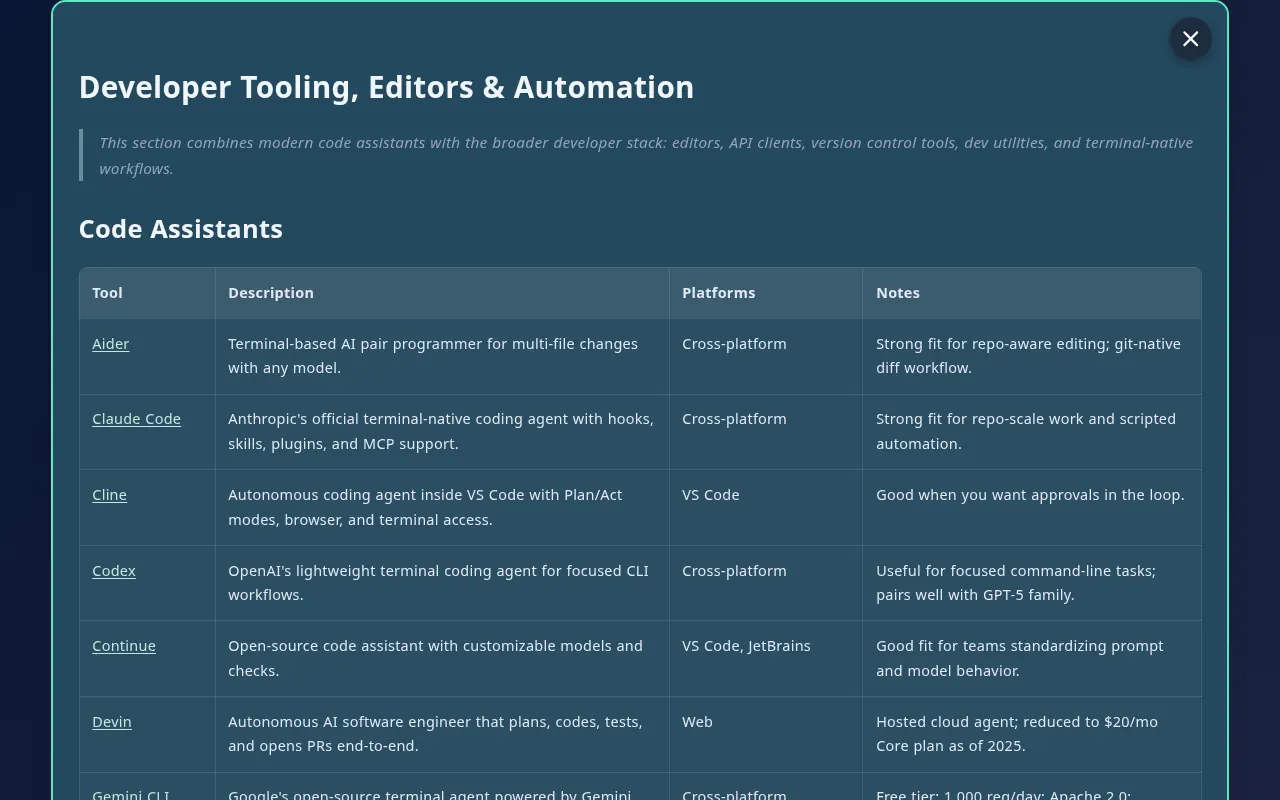
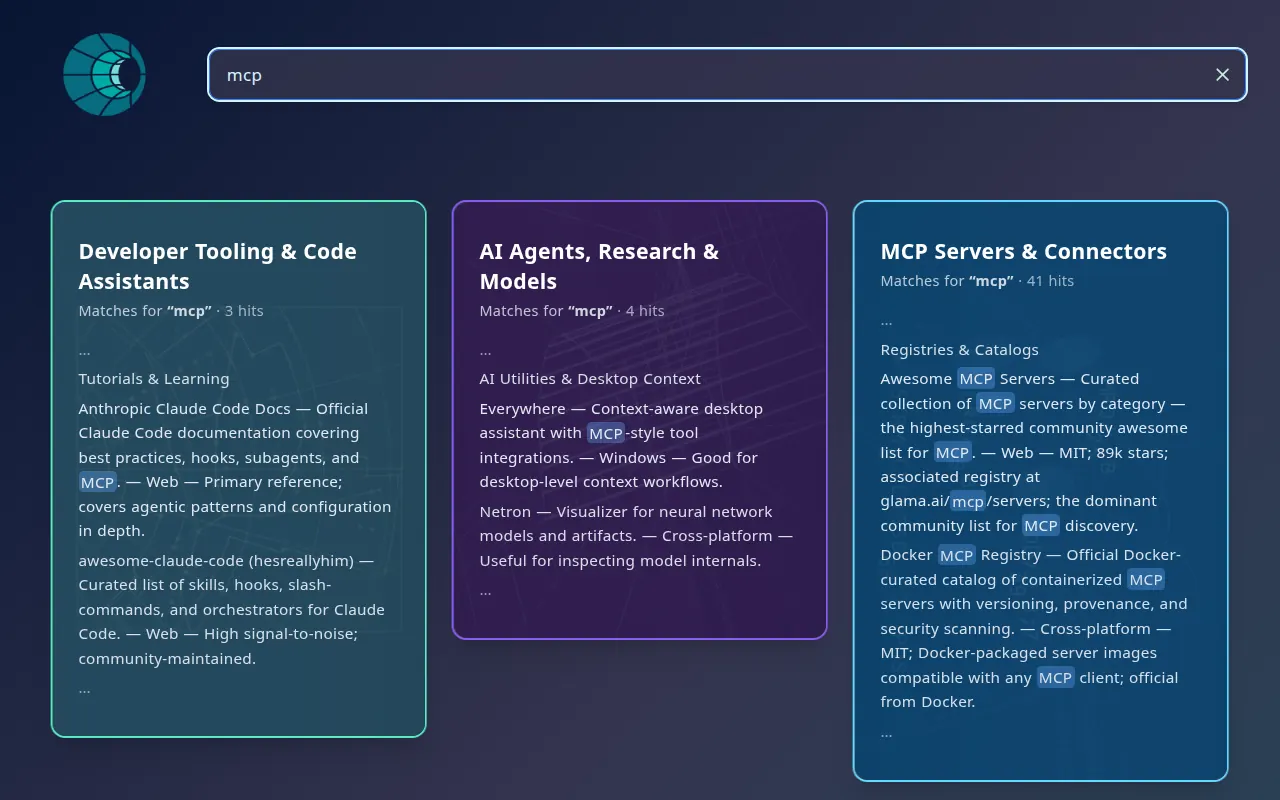
Open a shelf and the back of the card is a table. Each tool gets a row with what it does, the platforms it runs on, notes on when to reach for it, and a link to the source. Search runs in your browser and returns matching lines, highlighted in context, across every shelf.
Spellbook is a reference catalog, not a runtime. It tells you what exists and where to get it. Installing anything it lists is up to you.
The 16 shelves
- Developer Tooling & Code Assistants
- AI Agents, Research & Models
- MCP Servers & Connectors
- Evals, Observability & Tracing
- Local AI Apps & Model Managers
- Data Platforms, Backup & Sync
- Embeddings & Vector Pipelines
- Knowledge, Notes & Productivity
- Creative Media & AI Art
- Communication, Speech & Collaboration
- Entertainment, Games & Social
- Desktop Systems & Windowing
- Browsers, Automation & Virtualization
- Security, Privacy & Network Access
- Self-Hosting, Home Server & Smart Home
- Hardware, STEM & Edge Labs
Current capabilities
What Spellbook does today, as shipped:
- Browse shelves. Each shelf is a card. Open it to read the table of tools.
- Search across every shelf. Matching lines come back highlighted in context. A search with no matches says so, suggests a spelling when it can, and lists all 16 shelves with their tool counts.
- Works offline. The whole catalog is bundled into the app when the image is built, so the app makes no requests for content at runtime.
Your searches stay on the machine. Search runs in your browser against the bundled catalog. Spellbook has no server that receives your queries. The one thing that can leave your Hub is the diagnostic reporting described in Privacy.
Spellbook is not a prompt library and does not run anything. It has no backend, scheduler, or agent-execution engine, and it does not connect to an LLM or expose MCP tools. It also does not install the tools it lists.
Use cases
- Find the local-AI tool for a job, such as a model manager, an MCP connector, or an eval harness, without searching the whole web.
- Compare tools by the platforms they run on before you commit to one.
- Keep a reference catalog on a fully offline Hub.
Setup
Install from Hub
Search for Spellbook in the Hub App Store and install. The install form has one option, Share crash reports, which is on by default. Turn it off to stop all reporting.
Open Spellbook
Open the app from its card on the Hub dashboard. If a hostname does not resolve on your setup, use the direct port on the card, or see Finding your app’s URL.
The shelves load immediately. No login or LLM connection is needed.
Usage
Browsing
The library opens to all 16 shelves. Open a shelf to read its table of tools. Each row links to the tool’s source.
Searching
Type in the search box. Results show the matching table rows, highlighted, from every shelf. If nothing matches, Spellbook suggests a corrected spelling when it finds one and lists every shelf with its tool count. Try fewer words or a broader term.
Privacy
Spellbook makes no network requests for content and stores nothing about you. When the Share crash reports switch is on, which is the default, your browser sends diagnostics to Companion Intelligence’s error-tracking service (Sentry): errors, performance traces sampled at 10 percent, and session recordings with all text masked and media blocked, taken for 10 percent of sessions and for every session that hits an error. Companion Intelligence states that it strips credentials, file paths, request bodies, and your memories before anything is sent. Turn the switch off in the Hub App Store, or set CI_TELEMETRY=off or CI_LOCAL_ONLY=true on the container, and the app reports nothing.
Changing the catalog
The catalog is built from bundled content, so adding a tool or a shelf means rebuilding the image:
flowchart TD
    MD["Edit or add a markdown file<br/>in Spellbook's bundled content"] --> REG["Register a new shelf in the app's shelf list"]
    REG --> BUILD["Rebuild the container image"]
    BUILD --> INST["Install your build on the Hub"]
    INST --> CARDS["Shelf appears in the library<br/>searchable, with tool counts"]
The source repository is private today, so this path is for the Companion Intelligence team. If you want a tool added to the catalog, contact the team through ci.computer/contact .
Troubleshooting
I’m looking for a “Run” button or prompt recipes Spellbook lists tools; it does not run anything and is not a prompt library. Follow a row’s link to the tool’s own site, and install it from there or from the Hub App Store.
A search finds nothing Search matches the text in the catalog’s tables. Try fewer words or a broader term, or check the suggested spelling.
The app doesn’t open at the hostname Use the direct port on the app’s card in the Hub dashboard. See Finding your app’s URL.
Links
- Spellbook on the web: magic.ci.computer
- Companion Memory
- Just In Case
- Source code: a private repository, not publicly accessible