💫 Local Bench
Validate your inference. Benchmark local LLM performance on your own hardware so you know how fast your models run through Ollama, and how capable each one is.
Install & availability
Available now. Install from the Companion Hub App Store. Its source repository and container image are public.
| Hub App Store | Search Local Bench → Install |
| Web UI port | 3000 inside the container, on the Hub’s own port for the app (the Hub app card shows it) |
| Minimum Hub version | 0.2.27 |
| Architecture | linux/amd64 and linux/arm64 (multi-arch) |
This page describes the build in the Hub store, published on 6 September 2026. The public source repository has newer work that isn’t in that build yet: see Newer builds. Local Bench talks only to Ollama’s API in the store build.
Overview
Local Bench is a benchmarking tool for language models served by Ollama. It runs a prompt through each model you select, records throughput and timing alongside your hardware specs, and stores the results so you can compare runs over time. It also shows each curated model’s intelligence score, so you can weigh speed against capability. Use it before you rely on a model to understand how it performs on your Hub.
How a run works
One benchmark is a loop through Ollama, the detected hardware specs, and the results store; the web UI reads everything back over the REST API.
flowchart TD
    UI["Local Bench web UI<br/>port 3000"] -->|"GET /api/models"| OL["Ollama<br/>at OLLAMA_API_URL"]
    OL -.->|"unreachable: HTTP 503<br/>plus the curated catalog"| UI
    UI -->|"pick models and a prompt<br/>POST /api/run-benchmark, blocks until done"| RUN["Benchmark run<br/>one model at a time"]
    RUN -->|"prompt"| OL
    OL -->|"tokens and timing"| RUN
    SPEC["/api/system-specs<br/>detected hardware"] --> RUN
    RUN -->|"persist"| DB[("/app<br/>benchmark_data.db<br/>benchmark_results.csv")]
    DB -->|"GET /api/results<br/>GET /api/results-with-specs"| UI
Current capabilities
What the store build does today:
- Benchmarks any model installed in Ollama, one model at a time, and reports tokens per second, total tokens, and duration for each run. Tokens per second is the number of generated tokens divided by the wall-clock time of the request.
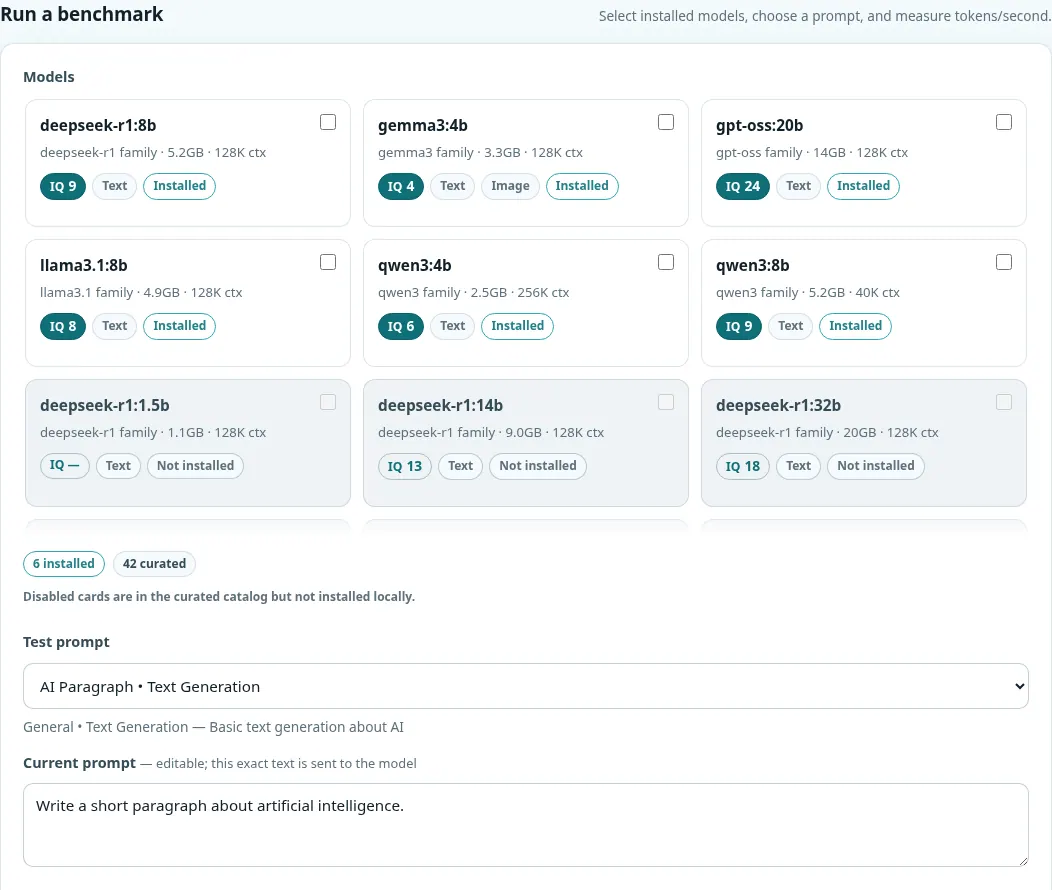
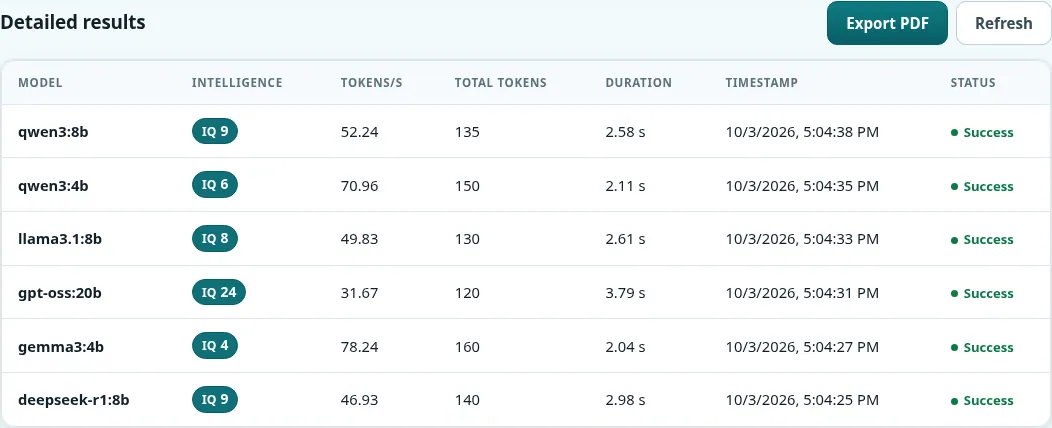
- Shows a curated model catalog (42 models) with sizes, context windows, and an intelligence score (IQ) from the Artificial Analysis Intelligence Index. Models you haven’t pulled are greyed out, and the catalog is the fallback when Ollama isn’t reachable.
- Lets you pick one of the built-in prompts, edit the exact text, or write your own, and compare two responses side by side.
- Records system specs (CPU, memory, OS, GPU) with every run.
- Saves runs to disk, exposes them through a REST API, and exports a PDF report.
- Includes an optional command-line benchmark and an AMD Strix Halo path with llama.cpp, for people who run it from source.
Connecting to your models
On a Hub install, leave the Ollama URL field blank when Ollama is the inference engine your Hub uses: Hub fills it in with its Ollama address. If your Hub runs a different engine (vLLM, Lemonade, or another OpenAI-compatible server), Hub has no Ollama address to pass, and the store build can’t benchmark that engine. In that case set Ollama URL to an Ollama server that Hub’s containers can reach, for example http://host.docker.internal:11434 for Ollama on the Hub’s own computer.
When you run the container yourself, Local Bench reads the OLLAMA_API_URL environment variable (default http://localhost:11434). Inside a container, localhost is the container itself, so point it at the host or a LAN address:
# Ollama running on the Docker host (on Linux, keep the --add-host line;
# Docker Desktop already provides host.docker.internal)
docker run -p 3000:3000 \
  --add-host=host.docker.internal:host-gateway \
  -e OLLAMA_API_URL=http://host.docker.internal:11434 \
  ghcr.io/companionintelligence/ci-local-bench:latest

# Or a LAN address
-e OLLAMA_API_URL=http://192.168.1.50:11434
When Ollama is unreachable, GET /api/models returns HTTP 503 along with
the curated catalog, so the UI degrades gracefully instead of breaking:
every model reads Not installed. Fix the connection by correcting
OLLAMA_API_URL.
Persistence
Local Bench writes two files into its working directory, /app in the container:
benchmark_data.db— the SQLite database with results and system specsbenchmark_results.csv— a flat record of every run
When you run the container yourself, create both files on the host first and mount them, so your history survives when the container is recreated:
touch benchmark_data.db benchmark_results.csv
docker run -p 3000:3000 \
  --add-host=host.docker.internal:host-gateway \
  -e OLLAMA_API_URL=http://host.docker.internal:11434 \
  -v "$PWD/benchmark_data.db:/app/benchmark_data.db" \
  -v "$PWD/benchmark_results.csv:/app/benchmark_results.csv" \
  ghcr.io/companionintelligence/ci-local-bench:latest
Mount the two files rather than the whole /app folder. A volume on /app is filled from the image the first time you use it and then hides the app files in every later image, so an update would keep running the old code.
The Hub install mounts its data folder at /data, but Local Bench writes to
/app. Results survive a restart but can be lost when the Hub recreates the
container, for example on an update or reinstall. Export a PDF of results you
want to keep.
API
| Endpoint | Method | Purpose |
|---|---|---|
/api/results | GET | Every stored result row |
/api/results-with-specs | GET | Results joined with system specs (?limit= supported) |
/api/system-specs | GET | Detected hardware specs |
/api/meta | GET | Intelligence-score source and date |
/api/prompts | GET | Benchmark prompt set |
/api/models | GET | Available models (503 + curated catalog if Ollama is down) |
/api/run-benchmark | POST | Run a benchmark with { models, promptId?, customPrompt? } (blocks while it runs) |
POST /api/run-benchmark runs synchronously and blocks until every model
has finished. Expect the request to stay open for the duration of the run.
Each model has a two-minute timeout.
Use cases
- “Which model runs fastest on my hardware right now?”
- Capture before/after numbers when you change GPUs or quantizations
- Keep a CSV/SQLite history of how your Hub performs over time
- Document your Hub’s specs alongside real benchmark figures
Setup
Install from Hub
Search for Local Bench in the Hub app store and install. It needs Companion Hub 0.2.27 or newer.
Open Local Bench
Open the Local access address on the app’s page in the Hub dashboard. See Finding Your App’s URL.
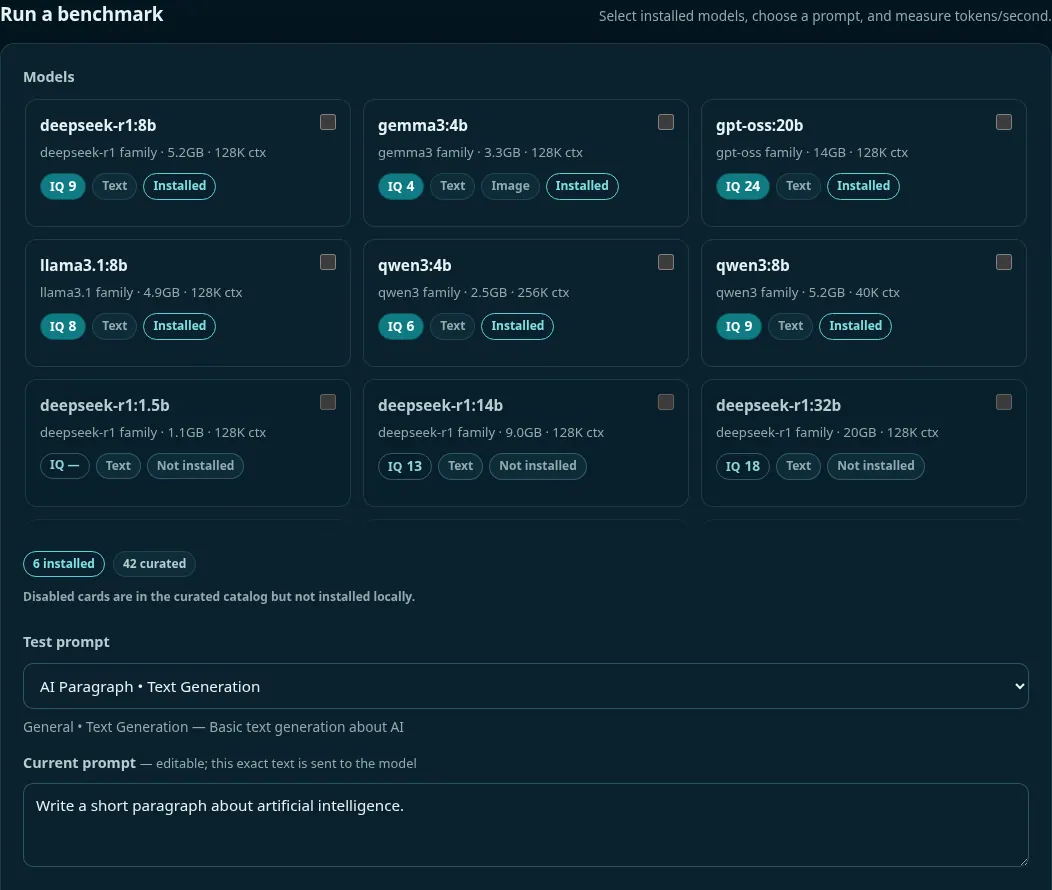
On first run there are no results yet. The Run a benchmark section lists the curated models and a Test prompt picker with prompt cards (AI Paragraph, Python Function, Math Problem, and more).
Check the connection
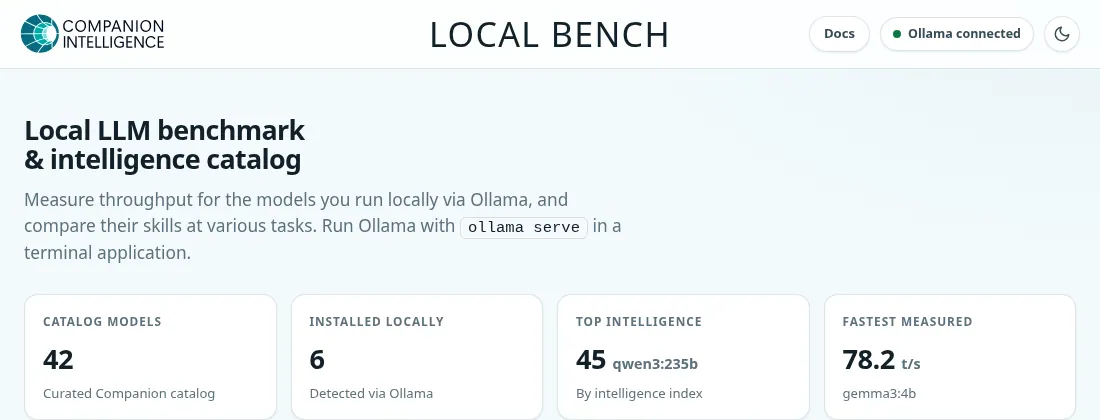
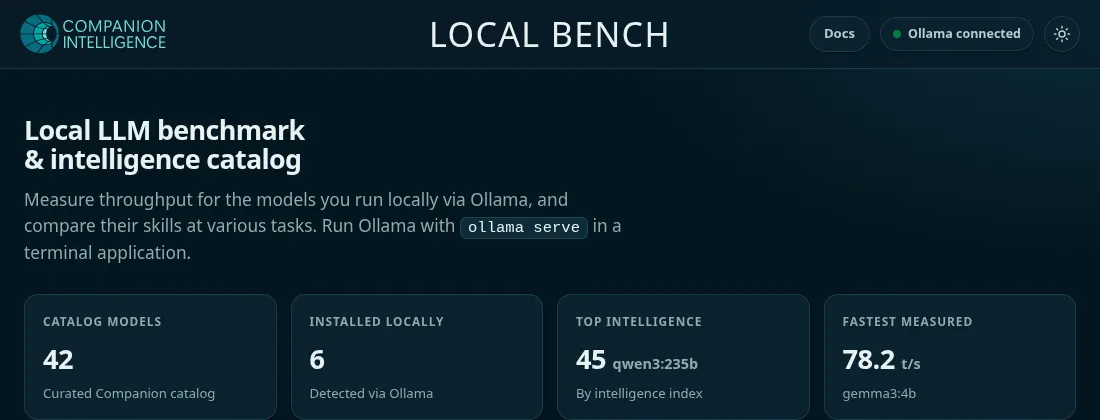
The status badge at the top reads Ollama connected when Local Bench can reach Ollama, and the Installed locally tile counts the models it found. When the target isn’t reachable, the model list falls back to the curated catalog with every model marked Not installed; see Connecting to your models.
Run a benchmark
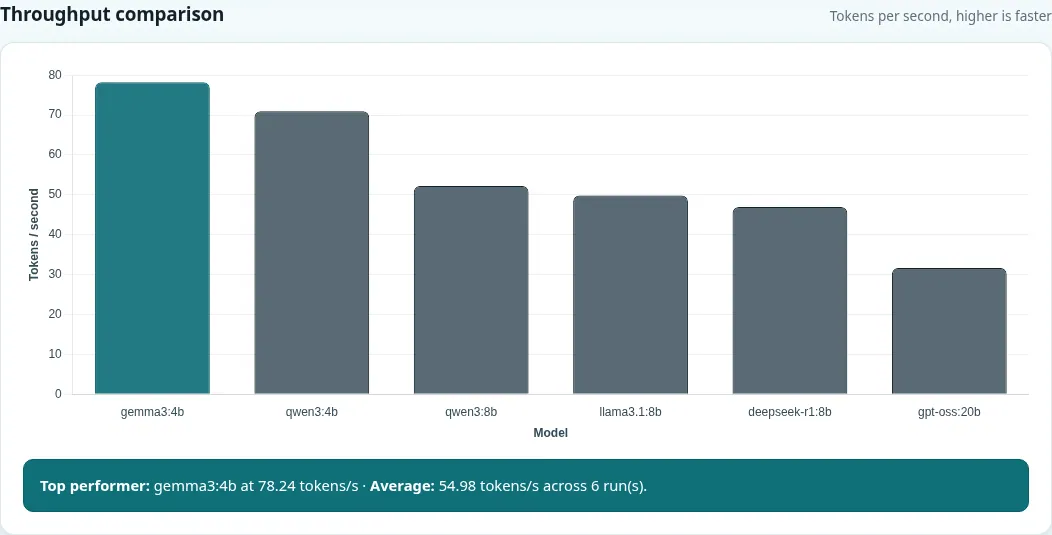
Select one or more installed models and a test prompt, then select Run benchmark (or Select all installed to queue every installed model). Use Clear selection to start over. Results are saved and appear in the Statistics, Throughput comparison, and Detailed results sections, alongside System specifications. Use Refresh to reload the table, and Export PDF to save a report.
Troubleshooting
No models listed, or every model reads Not installed
Local Bench can’t reach Ollama, so /api/models returned 503 with the curated catalog. On a Hub install, check that your Hub’s inference engine is Ollama, or set Ollama URL to an Ollama server the container can reach. When you run the container yourself, check that OLLAMA_API_URL points to a host or LAN address, not the container’s own localhost.
Results disappear after an update or reinstall
Local Bench writes benchmark_data.db and benchmark_results.csv to /app. When you run the container yourself, mount those two files as shown in Persistence. On a Hub install, the Hub’s data folder is mounted at /data, which Local Bench doesn’t use, so export a PDF of results you want to keep.
A benchmark request seems to hang, or a run fails
POST /api/run-benchmark blocks for the whole run by design. Each model has a two-minute timeout, so benchmark fewer or smaller models at a time.
Newer builds
The public repository’s main branch has work from 20 September 2026 that the store build doesn’t include. It adds:
- Concurrency: send 1 to 16 identical requests at once and read the batch’s aggregate tokens per second.
- Time to first token and decode tokens per second for streaming runs.
- Hub pool benchmarking: the target can be a Hub inference pool, and each row records which node and engine served it.
- OpenAI-compatible engines such as vLLM or Lemonade, through
CI_LLM_BASE_URL(andCI_LLM_API_KEY).BENCH_TRANSPORTforcesollamaoropenaiinstead of auto-detecting. - Two more API routes,
/api/aggregatesand/api/target.
To use them now, build the image from the repository. The Hub listing already passes these variables, so a store install picks them up once Companion Intelligence publishes the next image.