AI and inference
Companion Hub includes built-in support for running and routing AI models. The Onboarding wizard configures your inference backend, recommended models, and optional cloud API keys on first login.
Inference backends
| Backend | Status | Notes |
|---|---|---|
| Ollama | Available | Default. Runs on your host or in a container. OpenAI-compatible /v1 API. Chat and embeddings. |
| Cloud providers | Available | OpenAI, Anthropic, Google, GitHub Copilot — configured in Settings |
| vLLM | Available | NVIDIA host server. Chat only. Apps get embeddings from Ollama. |
| oMLX | Available | Apple Silicon, macOS 15 or later. Hugging Face MLX weights. Chat only. Apps get embeddings from Ollama. |
| Lemonade | Available | AMD GPU hosts on Linux and Windows. You install it; Hub downloads and loads models through it and sets up its own embedder. Not offered on Mac. |
Hub detects your host OS, CPU, RAM, GPU vendor, VRAM, and available runtime, then recommends models that fit both the machine and the serving backend. You can override preferences in Settings → AI.
The wizard and Settings → AI list only the engines that can run on your machine: Ollama always, oMLX on an Apple Silicon Mac, vLLM where an NVIDIA GPU is detected, and Lemonade where an AMD GPU is detected, never on a Mac. The engine marked Recommended is also pre-selected: oMLX on Apple Silicon, vLLM on an NVIDIA GPU whose container runtime is ready, and Ollama otherwise.
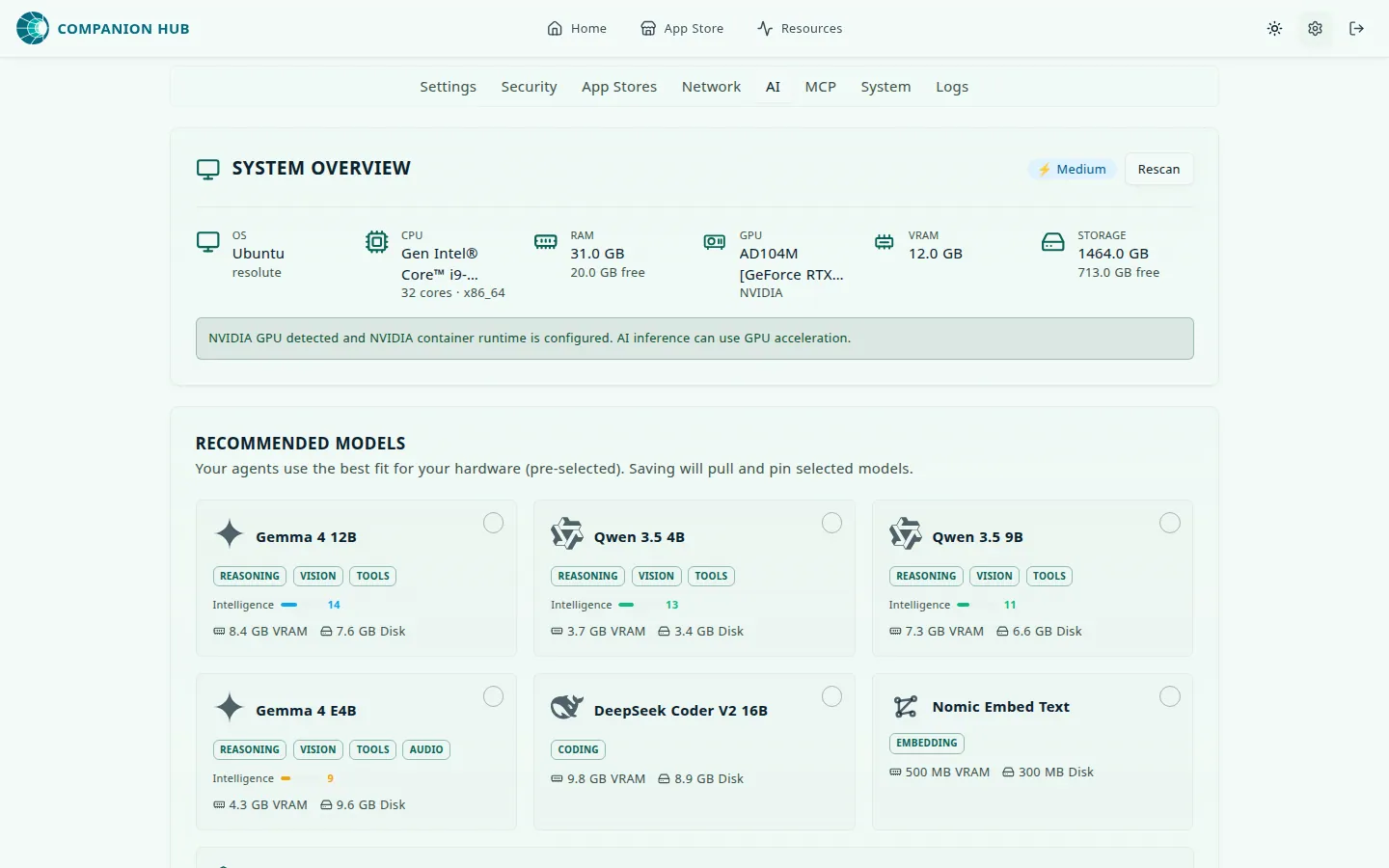
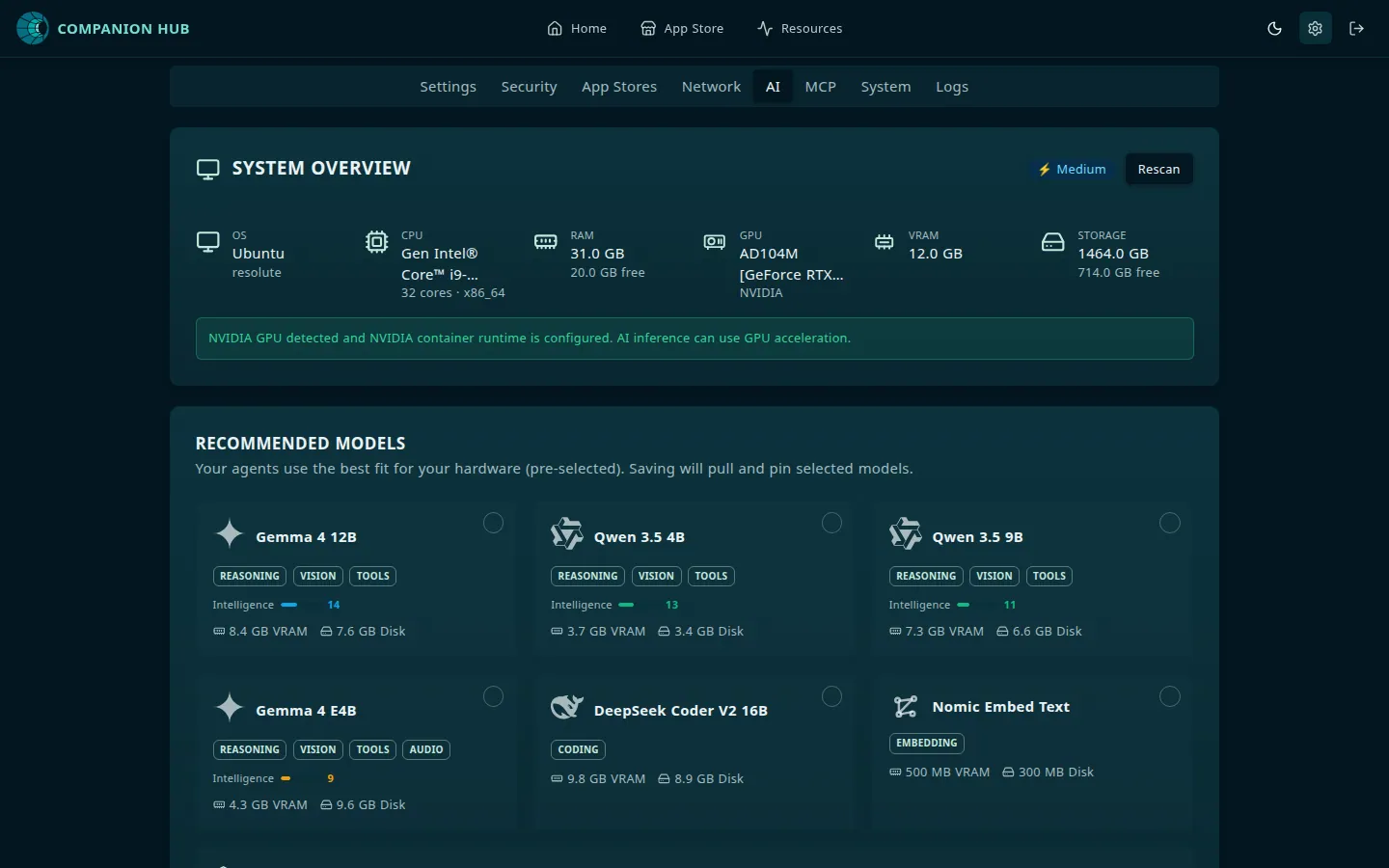
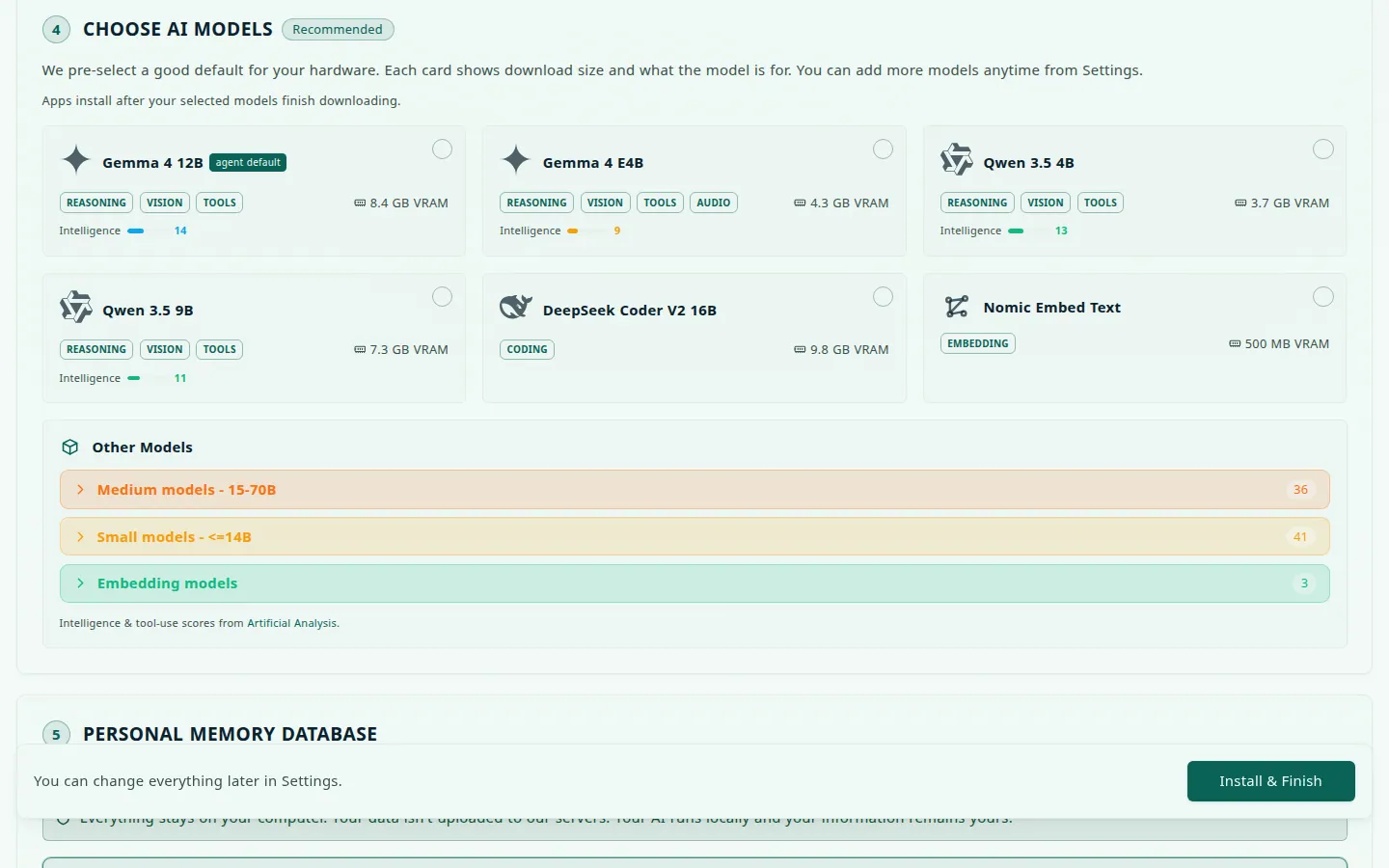
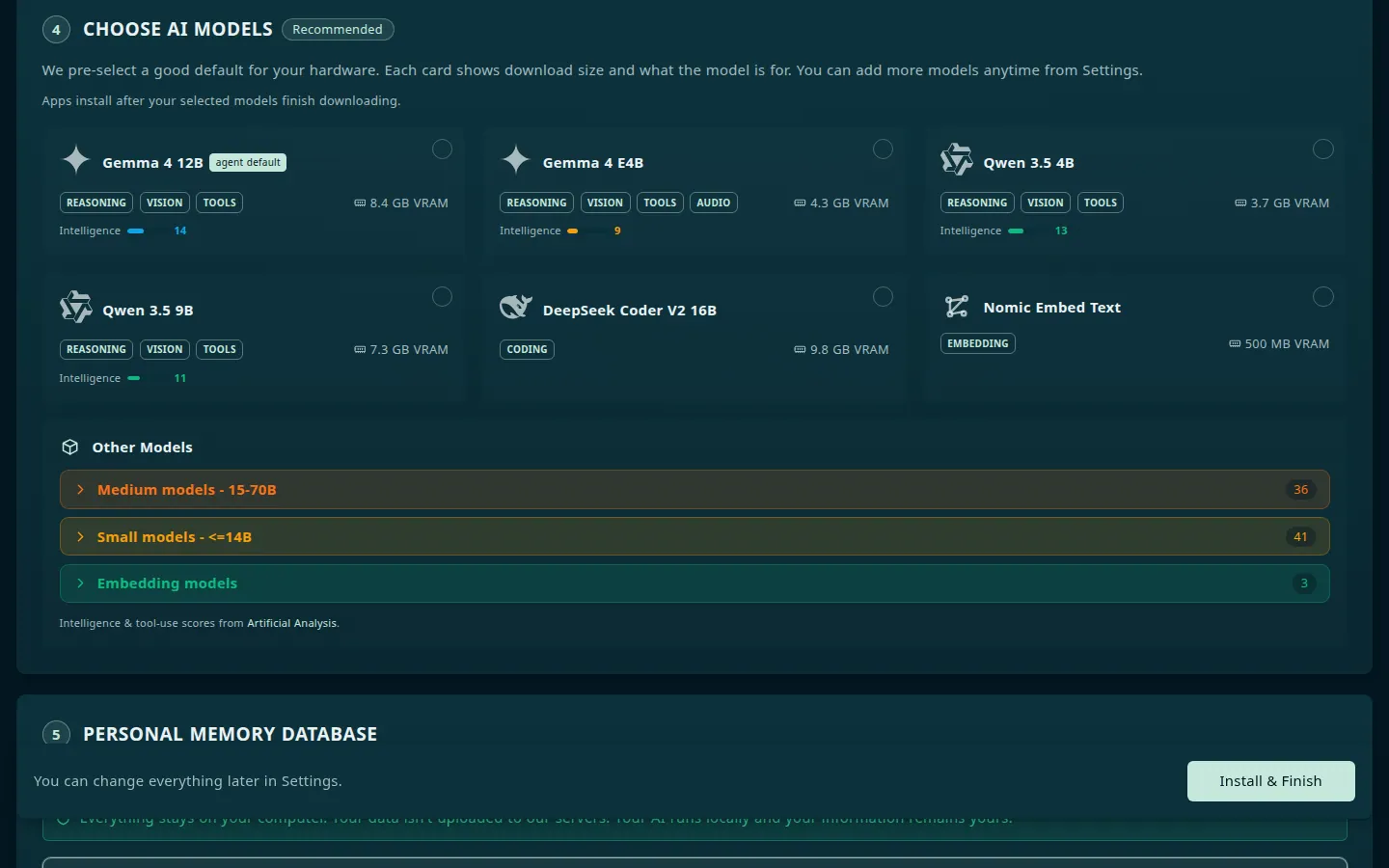
Each recommended model card shows whether the model is Downloading, Downloaded, or Pinned. While a model is in memory, its card, and its entry under Downloaded Models, offers Unload: select it to free the memory at once. The next Save AI Settings loads the model again with the current options. Once you select a model, a bar under the lists shows how many models you selected, how much needs downloading against your free disk, and how much inference memory is free of the total. That memory line is informational. Only disk can stop Install & Finish. Save AI Settings asks you to confirm because it restarts the apps that use AI models. If Hub can’t pull or pin a model, a warning stays on screen until you dismiss it and gives the reason for each model.
Memory, pins, and unloading
Hub keeps loaded models inside one memory budget for the machine: GPU memory on a discrete GPU, otherwise the share of RAM that models may use. The rules you can notice:
- A model that is answering a request is never unloaded to make room. An app’s request may unload only idle models that Hub loaded itself. Save in Settings and the admin calls (REST and MCP) may unload any idle model that isn’t pinned.
- A model that can’t fit is refused with a reason, and nothing else is unloaded for it. A download is refused only when the model’s weights are larger than the whole budget, or when the engine doesn’t list the model. The reason shows at once in the wizard’s download panel and in the Save warning.
- Hub picks each model’s context window. It starts at 65,536 tokens, or the app’s own minimum, and steps down toward 4,096 until the model fits the budget.
- Pins last. Hub records them in
state/inference-pinned-models.jsonand loads them again after a restart, including under Lemonade’suser.names.
Let Hub set up the engine
The AI step of the Onboarding wizard can install and start local engines for you. On the Ollama, oMLX, or vLLM setup card, select Run this automatically. In the desktop app, Install & Finish also installs what your choice needs, and the Installing Apps screen shows that work as Automatic local runners. The desktop app installs and starts:
- Ollama, on any supported host.
- oMLX, on Apple Silicon only, through Homebrew.
- vLLM, on Linux with a working NVIDIA GPU only. It serves
Qwen/Qwen3-4B-Instruct-2507on port 8002, or the next free port, and Hub saves that address for you. The native Windows path is not supported; use WSL2.
Hub never installs Lemonade.
The app tries each engine on its own. An engine that cannot run on your machine is skipped, a failure does not stop the others, and setup continues. Its log is in the logs/inference folder of your data root. Without the desktop app, such as on a headless server, install the engines yourself as described below.
Platform and hardware matrix
The catalog separates model fit from backend support. A model can fit in memory but still be the wrong choice for the host OS or serving runtime, so Hub filters automatic recommendations in this order: host platform, accelerator/runtime, inference memory budget, then model quality and size. The matrix below describes locally runnable paths; a host-served backend can still point at a remote machine.
| Backend | macOS | Linux | Windows | Best local use |
|---|---|---|---|---|
| Ollama | Apple Metal or CPU | NVIDIA CUDA, AMD ROCm/Vulkan, or CPU | NVIDIA CUDA, AMD ROCm/Vulkan, or CPU | General-purpose default, embeddings, and the broadest hardware coverage |
| vLLM | — | NVIDIA CUDA host server | NVIDIA CUDA host server or a supported WSL setup | NVIDIA chat. Serve with vllm serve <model> --host 0.0.0.0 --port 8000 |
| oMLX | Apple Silicon | — | — | MLX chat. brew install jundot/omlx/omlx then omlx start |
| Lemonade | — | AMD GPU | AMD GPU | Operator-managed. Hub probes the endpoint, then downloads and loads models through its API |
The Recommended Models response is platform-aware: Apple-only rows are not offered as local picks on Linux or Windows, and CUDA-only rows are not offered as local picks on macOS. When you explicitly configure a remote host-served endpoint, Hub keeps that backend’s rows available so the live endpoint can determine which model is actually served. Intel GPUs without a detected inference runtime use the CPU fallback until a supported runtime is visible to Hub.
Ollama on your host
By default, Hub connects to Ollama on your host machine at port 11434. Containers reach it via host.docker.internal:11434.
Install Ollama
Download from ollama.com or:
curl -fsSL https://ollama.com/install.sh | shPull a model from a terminal on the host:
ollama pull llama3.2
ollama list
You can also pick models in Settings → AI and save. Hub then pulls and pins the ones you selected.
cihub models install and cihub models list run the ollama command inside
an Ollama container that belongs to the Hub’s Compose project. With Ollama on
your host, which is the default, there is no such container and the command
reports Ollama container not running. Use ollama pull on the host instead.
Bind Ollama to all interfaces
Ollama listens on 127.0.0.1 by default. Docker containers need it reachable on the host network interface. Set:
# Linux (systemd override)
sudo systemctl edit ollama
Add:
[Service]
Environment="OLLAMA_HOST=0.0.0.0:11434"
Then restart:
sudo systemctl restart ollamaOn macOS/Windows with Docker Desktop, host.docker.internal usually works without changing the bind address.
Confirm containers can reach Ollama. On Linux, host.docker.internal only resolves inside a container that maps it, so add the mapping to the test:
docker run --rm --add-host=host.docker.internal:host-gateway curlimages/curl -s http://host.docker.internal:11434/api/tagsA JSON object listing your installed models means the connection works. Connection refused means Ollama is not bound to all interfaces — repeat the step above. A test that hangs and then times out usually means a host firewall such as ufw or firewalld is dropping traffic from containers. Hub detects that case and shows the ufw or firewall-cmd rule to run on the Ollama setup card, in the onboarding wizard and in Settings → AI.
If Hub cannot reach Ollama at its configured address, it also tries http://172.17.0.1:11434 and http://localhost:11434 before it reports Ollama as unreachable.
GPU acceleration
macOS (Apple Silicon): Ollama uses Metal automatically. Its unified-memory budget is smaller than total RAM because the OS and applications share that pool; Hub accounts for that headroom when choosing a model.
NVIDIA (CUDA): Ollama on the host needs only the NVIDIA driver, and it detects CUDA on its own. Install the NVIDIA Container Toolkit on Linux, or make the GPU visible to Docker Desktop or WSL2 on Windows, if you want GPU apps from the store, such as ComfyUI, to use the card.
AMD (ROCm/Vulkan): Install the supported AMD driver/runtime for your OS. Ollama can use ROCm where the device is exposed, with Vulkan as the fallback path on supported Linux and Windows configurations.
Intel and CPU-only systems: Hub keeps model selection conservative when no supported GPU runtime is detected. Choose a smaller model if ollama ps reports CPU execution, or install the platform’s supported GPU runtime and rescan the hardware.
Verify the GPU is actually being used — load a model, then check the PROCESSOR column while it is resident:
ollama ps100% GPU means acceleration is working. 100% CPU means Ollama fell back — the model may be too large for your VRAM, or the drivers are not visible to Ollama.
Hub’s hardware inspector reads GPU info and tags recommended models accordingly in the wizard. Cross-check what Hub detected under Settings → System, or see the System inspector.
Lemonade
Lemonade is a cross-platform local inference server with an OpenAI-compatible API. Hub offers it where it detects an AMD GPU, on Linux and Windows, and never on a Mac. You install and start Lemonade yourself; Hub reaches it at http://host.docker.internal:13305 (set LEMONADE_URL to change that).
Use the Lemonade installation guide for the OS-specific package and accelerator runtime. In Settings → AI, select Lemonade and Re-check. The model cards list only the models your Lemonade can supply. Hub downloads the ones you pick through Lemonade’s API and loads them.
Hub also registers a Nomic Embed Text v1.5 embedder in Lemonade, so apps need no Ollama for embeddings. If your Lemonade already holds its older built-in embedder, Hub keeps using that one. To switch, select Nomic Embed Text v1.5 (Lemonade) and save, then re-embed your stored memories, because the two embedders’ vectors don’t match.
Lemonade on Linux: let Hub reach it from Docker
On Linux, Lemonade listens on this computer only by default, and Hub probes it from inside Docker, so a running Lemonade can still read as not detected. When that happens the Lemonade card shows Already running Lemonade? with steps to run on the host. Each step has a Copy command button, which selects the text instead when the page has no clipboard, for example over plain http:
- Make Lemonade listen on every interface, for example
lemonade config set host=0.0.0.0. The card addsLEMONADE_PORT=<port>when your port isn’t 13305. - Give Lemonade an API key. Listening on every interface opens Lemonade to every device that can reach this computer, and Lemonade has no password until you give it a key. The card’s script creates a key, adds it to the Lemonade service (
lemondon Lemonade 11 and later,lemonade-serveron Lemonade 10), restarts it, and prints theLEMONADE_API_KEY=<key>line for the Hub’s env file. Recreate the Hub afterwards. Hub readsLEMONADE_API_KEYfrom its environment, and the desktop app rewrites its env file at every launch without keeping that line, so this step fits a Hub you start withcihub up. - Open the firewall for Docker’s networks, if this computer’s firewall is on: the Hub’s network and the app network (
10.128.0.0/9), which apps use to reach Lemonade directly when pool routing is off. The card prints the rules for your firewall.
If Lemonade answers but refuses the key, the card tells you to set the same LEMONADE_API_KEY in Lemonade and in the Hub. If requests time out, only the firewall rules show. On macOS and Windows the card shows no Linux steps.
vLLM on your host
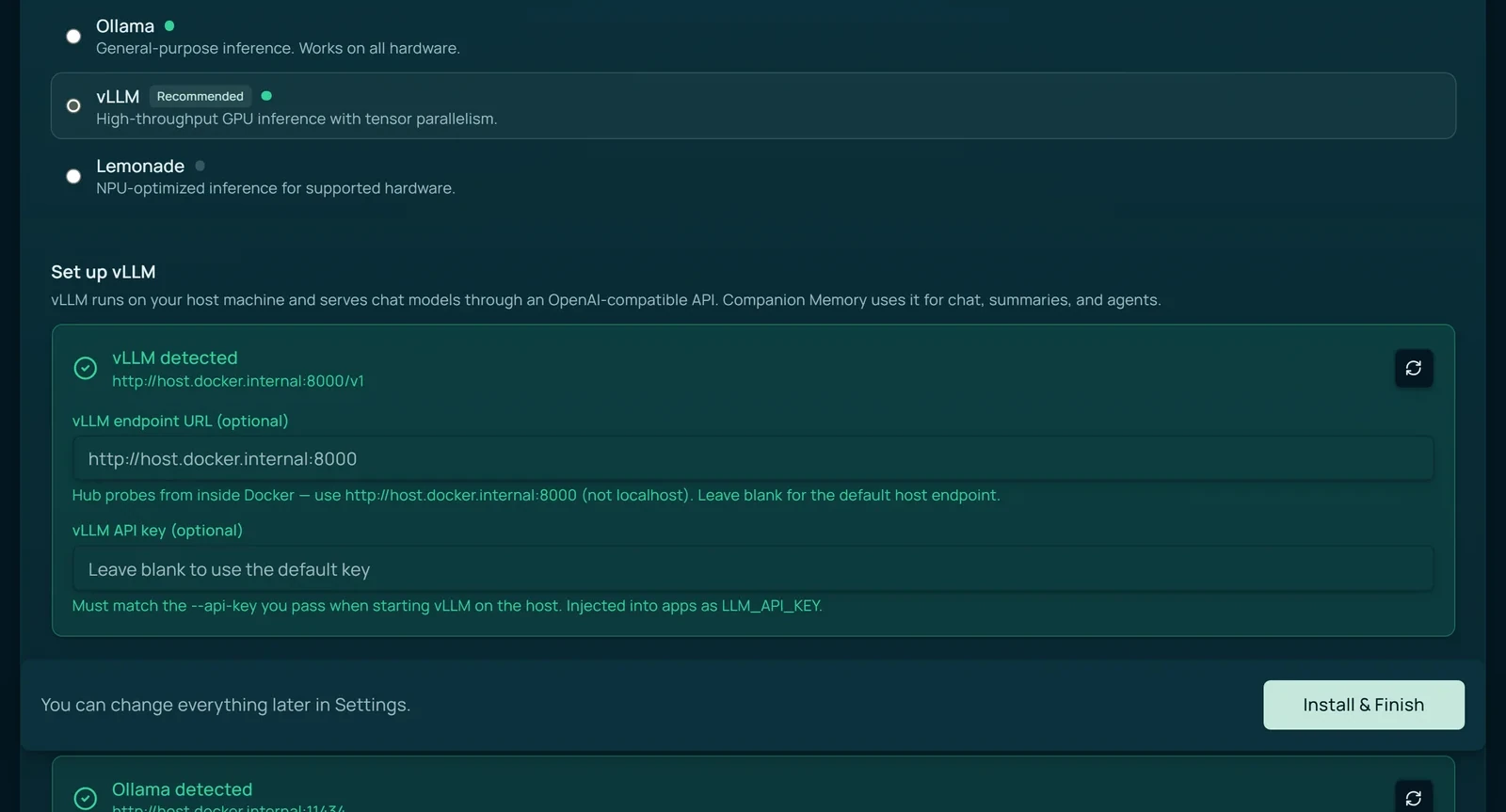
Use vLLM when you want high-throughput chat/decoding on a GPU. Hub does not run vLLM inside its stack — you start it on the host (or point at a remote server), then wire it in Settings → AI. The catalog has separate rows for CUDA hosts and Apple Silicon MLX hosts; a generic MLX-LM backend is not needed.
vLLM serves an OpenAI-compatible API at /v1. Hub probes it from inside Docker, so the endpoint must be reachable from containers:
| What you type on the host | What Hub needs |
|---|---|
http://localhost:8000 | http://host.docker.internal:8000 |
| Remote LAN server | That server’s URL (e.g. http://192.168.1.50:8000) |
Quick start (NVIDIA)
vllm serve Qwen/Qwen3-4B-Instruct-2507 \
  --host 0.0.0.0 \
  --port 8000 \
  --quantization bitsandbytes \
  --max-model-len 8192 \
  --gpu-memory-utilization 0.85 \
  --api-key vllm-local
Verify from the host:
curl -s http://127.0.0.1:8000/v1/models -H "Authorization: Bearer vllm-local"In Hub Settings → AI:
- Select vLLM as the chat backend.
- Endpoint URL:
http://host.docker.internal:8000(or leave blank to use the default). - API key: must exactly match
--api-key(e.g.vllm-local). - Select Re-check — the card should turn green when Hub sees your model.
- Keep Ollama running for embeddings (Companion Memory needs
nomic-embed-textor similar).
AMD GPUs (including Strix Halo): the Hub’s vLLM container path is not the reliable choice for consumer AMD hardware. Use a verified host ROCm build if you specifically need vLLM, or use Ollama / Lemonade for the supported AMD path. Hub does not recommend CUDA vLLM rows for an AMD profile.
On Apple Silicon, use oMLX , not vLLM. Docker Desktop cannot expose Metal to the CUDA vLLM image.
brew tap jundot/omlx https://github.com/jundot/omlx
brew install jundot/omlx/omlx
omlx start
The foreground form is omlx serve --model-dir ~/models. Hub probes http://host.docker.internal:8000. Weights come from that machine’s Hugging Face login.
Container-side check (same path Hub uses):
docker run --rm curlimages/curl -s \
  http://host.docker.internal:8000/v1/models \
  -H "Authorization: Bearer vllm-local"
Manual endpoints
Settings and onboarding can skip the four engines. Type a decode endpoint, an encode endpoint, or both. Re-check probes each URL you typed, and the card shows that URL, including host.docker.internal when the Hub is in Docker. Hugging Face login stays on the oMLX and vLLM install path. It is not a manual-mode field.
Ollama and Lemonade embed for themselves. With vLLM or oMLX, Hub uses a healthy Ollama for embeddings, and apps get no embedder without one. A typed encode endpoint overrides this.
Side by side, this is what each host-served backend needs from you, and what still runs through Ollama:
| Backend | Ollama | Lemonade | vLLM | oMLX |
|---|---|---|---|---|
| Host OS | macOS, Linux, Windows | Linux, Windows (AMD GPU) | Linux, Windows (NVIDIA) | macOS (Apple Silicon) |
| Where it runs | Your host (default) or a container | Your host | Your host or a remote server. Hub does not run it | Your host. Hub does not run it |
| Reachable from containers at | host.docker.internal:11434 | host.docker.internal:13305 | host.docker.internal:8000 | host.docker.internal:8000 |
| Check it with | /api/tags | /v1/models | /v1/models with the bearer key | /v1/models |
| Chat and decoding | ✓ | ✓ | ✓ | ✓ |
| Embeddings | ✓ | ✓ | Pair with Ollama | Pair with Ollama |
| Model management | ollama pull on the host, or Settings → AI | Pick in Settings → AI; Hub downloads and loads them | The model you pass to vllm serve | omlx start, with Hugging Face weights |
Standardized inference variables for apps
Apps that use AI can opt in to standardized Hub inference variables via hub_integration.inference in their config.json. Hub resolves the correct values based on your settings and hardware, then writes them into the app’s app.env — on install, and again every time the app is started, restarted, updated, or reset. An app that is already running when something changes keeps its current values until its next start; it never needs reinstalling.
Hub variable keys
| Key | Resolved env (internal) | Description |
|---|---|---|
llm_base_url | CI_LLM_BASE_URL | OpenAI-compatible base URL (the engine’s /v1, a typed decode endpoint, a cloud provider, or this Hub’s pool proxy, which apps get by default; see Hub Pool) |
llm_api_key | CI_LLM_API_KEY | API key. A placeholder such as ollama or vllm when the base URL is this Hub’s pool proxy or the engine checks no key; the engine’s own key only when the app calls that engine directly |
chat_model | CI_CHAT_MODEL | Default chat/general model ID |
embedding_model | CI_EMBEDDING_MODEL | Default embedding model ID |
vision_model | CI_VISION_MODEL | Default vision-capable model ID |
ollama_host | OLLAMA_HOST | Native Ollama URL (not OpenAI-compatible). Also points at this Hub’s pool proxy by default, like llm_base_url. |
ollama_embed_host | CI_OLLAMA_EMBED_HOST | The server embedding_base_url names, without /v1. Kept for older manifests. |
embedding_base_url | CI_EMBEDDING_BASE_URL | OpenAI-compatible base URL (…/v1) of the engine that embeds for the app, or this Hub’s pool proxy. Use it instead of ollama_embed_host. |
utility_model | CI_UTILITY_MODEL | Model for an app’s background calls such as extraction, classification, and titles: a smaller installed model that fits beside the chat model, otherwise the chat model. Only apps that map it receive it |
num_ctx | CI_LLM_NUM_CTX | Context window, in tokens, for the chat model. Hub sizes it to the model and to this machine’s memory instead of letting an app inherit Ollama’s oversized default. |
Example in config.json
Map Hub-resolved values to the env variable names your app expects:
{
  "hub_integration": {
    "inference": {
      "llm_base_url": "LLM_API_BASE",
      "llm_api_key": "LLM_API_KEY",
      "chat_model": "LLM_DEFAULT_CHAT_MODEL",
      "embedding_model": "LLM_DEFAULT_EMBEDDING_MODEL",
      "ollama_host": "OLLAMA_HOST"
    }
  }
}
Apps without hub_integration.inference receive no AI variables — zero overhead for non-AI apps.
Resolution order
For each variable, Hub resolves in this order:
- Your Hub-wide preference (Settings → AI)
- Hardware-aware recommendation from the model registry
- Omitted — the app must handle the variable being absent
If the engine you chose isn’t running and Ollama is, Hub hands apps Ollama and logs a warning. If Ollama is unavailable too and no cloud provider is configured, Hub omits all inference variables and logs a warning.
End to end, the path from an app’s declaration to the values it finds in app.env looks like this:
flowchart TD
    A["App config.json<br/>hub_integration.inference"] --> B{"Hub resolves<br/>each variable"}
    B -->|"1. Your Settings → AI preference"| C["Resolved values<br/>base URL and key from Ollama, oMLX, vLLM, or Lemonade /v1,<br/>or a cloud provider<br/>chat, embedding, vision model IDs"]
    B -->|"2. Hardware-aware recommendation<br/>from the model registry"| C
    B -->|"3. Neither available"| D["Variable omitted<br/>the app must handle its absence"]
    C -.->|"by default, even with no peer"| F["Base URL swapped for<br/>this Hub's pool proxy"]
    C --> G["app.env"]
    F --> G
    D --> G
    G -->|"written on install, start,<br/>restart, update, reset"| H["App reads its mapped names<br/>LLM_API_BASE, LLM_DEFAULT_CHAT_MODEL, …"]
If you have paired a second appliance. By default Hub hands every AI app its own pool proxy as the base URL, even before you pair a peer. On a single Hub the proxy serves the request from this machine’s engines, so the app sees no difference. Once a peer is connected, the proxy can also send the request to whichever paired Hub has the model. The models themselves are unaffected — each Hub still picks models for its own hardware, and pooling only changes where a resolved model runs. See Hub Pool.
Use your Hub from an editor or SDK
Hub answers the OpenAI API at /api/inference/v1, so an editor or SDK that takes a base URL, an API key, and a model ID can use your own hardware instead of a cloud provider. A single Hub serves the request from its own engine. A Hub with paired peers sends it to whichever node holds the model and is least busy, giving itself a small head start.
| Field | Value |
|---|---|
| Base URL | http://<hub-host>:5002/api/inference/v1. Use your API_PORT if you changed it. |
| API key | An Inference key, created as described below |
| Model | auto, or a model tag your engine holds |
Ask for model auto and Hub picks the best chat model it can reach, or the model you chose in Settings → AI. The base URL serves chat completions, completions, embeddings, and the model list.
Create an inference key
- Open Settings → Security and find API keys.
- Select Create key, name it, and choose the Inference scope.
- Copy the key. Hub stores only a hash, so it never shows the key again.
On the Hub host you can run cihub api-key create --name "laptop-zed" --scope inference instead. An inference key opens the inference routes and nothing else, so it carries no authority over your apps, and it must be the only scope on its key.
Which address and key to use
| You are on | Base URL host | Key |
|---|---|---|
| The Hub’s LAN | The Hub machine’s LAN address, such as 192.168.1.42 | Any value works. Hub admits you by network origin. |
| The Hub’s tailnet | The Tailscale host name shown in Settings → Network | Any value works. |
| Anywhere else | The public host name your CI Account assigned at pairing | Required. Hub checks it on every request. |
Configure the real key everywhere, so the same editor configuration works from any network. Requests that arrive through the Cloudflare tunnel, or through any public address, must carry a valid inference key.
Continue example
models:
  - name: Companion Hub
    provider: openai
    model: auto
    apiKey: <key>
    apiBase: http://<hub-host>:5002/api/inference/v1
Other tools that take an OpenAI base URL, such as Zed, Cline, Aider, and the OpenAI SDKs, use the same three values. GET /api/inference/v1/models lists the curated catalog, including models Hub has not pulled yet. Pick auto or a model you have pulled, because a request for a model that is not on disk fails rather than starting a download.
MCP integration for agent apps
Agent apps (like OpenClaw) can declare hub_integration.mcp_client: true to receive Hub MCP endpoints:
| Variable | Purpose |
|---|---|
HUB_URL | Internal Hub base URL — http://ci-hub:5002 on an appliance; append /api/… to reach the API |
HUB_MCP_URL | Streamable HTTP MCP endpoint, path included — http://ci-hub:5002/api/mcp. Use it as-is; appending /api/mcp yourself produces a 404 |
HUB_MCP_API_KEY | Auth key (when MCP is enabled) |
HUB_WAKE_SECRET | Wake hook secret |
MCP is on by default. Settings → MCP shows its status, along with the endpoint, the tool catalog, and your keys. cihub mcp config, setup, and shutdown print or set MCP_ENABLED in the env file of the current folder, so they apply to a source checkout rather than an installed Hub.
See Companion agent for the agent ecosystem.
CLI model management
With Ollama on the host, manage models with the ollama command or from Settings → AI. The Hub CLI wraps Ollama only when Ollama runs as a container in the Hub’s Compose project:
cihub models list
cihub models install mistral
cihub models rm mistral
cihub status lists installed models in its Models section under the same condition.