Custom Domains
Custom Domains let an organization put its own domain — apps.example.com rather than a generated hostname such as app-device-org.ci0.pw — in front of an app on a paired Hub, in front of the Hub dashboard itself, or park it for later. Entri writes the DNS records at your provider, Cloudflare for SaaS issues the certificate, and traffic rides the Cloudflare Gateway tunnel your Hub already holds open. No inbound ports are involved.
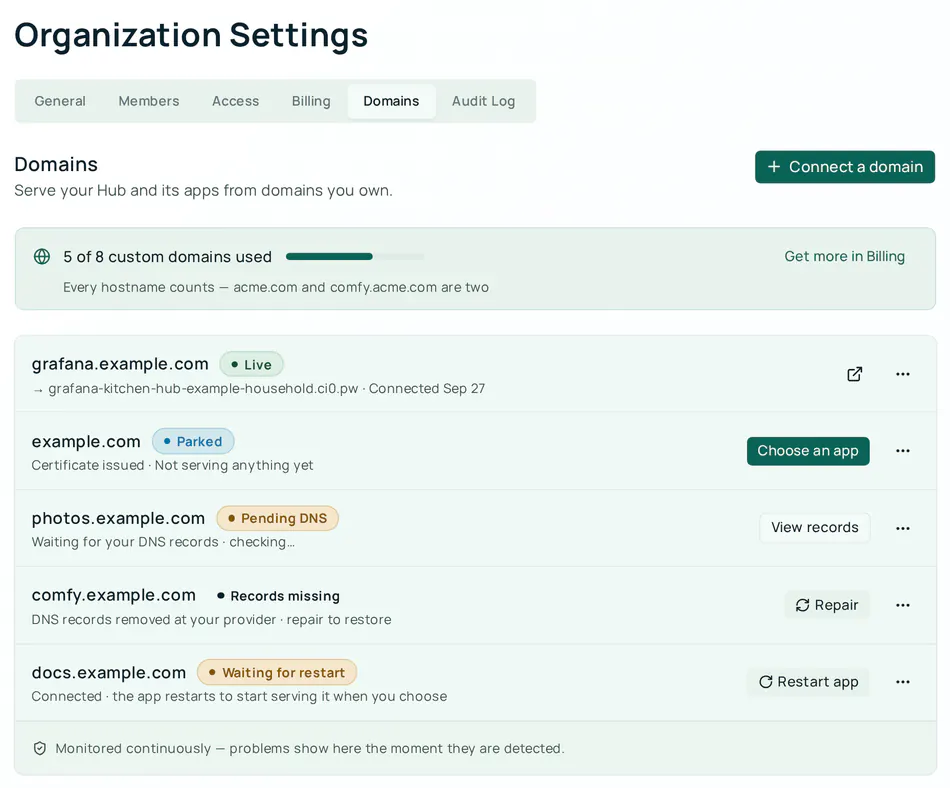
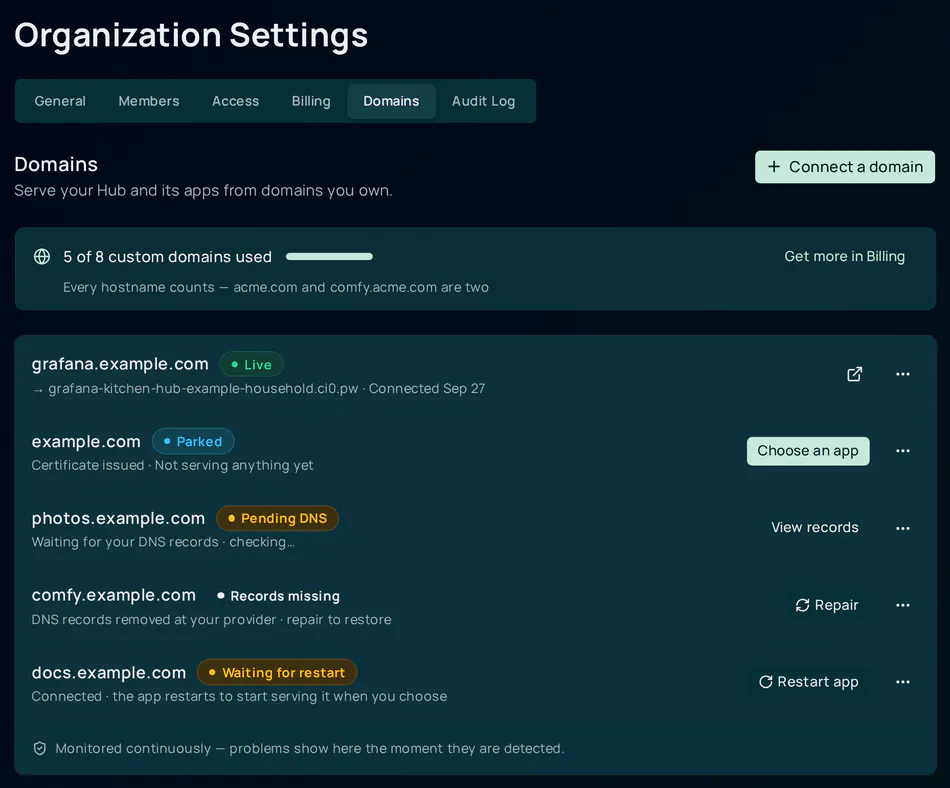
Availability. The Domains tab lives in Organization settings.
Connecting a new domain needs two things: the operator’s connect switch
(customDomains.enabled) must be on for the deployment, and when billing
enforcement is on your organization needs a Custom Domain
add-on on the Pro plan. On
hub.ci.computer the connect switch is off
today, so the tab is shown only to organizations that already hold a domain
and Connect a domain is not offered. This page describes what ships in the
software; it applies on hub.ci.computer as soon as the switch is turned on.
Before you start
- An organization in your CI Account. Any member can see the Domains tab; only owners and admins can connect, retarget or disconnect a domain.
- A Hub paired to that organization with an active Cloudflare Gateway tunnel. The domain stands in front of an app’s public hostname, so the app you pick must have Public Web as its Exposure mode — or choose the Hub dashboard, which needs no app.
- A domain you control, with access to its DNS. Entri signs you in at your provider directly; your provider password never reaches the CI Account.
- Where billing is enforced, a Pro plan with at least one Custom Domain add-on unit. Each connected hostname uses one unit.
How it fits together
sequenceDiagram
    participant B as Browser
    participant P as CI Account
    participant CF as Cloudflare for SaaS
    participant E as Entri
    participant D as Your DNS provider
    participant H as Hub tunnel
    B->>P: Connect a domain with a target
    P->>P: Claim the domain for your organization
    P->>CF: Create a custom hostname pointing at the app's platform hostname
    CF-->>P: Ownership and certificate validation records
    P-->>B: Claim plus the three records and an Entri token
    B->>E: Open the Entri setup with the token
    E->>D: Sign in and write the records
    D-->>E: Records written
    E-->>B: Setup finished
    loop until verified and the certificate is active
        B->>P: Finalize and read the domain
        P->>CF: Read hostname status
        CF-->>P: Ownership verified, certificate issuing then active
    end
    P->>H: Add an ingress rule for the custom hostname
    E-->>P: Signed webhooks while monitoring the records
The CI Account never writes into your DNS zone. Everything it does happens on its own side: a custom hostname on the platform’s Cloudflare zone, and an ingress rule in your Hub’s tunnel.
Connect a domain
Open Organization settings → Domains and click Connect a domain. The wizard has two steps.
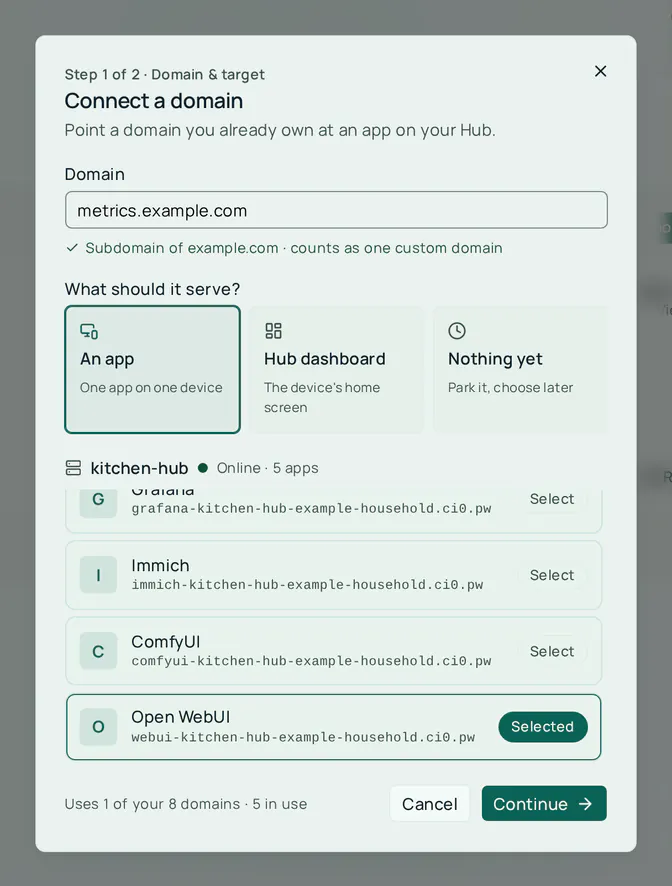
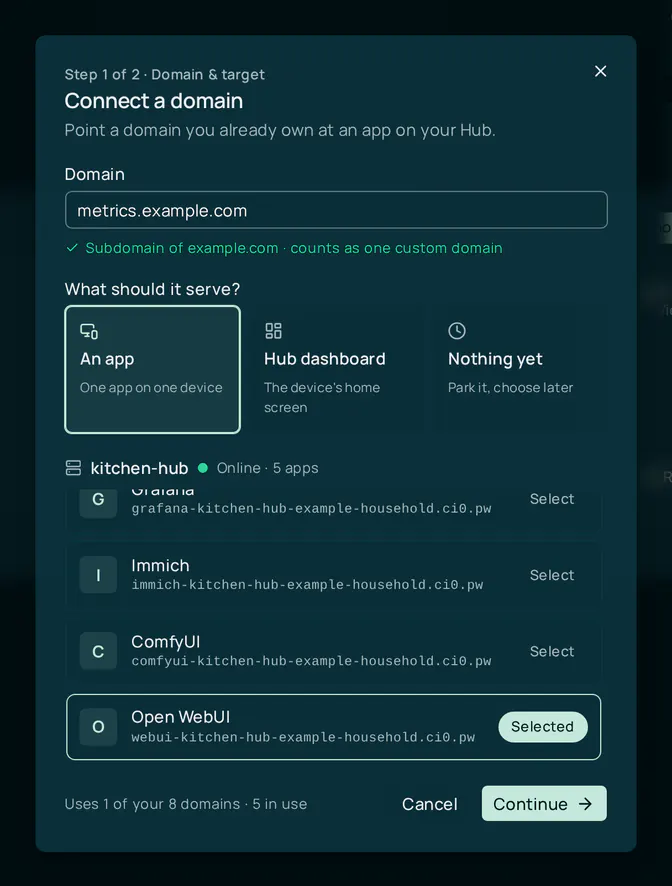
Domain and target
Type the hostname you want to use, then choose what it should serve:
- An app — one app on one device. Pick the device, then the app; the wizard shows the platform hostname the domain will stand in front of.
- Hub dashboard — the device’s own home screen.
- Nothing yet — park the domain. Ownership is verified and a certificate is issued now, and you choose an app later.
You never type the target hostname; the CI Account derives it from the device and app you pick, and it must be a hostname the gateway already publishes. A platform hostname (anything under ci.computer or a gateway zone such as ci0.pw) cannot be connected as a custom domain.
Subdomain or root domain? A subdomain such as grafana.example.com works at every DNS provider, because it is a plain CNAME. A root domain such as example.com needs a provider that supports CNAME flattening at the apex — Cloudflare, Route 53 and most modern registrars do. The wizard accepts a root domain either way: it cannot tell in advance whether your provider flattens, so at one that does not, the domain is claimed, the records can be written, and it never verifies — it sits at Pending DNS. If that happens, disconnect it and connect www.example.com instead, redirecting the root to it at your provider. Either way, each hostname counts as one custom domain.
Click Continue. The domain is claimed for your organization and a Cloudflare custom hostname is created for it.
Hand off to Entri
Click Set up automatically. Entri opens, detects your DNS provider and asks you to sign in there. Once you authorize it, Entri writes three records for you — nothing to copy. It takes about a minute; keep your phone nearby if your provider uses two-factor sign-in.
When Entri closes, the wizard shows the verifying timeline: DNS records written → Ownership verified → Issuing certificate → Live. Ownership is usually confirmed within a couple of minutes of the records landing, and the certificate usually follows in under two minutes more. The wizard checks on its own for about three minutes; if it is still waiting after that, close it — the Domains tab keeps checking pending domains in the background, and Check now in the domain’s details asks again. If the domain serves a running app, the Domains tab then asks you to confirm a restart of that app — see Restart the app.
Adding the records yourself
If Entri cannot write the records — your provider is not supported, the sign-in was abandoned, or you prefer to do it by hand — click I’ll add the records myself. The wizard lists the records, with Copy all records; the same list stays available from the domain’s details for as long as anything is outstanding. Cloudflare stops returning a validation record once its check has passed, so a settled domain shows no record list — by then there is nothing left to add.
| Record | Name | Points at | Purpose |
|---|---|---|---|
CNAME | your hostname | hub.ci.computer, or the app’s own address when that address is under ci.computer | Routing — sends visitors for your hostname to CI Account, which delivers them to your app |
TXT | _cf-custom-hostname.<name> | the ownership token shown in the wizard | Proves you control the domain |
CNAME | _acme-challenge.<name> | <name>.<id>.dcv.cloudflare.com | Lets Cloudflare issue and renew the certificate for you |
The exact names and values are in the wizard; copy them from there rather than from this table. A parked domain (Nothing yet) has no routing CNAME until you choose an app.
If your DNS is hosted at Cloudflare, set the routing CNAME to DNS only (grey cloud). A proxied (orange cloud) CNAME into another account’s zone is refused with Cloudflare error 1014, “CNAME Cross-User Banned” — the record looks right in your dashboard and the site shows an error page.
As each record lands, the outstanding count in the details falls. When the domain is set up by hand, Entri is not watching the records; the Records watched line reads Not checked yet until a check has seen them.
Domain states
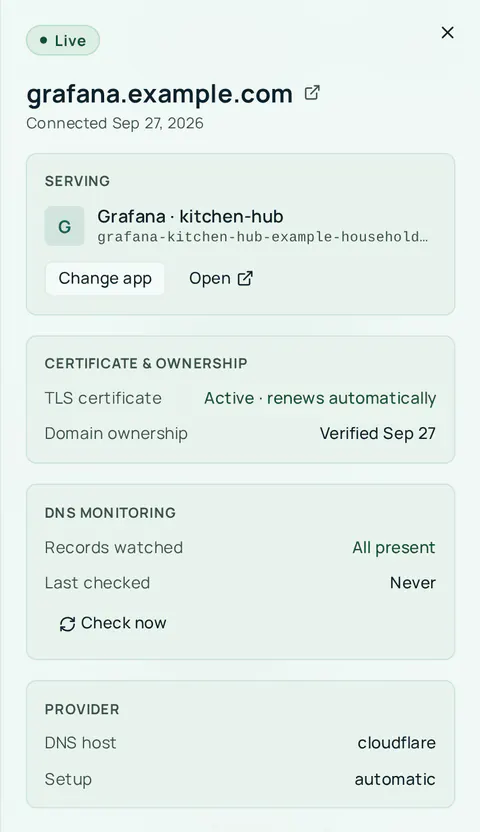
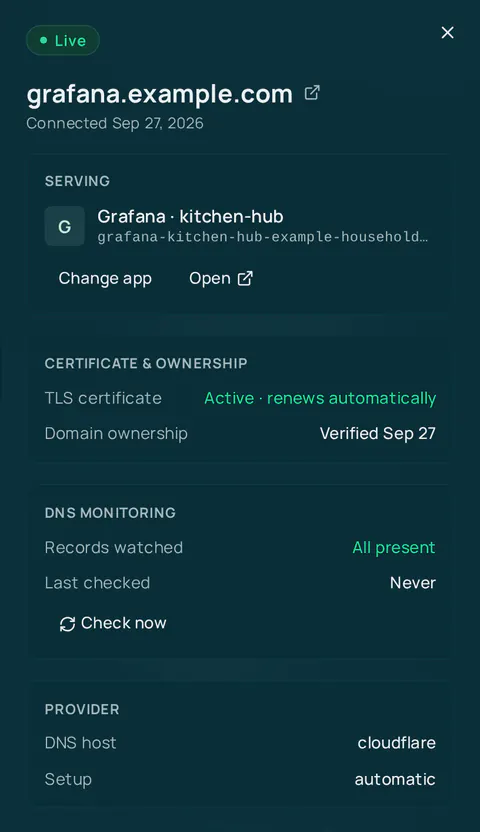
Four things must agree before a domain is Live: Cloudflare has verified ownership and issued the certificate, the routing CNAME is visible in public DNS, your Hub’s tunnel carries a rule for the hostname, and — for a domain that serves an app — the app has restarted and answers on the domain. The badge in the Domains tab says which one is outstanding.
| Badge | Meaning | What to do |
|---|---|---|
| Pending DNS | Cloudflare has not yet seen the ownership record. | Wait, or add the records yourself. Check now asks again. |
| Issuing certificate | Ownership is verified; the certificate is being issued. Also shown briefly at each renewal. | Wait — usually under two minutes. |
| Live | Verified, certificate active, routing record present, tunnel rule in place, app answering on the domain. | Nothing. Open in the details launches the site. |
| Parked | Verified and certificate-ready, serving nothing yet. | Choose an app when you are ready. |
| Finishing setup | Verified and routed, but your Hub’s tunnel does not carry the rule yet. | Nothing — the Hub picks it up on its next sync. If it persists, check that the app is running and exposed. |
| Waiting for your Hub | The domain is ready, but your Hub has not yet reported whether the app has picked it up. | Nothing — the Hub reports at its next check-in, usually within a few minutes. |
| Waiting for restart | The domain is ready, and the app has to restart before it answers on it. Nobody has confirmed the restart, or the confirmation ran out. | Select Restart app (owners and admins) and confirm. See Restart the app. |
| Restarting app | A confirmed restart is under way, or the app is set to restart on its own. | Nothing — your Hub applies it on its next check-in. |
| Waiting for app to start | The app is stopped, so it cannot pick the domain up yet. | Start the app on your Hub. It serves the domain as soon as it runs. |
| Check your Hub | Your Hub could not switch the app to this domain on its own. | Check the app on your Hub. |
| Records missing | A record Entri was watching has been removed, or the routing CNAME for a newly bound domain is not there. | Repair — see Monitoring and repair. |
| Paused | The Custom Domain add-on lapsed while billing is enforced. The domain stays yours but is not served. | Restore the add-on under Billing. Do not disconnect — you would have to connect the domain again. |
| Certificate failed | Cloudflare gave up on issuing the certificate — a validation record never appeared in time, or issuance timed out. This is final. | Disconnect the domain and connect it again to get fresh validation records. Adding the records now will not revive it. |
A failed renewal on a domain that already has a certificate is not the same thing — the existing certificate keeps serving, and the domain does not show Certificate failed.
stateDiagram-v2
    [*] --> PendingDNS: Connect
    PendingDNS --> IssuingCertificate: Ownership verified
    IssuingCertificate --> Live: Certificate active with a target
    IssuingCertificate --> Parked: Certificate active with no target
    IssuingCertificate --> CertificateFailed: Validation or issuance timed out
    Parked --> RecordsMissing: Choose an app
    RecordsMissing --> FinishingSetup: Routing record written
    FinishingSetup --> WaitingForRestart: Tunnel rule in place
    WaitingForRestart --> Live: You confirm the restart and the Hub applies it
    Live --> RecordsMissing: A record disappears
    RecordsMissing --> Live: Record restored
    Live --> Paused: Add-on lapses
    Paused --> Live: Add-on restored
    Live --> [*]: Disconnect
    CertificateFailed --> [*]: Disconnect and reconnect
Restart the app
Connecting a domain never restarts an app on its own. Until the app restarts, it keeps answering on its platform address and sends visitors back to it, so a domain that has verified and routed correctly can still read Waiting for restart. The restart makes the app briefly unavailable, so the moment is yours to pick.
Select Restart app on the domain’s row, or in its details. The Restart dialog says what will happen: “Restarting app lets it answer on domain. App is briefly unavailable while it restarts. Your Hub picks this up the next time it checks in, usually within a few minutes.” Your confirmation stays valid for 30 minutes; if the Hub has not restarted the app by then, the button comes back.
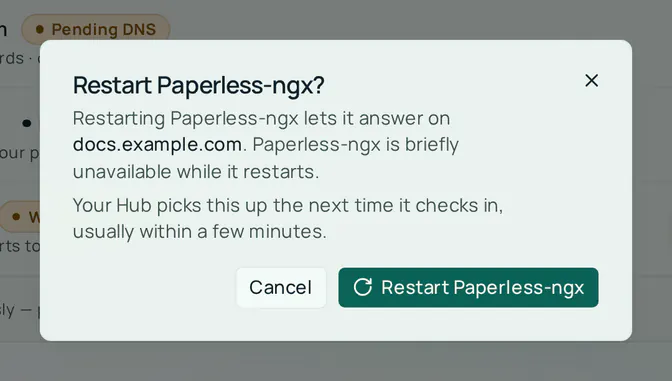
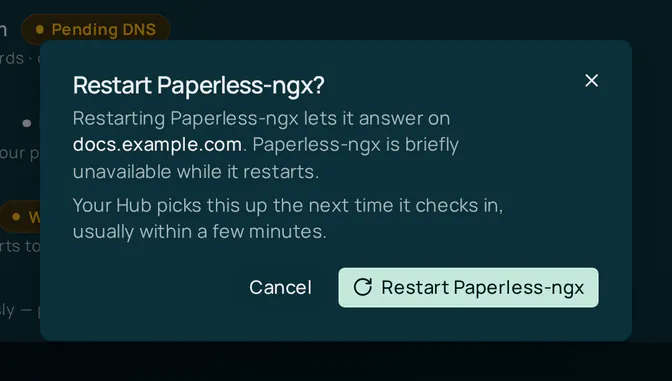
To skip the confirmation for one app, turn on Restart automatically when a custom domain is connected in that app’s install form or settings on the Hub. With it off, the app keeps working on its platform address until you confirm a restart.
Home shows an app at your own domain once the domain is Live, with the platform address beside it as a fallback.
Choose what a parked domain serves
A parked domain is verified and has its certificate, so pointing it at an app is quick. In the Domains tab click Choose an app on the row (or Change app in its menu for a domain that already serves something), pick the device and app, and click Start serving.
Binding a parked domain creates one record that did not exist while it served nothing: the routing CNAME. The dialog continues into the same Entri handoff as a fresh connect so the record can be written for you; until it is, the domain shows Records missing with the record listed in its details. Retargeting a domain that already serves an app needs no DNS change, because the existing CNAME still reaches the platform.
There is no change to your bill either way — the domain was already counted.
From your Hub
A Hub can do the same from its own side. The app install dialog on a paired Hub lists the organization’s domains, lets you bind a parked one to the app you are installing, and lets you unbind it later. Unbinding parks the domain — it stays verified and re-bindable — and only the Hub the domain is bound to can unbind it. Choosing an app, retargeting and disconnecting all keep working from the Domains tab when the connect switch is off.
Monitoring and repair
When Entri writes the records it also starts watching them. If a record is later removed or changed at your provider, Entri notifies the CI Account, the domain moves to Records missing, and the row says which kind of problem it is: DNS records removed at your provider, or No DNS record points this domain at your app for a freshly bound domain.
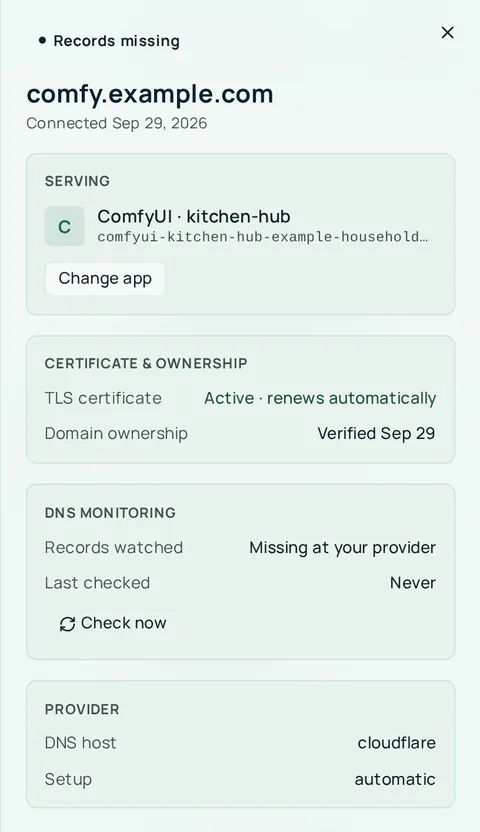
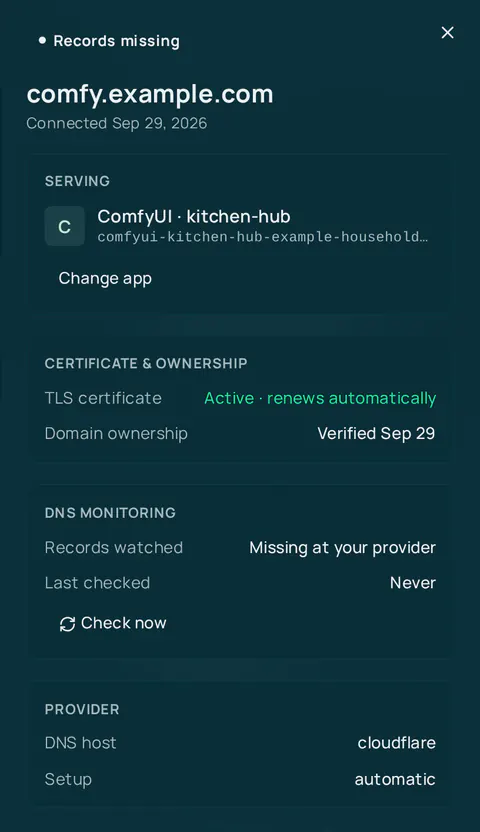
Click Repair on the row. The details open on the record list: use Set up automatically to let Entri rewrite the missing record, or add it yourself. Once it is back, Entri reports it restored, the badge clears, and the repair is recorded in the organization’s audit log.
Check now re-reads the domain from Cloudflare, asks Entri to look at the records again (for domains Entri set up), and refreshes the routing check. The Entri recheck can be requested once every five minutes per domain.
Monitoring covers the DNS records only. It says nothing about whether the app behind the domain is running.
Disconnect
Open the domain’s menu or its details and click Disconnect.
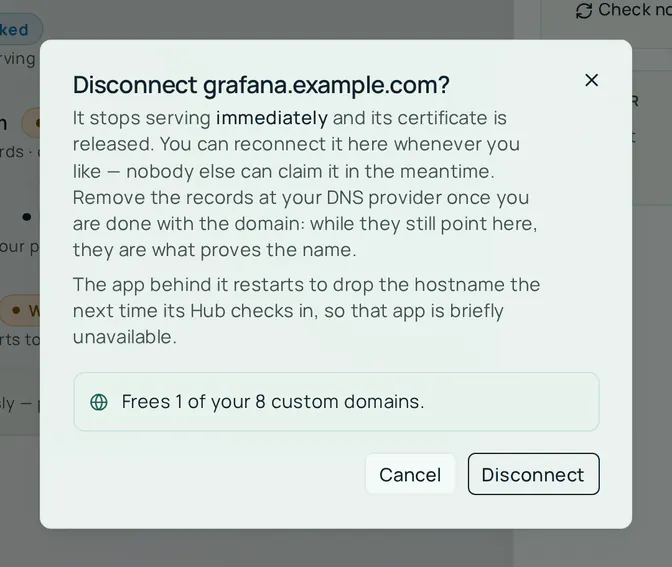
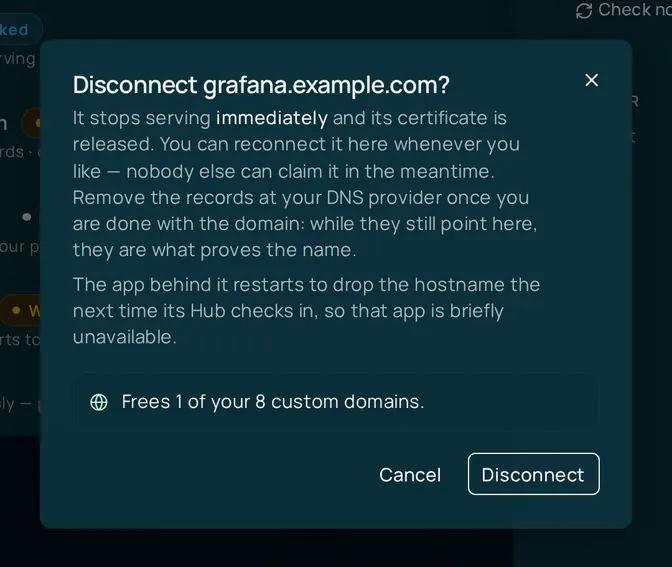
Disconnecting:
- Stops serving immediately. The Cloudflare custom hostname and its certificate are released, Entri stops monitoring, and the tunnel rule is dropped on the Hub’s next sync.
- Restarts the app behind it to drop the hostname, the next time its Hub checks in, so that app is briefly unavailable. The dialog says so when it applies.
- Leaves your DNS records in place, and they still matter. Remove the records at your DNS provider once you are done with the domain. While the routing and
_acme-challengerecords still point at CI Account, they are what would prove the name to whoever asks for it next. - Keeps a verified name yours. If the domain was ever verified, it stays reserved for your organization: you can reconnect it whenever you like, and another organization that asks for it is refused until support has reviewed the claim. A domain that never finished verifying is released outright. Either way, disconnecting frees one Custom Domain unit on yours.
The small print under Disconnect domain in the details panel still says that any organization can claim the name afterwards. The behavior described here, and the wording of the confirmation dialog, are the accurate ones.
Disconnect works whether or not the connect switch is on and whether or not the add-on is still active. If the Cloudflare hostname cannot be released, the domain is kept rather than left dangling — try again later.
Removing a device from the organization disconnects the domains bound to it. Deleting an organization releases every domain first, and stops if one cannot be released.
Limits
- Up to 25 custom domains per organization — the Custom Domain add-on’s maximum quantity.
- Every hostname counts.
example.comandwww.example.comare two custom domains. - One organization per domain. While one organization holds a domain, no other can connect it, and a name that was ever verified stays reserved for the organization that held it after it disconnects (see Disconnect). A subdomain of a domain that another organization has connected and verified is refused too, because it already points at CI Account. If you own the name, contact support to have the claim reviewed.
- Check now can request an Entri recheck once every five minutes per domain.
- Connecting is rate-limited to ten submissions per ten minutes from one address. Every submission counts, not only new claims: retargets, re-claims of a domain you already hold, and retries after a typo all draw on the same allowance.
The usage line at the top of the Domains tab counts every hostname against the organization’s Custom Domain units.
For developers
All /api/custom-domains and /api/entri/token routes need a signed-in session and membership of the organization named by organizationId. Device routes use the Hub’s device key (x-device-key) instead. Fenced routes are refused with 402 ENTITLEMENT_REQUIRED when the organization lacks the custom_domain entitlement and billing enforcement is on; with enforcement off the refusal is only logged and the request goes through.
| Method | Path | Auth | Purpose |
|---|---|---|---|
POST | /api/custom-domains/init | Session, owner/admin, fenced; customDomains.enabled for a new claim | Claim a domain, create the Cloudflare custom hostname, mint an Entri connect token; also retargets an existing domain |
POST | /api/custom-domains/purchase/init | Session, owner/admin, fenced; customDomains.enabled + customDomains.purchase | Mint an Entri token for buying a domain (test environments only) |
GET | /api/custom-domains | Session, any member | List the organization’s domains, refreshing unsettled ones |
GET | /api/custom-domains/:id | Session, any member | Read one domain with its outstanding records and routing check; refresh=1 forces a re-read |
POST | /api/custom-domains/:id/finalize | Session, any member | Re-read Cloudflare; ownership is marked verified only when Cloudflare reports the hostname active |
POST | /api/custom-domains/:id/recheck | Session, any member; once per 5 minutes per domain | Ask Entri to re-run propagation checks |
POST | /api/custom-domains/:id/check | Session, any member | Ask Entri for a provider report on the domain |
DELETE | /api/custom-domains/:id | Session, owner/admin | Release the Cloudflare hostname and Entri monitor, then delete the domain |
GET | /api/custom-domains/device | Device key | List the organization’s domains as the Hub sees them, with bindable and boundElsewhere |
POST | /api/custom-domains/device/bind | Device key | Bind a verified domain to an app installed on this device |
POST | /api/custom-domains/device/unbind | Device key; only the bound device | Park the domain again |
POST | /api/entri/token | Session, owner/admin, fenced; customDomains.enabled | Mint a scoped Entri token (connect, monitor or sell) |
POST | /api/entri/webhooks | Entri signature + source-IP allowlist | Receive signed Entri status events; every event is recorded |
init answers 409 when another organization is in the way: DOMAIN_CLAIMED (it holds the name now), DOMAIN_PREVIOUSLY_CLAIMED (it held and released a verified name, or a name above this one) or DOMAIN_PARENT_CLAIMED (it has connected and verified a name above this one). Reconnecting a name your own organization released is not refused.
Ownership is only ever marked verified from what Cloudflare reports — no route accepts a status from the caller. The organization’s audit log records custom_domain.connected, custom_domain.finalize_pending, custom_domain.retargeted, custom_domain.disconnected and custom_domain.repaired.
Configuration (operators)
For whoever runs a CI Account deployment. Names only; never commit or paste the values. The full reference, including the zone setup and the Entri account requirements, is kept with the CI Account source, which is not public.
| Name | Kind | Purpose |
|---|---|---|
ENTRI_APPLICATION_ID | variable | Identifies this deployment’s Entri application; empty means every route that talks to Entri answers 503 |
ENTRI_SECRET | secret | Authenticates token minting with Entri |
ENTRI_WEBHOOK_CLIENT_SECRET | secret | Verifies Entri webhook signatures; falls back to ENTRI_SECRET |
ENTRI_API_BASE | variable | Entri API base URL |
ENTRI_WEBHOOK_ENFORCE_IP | variable | Whether webhooks must arrive from an allowed address (default on) |
ENTRI_WEBHOOK_ALLOWED_IPS | variable | Entri’s egress addresses; empty while enforcing means every webhook is refused |
CLOUDFLARE_API_TOKEN | secret | Must be allowed to manage custom hostnames and tunnel configuration on the zone — a DNS-only token is not enough |
CLOUDFLARE_ACCOUNT_ID | variable | Cloudflare account that owns the tunnels |
CLOUDFLARE_DOMAIN | variable | The Cloudflare for SaaS zone; every target hostname must live under it |
CLOUDFLARE_ZONE_ID | variable | Zone id; resolved from CLOUDFLARE_DOMAIN when unset |
CLOUDFLARE_MOCK_HOSTNAME_MODE | variable | Local development only; makes mock hostnames start out pending |
Two things are zone settings rather than variables, and every custom hostname creation fails until both are done: Cloudflare for SaaS must be enabled on the zone, and the zone’s Fallback Origin must be set and active — pointing at a platform-owned hostname that answers 404, never at a customer’s tunnel.
Connecting is switched with the customDomains.enabled feature flag, which gates new claims and Entri token minting only. Domains that are already verified keep serving, can be listed, retargeted, bound from a Hub and disconnected with the flag off. customDomains.purchase additionally gates Buy a new domain, and billing.enforcement decides whether the add-on requirement and the per-organization quota are enforced or only logged.
Buy a new domain is off everywhere for a second reason: it needs Entri’s Sell product, a separate provisioning decision from Entri Connect that is not enabled on the platform’s Entri application in any environment. Even with customDomains.purchase on, the button opens Entri’s modal and it renders “Configuration error” — no code change or entitlement makes it succeed. Buy the domain at a registrar and connect it.
Related
- Cloudflare Gateway — the tunnel custom domains ride on
- Finding your app URL — the generated hostname a custom domain stands in front of
- Linking a domain to your dashboard — running your own domain against a local Hub without the CI Account
- Billing & Subscriptions — the Pro plan and the Custom Domain add-on